

Pomofocus
A browser Pomodoro timer with tasks, adjustable intervals and separate paid features.
About Pomofocus
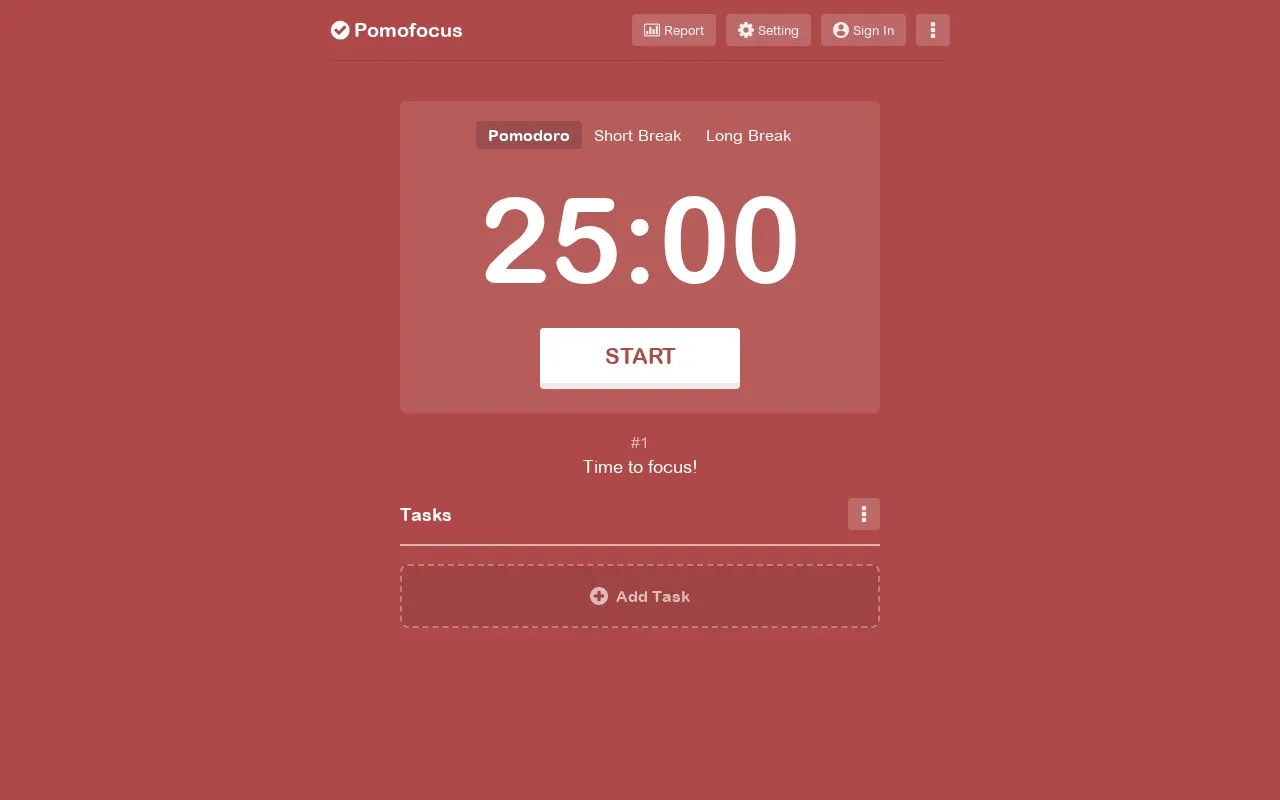
Pomofocus is an online Pomodoro timer that runs in a desktop or mobile browser. It is designed to help people focus on tasks such as studying, writing, or coding. The timer follows the Pomodoro Technique, which splits work into intervals, traditionally 25 minutes, separated by short breaks. Users add tasks for the day, estimate how many pomodoros each task needs, and start the timer for each interval.
Basic features include a finish-time estimate for daily tasks, saved task templates, visual reports of focus time by day, week, and month, and adjustable focus and break times with alarm and background sounds. Premium features, listed separately, add project time tracking, yearly reports, CSV export of focus history, more than three saved templates, Todoist task import, webhook connections to other apps, and an ad-free experience. Desktop app downloads are listed for Mac, Windows, and Linux. The Windows installer may show a warning because the app is not signed with a developer certificate.
Key features
- Estimates the time needed to finish daily tasks
- Saves repetitive tasks as templates for one-click addition
- Visual reports of focus time by day, week, and month
- Adjustable focus and break durations, alarm sounds, and background sounds
- Premium: project time tracking, yearly reports, and CSV export of focus history
- Premium: loads tasks from Todoist and connects to apps via webhooks
Best for: People who study, write, or code and want a timed work-and-break routine based on the Pomodoro Technique.
Good for
- Works in both desktop and mobile browsers
- Basic timer, task, and report features are listed without a premium tier
- Desktop app downloads are provided for Mac, Windows, and Linux
Watch out for
- Several features, including project tracking, CSV export, and integrations, are listed as premium
- Saving more than three templates is listed as a premium feature
- Windows users may see a warning that the app is unsafe because it is not signed with a developer certificate
Pomofocus at a glance
- Website
- pomofocus.io
- Category
- Productivity › Productivity Suites
- Type
- Online tool
- Pricing
- Freemium
- Open source
- Not stated
- Last checked
- Oct 9, 2026 · Online when checked
- Listed
- Oct 9, 2026
Guides for Productivity Suites


Pomofocus alternatives
Tools and sites you could use instead, ranked by how closely they match.

A Pomodoro timer and task manager for desktop and mobile, with free use and paid Premium features.
Freemium
6 alternatives
A free browser timer with Pomodoro intervals, custom timers and shareable timer links.
Free

A free browser Pomodoro timer with keyboard shortcuts and configurable work and break intervals.
Free

Team time tracking with tasks, projects, manual entries, and timesheets. A free plan is available with paid upgrades.
Freemium
12 alternatives
An open-source Linux focus timer with Pomodoro sessions and configurable timing.
FreeOpen source
5 alternatives
Time tracker with timers, tasks, boards, calendar integrations and personal reports. The free plan covers a limited number of users.
Freemium
12 alternativesPopular in Productivity Suites
Well-known listings from the same topic.
RescueTimerescuetime.comTryScribetryscribe.inRamboxrambox.appNumerous.ainumerous.aiTTSReaderttsreader.comClickUpclickup.com


Pomofocus FAQ
What is the Pomodoro Technique?
It is a time management method developed by Francesco Cirillo that uses a timer to split work into intervals, traditionally 25 minutes long, separated by short breaks.
Why might Windows warn about the desktop app?
The app is not signed with a developer certificate. The site says Windows users can click "Details" and then "Run anyway" to proceed.
Is something wrong or out of date?
Tell us and an editor will check it.
Own this website?
Claim this listing
Claim the listing and suggest updates yourself. An editor checks every claim first.