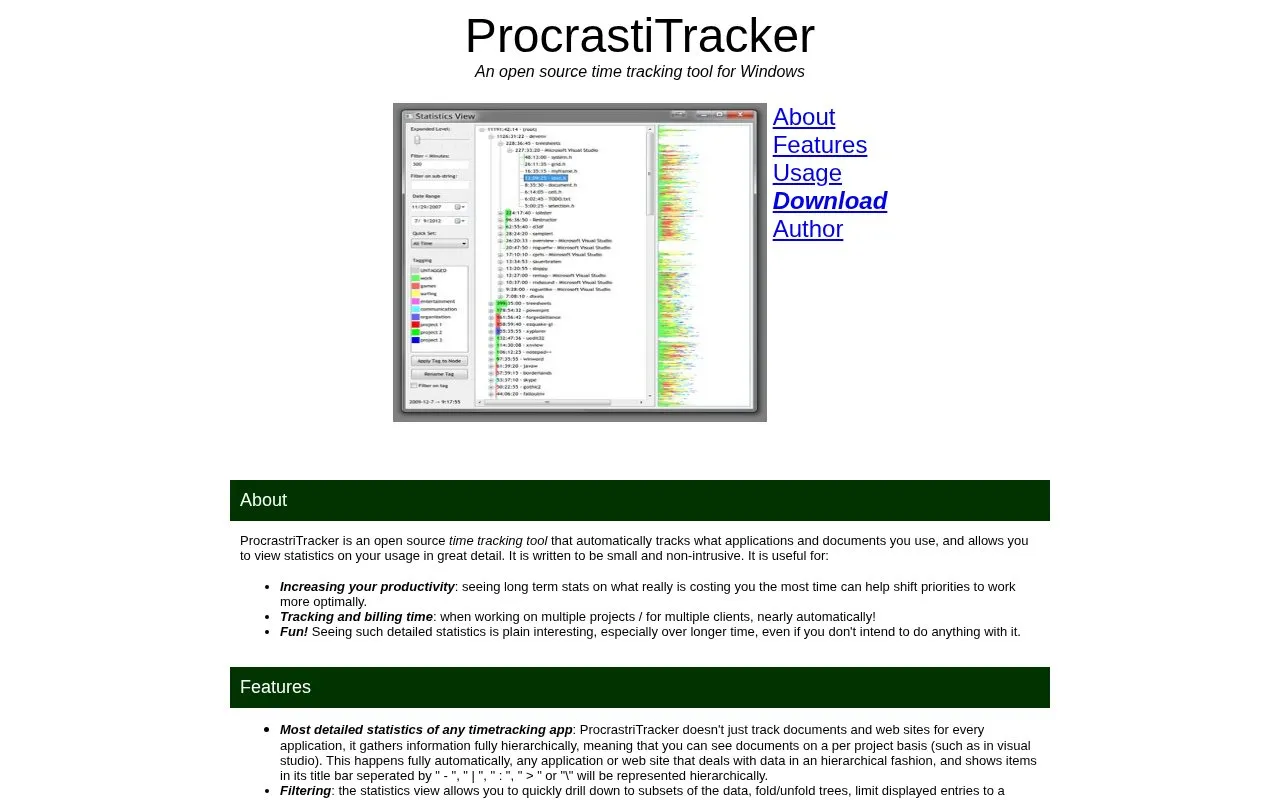
ProcrastiTracker is a Windows time tracking application that runs in the system tray and automatically records which applications, documents, and websites are in use. It stores this data in a local database on disk and provides statistics views that can be filtered by date range, tag, or minimum time used. Users can group items with tags, export filtered results to an HTML page, and configure timing settings such as the idle thresholds.
The application is limited to Windows. Website grouping by domain is supported only for Chrome, Firefox, IE, and Opera. The hierarchy of items depends on how each application formats its window titles, so results vary by application. The default settings check activity every 5 seconds and stop checking after 3 minutes without mouse or keyboard input.
Key features
Automatically records active applications, documents, and websites over time
Groups items hierarchically by project based on window titles
Filters statistics by date range, tag, or minimum seconds used
Tags that color bar graphs and apply to child items
Excludes semi-idle and fully idle time, with configurable thresholds
Exports filtered statistics to a readable HTML layout
Best for: Windows users who want automatic, detailed records of time spent on applications and websites, for reviewing productivity or tracking time across projects or clients.
Good for
Collects usage data automatically once it is installed and set to start with Windows
Runs in the system tray and is described as small and non-intrusive
Supports tags and filters for separating time across projects or clients
Watch out for
Runs on Windows only
Domain-level website grouping is supported only for Chrome, Firefox, IE, and Opera
Hierarchy quality depends on how each application formats its window titles