
pyTranscriber
pyTranscriber generates automatic transcriptions and subtitles for audio and video files through a desktop app.
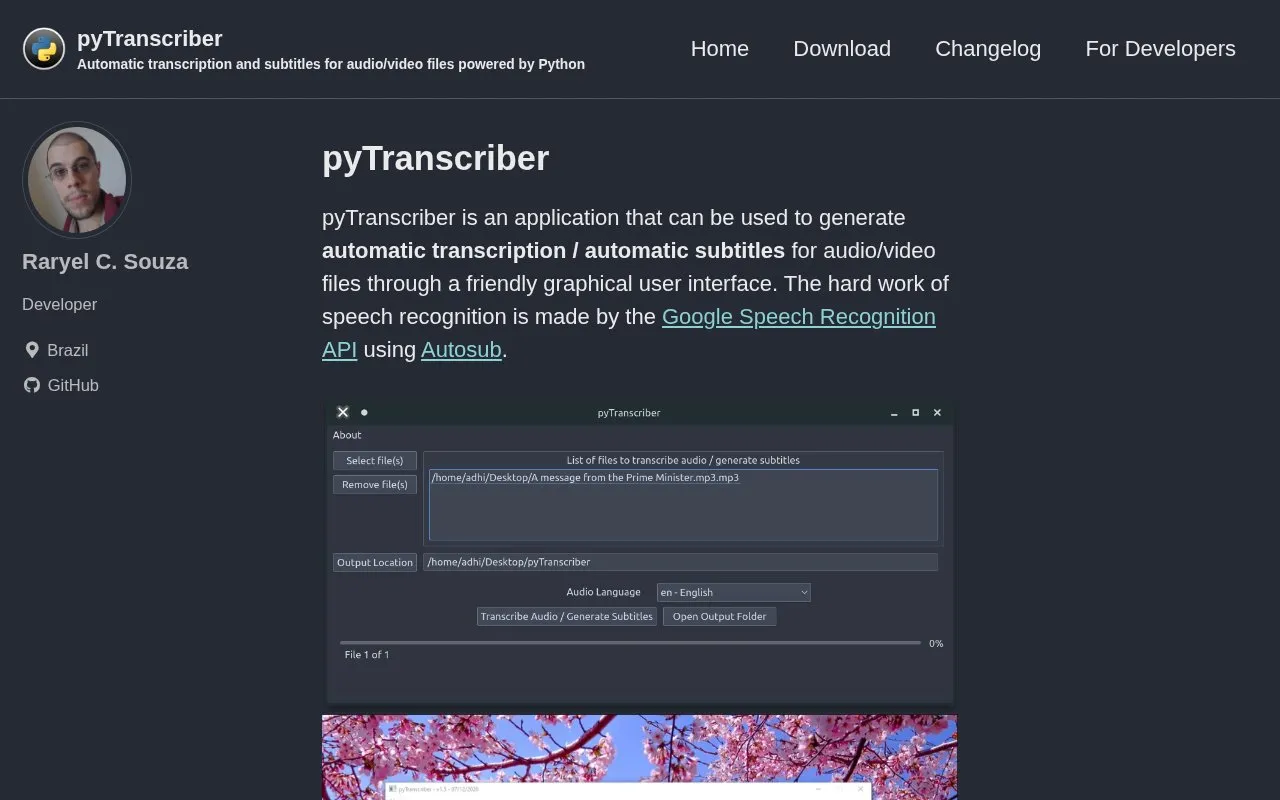
About pyTranscriber
pyTranscriber is a desktop application that generates automatic transcription and subtitles for audio and video files through a graphical user interface. It uses the Google Speech Recognition API via Autosub, with recent versions also referencing Whisper processing, and outputs subtitles as .srt files and transcriptions as .txt files with on-screen display.
An internet connection is required because processing uses the Google Cloud Speech Server. Accuracy varies with audio quality and clarity, and the source notes clean audio without background noise, music, or effects and a single clear, slow speaker gives more accurate results.
Key features
- Transcribes audio and video files into text
- Generates automatic subtitles for audio and video files
- Outputs subtitles as .srt files
- Outputs transcriptions as .txt files and on-screen text
- Uses Google Speech Recognition API via Autosub
- Offers faster Whisper processing with CUDA on Nvidia GPUs
Best for: People creating .srt subtitles or .txt transcripts from audio or video on Windows or Linux.
Good for
- Outputs both .srt subtitle files and .txt transcription files
- Provides a graphical interface for the transcription process
- Offers Windows and Linux builds
Watch out for
- Requires an internet connection to use the Google Cloud Speech Server
- Transcription accuracy varies and depends on audio quality and clarity
- Linux binary requires GLIBC 2.35 or newer
pyTranscriber at a glance
- Website
- pytranscriber.github.io
- Category
- Software & Utilities › Media Players & Servers
- Type
- Website
- Pricing
- Not confirmed. Check the site
- Platforms
- Web
- Open source
- Not stated
- Language
- English
- Last checked
- Oct 5, 2026 · Online when checked
- Listed
- Oct 5, 2026
Guides for Media Players & Servers
Popular in Media Players & Servers
Well-known listings from the same topic.
Ampacheampache.orgAIMPaimp.ruXbox Kodiapps.microsoft.com/detail/9nblggh4t892Pasta Toolpastatool.comMuseeksmuseeks.ioCaracal Clubcaracal.club


pyTranscriber FAQ
Does pyTranscriber require an internet connection?
Yes. An internet connection is required because it uses the Google Cloud Speech Server.
What files does it produce?
By default it outputs subtitles as .srt files and transcriptions in the interface and as .txt files.
How accurate is the transcription?
Accuracy varies with audio quality and clarity. The source notes clean audio without background noise, music, or effects and a single clear, slow speaker gives more accurate results, with close to 95% possible under ideal conditions.
Is something wrong or out of date?
Tell us and an editor will check it.
Own this website?
Claim this listing
Claim the listing and suggest updates yourself. An editor checks every claim first.