

Screenshot Studio
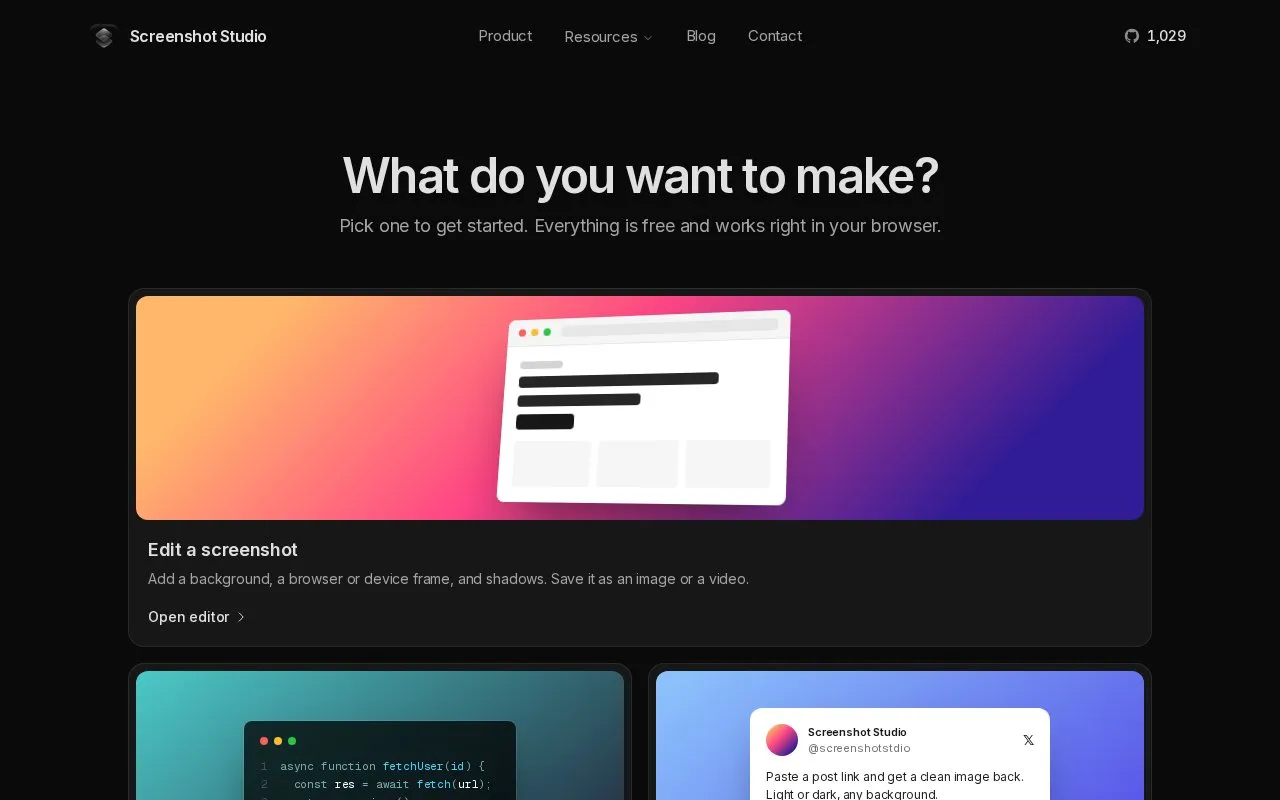
Screenshot Studio offers browser editors for screenshots, code images, tweet images, and App Store images, plus image tools.
About Screenshot Studio
Screenshot Studio provides browser editors for screenshots, code snippets, posts from X, and App Store screenshots, plus tools to compress, convert, resize, crop, rotate, and remove backgrounds. The main screenshot editor can add backgrounds, Safari or Chrome frames, iPhone or MacBook mockups, shadows, and 3D tilt, and export PNG, JPEG, and WebP at up to 5x resolution, or MP4, WebM, and GIF for animations. Imported images are read in the browser tab and drafts are saved in browser storage, without uploading files for editing. Basic image tools also run in the page, and exports are re-encoded from pixels without EXIF data such as camera model and GPS location. Some features, such as capturing a screenshot from a URL, require network access.
Key features
- Add backgrounds, browser frames, device mockups and shadows
- Export PNG, JPEG and WebP at up to 5x resolution
- Export animated screenshots as MP4, WebM and GIF
- Convert code to images with 14 themes and 20 languages
- Convert X post links to light or dark images
- Compress, convert, resize, crop, rotate and remove backgrounds
Best for: People preparing screenshots for landing pages, READMEs, slides, or social posts.
Good for
- No signup or watermark described
- Editing and basic image tools run in the browser without uploads
- Exports drop EXIF data such as camera model and GPS location
Watch out for
- Some features, such as URL screenshot capture, require network access
Screenshot Studio at a glance
- Website
- screenshot-studio.com
- Category
- Online Tools › Image Tools
- Type
- Online tool
- Pricing
- Not confirmed. Check the site
- Platforms
- iOS, Web
- Open source
- Not stated
- Language
- English
- Last checked
- Oct 5, 2026 · Online when checked
- Listed
- Oct 5, 2026
Guides for Image Tools

Screenshot Studio alternatives
Tools and sites you could use instead, ranked by how closely they match.

Zonerama provides an online photo gallery with unlimited storage, plus links to Zoner Studio and its magazine.
Free
5 alternativesPopular in Image Tools
Well-known listings from the same topic.
CamScannerapps.apple.com/us/app/camscanner-pdf-scanner-a…BeeRefbeeref.orgGreenshotgetgreenshot.orgLightshotapp.prntscr.comnomacsnomacs.orgConverseenconverseen.fasterland.net


Screenshot Studio FAQ
What happens to images I import for editing?
They are read by the browser and drawn on a canvas in the tab rather than uploaded for editing, and drafts are saved in browser storage.
Do the compress, convert, resize, crop, and rotate tools upload files?
No, they run inside the page with the browser's image APIs, so files go from disk to the downloads folder without touching a server.
Is camera or location metadata kept on export?
No, every image is re-encoded from pixels, which drops EXIF data such as camera model and GPS location.
Is something wrong or out of date?
Tell us and an editor will check it.
Own this website?
Claim this listing
Claim the listing and suggest updates yourself. An editor checks every claim first.