
oZone3D lists graphics card and system utilities, including GPU stress tests and benchmarks.
SilverBench
SilverBench runs a JavaScript CPU benchmark and stress test in the browser, with live results and detailed statistics.
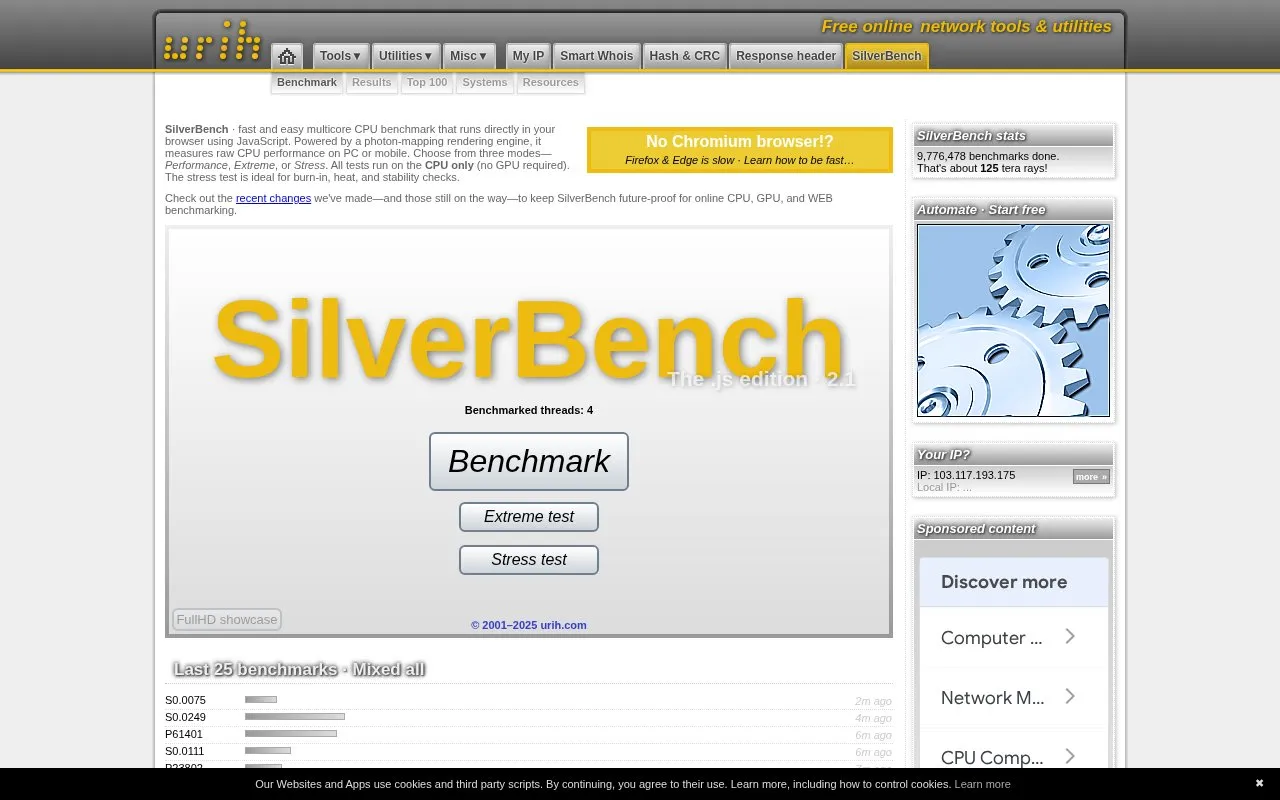
About SilverBench
SilverBench is a browser-based CPU benchmark and stress test written in JavaScript. It runs a multicore workload using a photon-mapping rendering engine and measures raw CPU performance on a PC or mobile device. Users choose from three modes: Performance, Extreme, or Stress. All tests run on the CPU only, so no GPU is required.
The Stress mode is described on the homepage as suited to burn-in, heat, and stability checks. The site also lists results, including Top 100 and all-time Performance lists, and provides a form to submit a nickname and system description. The homepage describes the tools as free, but it gives no pricing details, so pricing is listed as unknown.
Key features
- Multicore CPU benchmark that runs in the browser using JavaScript
- Three test modes: Performance, Extreme, and Stress
- Stress mode intended for burn-in, heat, and stability checks
- CPU-only testing, with no GPU required
- Photon-mapping rendering engine used as the test workload
- Result lists including Top 100 and all-time Performance rankings
Best for: Users who want a quick browser-based CPU performance test or a stability and heat check on a PC or mobile device.
Good for
- Runs without a GPU because all tests use only the CPU
- Works on both PC and mobile devices, according to the homepage
- Offers a separate Stress mode for burn-in and stability checks
Watch out for
- The homepage states that Firefox and Edge are slow for this benchmark
- For mobile devices, the site recommends rotating the device, and the homepage notes this can be ignored
- The homepage describes only CPU testing, so GPU performance is not measured
SilverBench at a glance
- Website
- silver.urih.com
- Category
- Software & Utilities › Hardware & Diagnostics
- Type
- Website
- Pricing
- Not confirmed. Check the site
- Platforms
- Web
- Open source
- Not stated
- Language
- English
- Last checked
- Oct 6, 2026 · Online when checked
- Listed
- Oct 5, 2026
SilverBench alternatives
Tools and sites you could use instead, ranked by how closely they match.

UNIGINE Benchmarks stress tests PC hardware and measures performance, including CPU, GPU, power supply, and cooling stability.

DigitalFeed runs an online ABX test comparing lossless and lossy music samples using a browser audio interface.
Popular in Hardware & Diagnostics
Well-known listings from the same topic.
PC Managerpcmanager.microsoft.comDolby Accessapps.microsoft.com/detail/9n0866fs04w8RAMMaplearn.microsoft.com/en-us/sysinternals/downloa…AppControlappcontrol.comVIAcaniusevia.comTrueNAStruenas.com


SilverBench FAQ
Does SilverBench need a GPU to run?
No. The homepage states that all tests run on the CPU only and that no GPU is required.
Which browser does the homepage recommend for better speed?
The homepage notes that Firefox and Edge are slow for SilverBench and links to a page about how to get faster results. It does not name a specific browser as recommended, although the heading contrasts Chromium-based browsers with Firefox and Edge.
Can I compare my result with other systems?
The homepage shows result lists, including Top 100, Systems, and all-time Performance rankings. It also provides a form to submit a nickname and system description. The homepage does not say how submitted details are shown or stored.
Is something wrong or out of date?
Tell us and an editor will check it.
Own this website?
Claim this listing
Claim the listing and suggest updates yourself. An editor checks every claim first.