Spectacle captures desktop screenshots and recordings, with its KDE page describing screenshot capture features.

apps.kde.org/spectacle
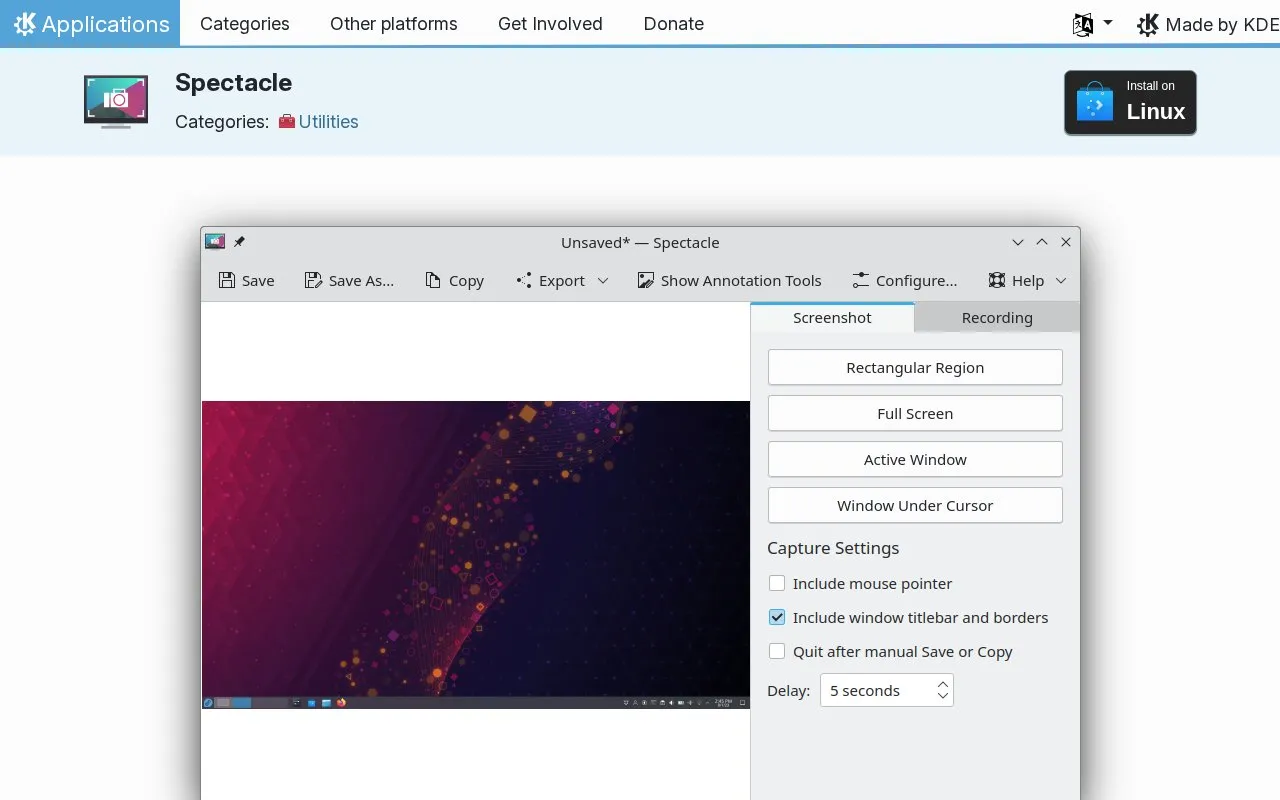
Spectacle homepage screenshot

About Spectacle

Spectacle is an application for capturing desktop screenshots on Linux. It can capture the entire desktop, a single monitor, the active window, the window under the mouse, or a rectangular region of the screen. Captured images can be printed, sent to other applications for manipulation, or saved as-is. Installation is described for Linux through Discover and other AppStream stores or a distribution package manager.

Key features

  • Capture image of the entire desktop
  • Capture image of the current monitor
  • Capture the currently active window
  • Capture the window under the mouse
  • Capture a rectangular region of the screen
  • Take screenshots using keyboard shortcuts
Best for: Linux users who need to capture screenshots of the desktop, monitors, windows, or screen regions.
Good for
  • Offers capture options for desktop, monitor, windows, and regions
  • Images can be printed, saved as-is, or sent to other applications
  • Provides keyboard shortcuts for taking screenshots
Watch out for
  • Installation information is listed for Linux only

Spectacle at a glance

Type
Website
Pricing
Not confirmed. Check the site
Platforms
Linux, Web
Open source
Not stated
Language
English
Last checked
Oct 6, 2026 · Online when checked
Listed
Oct 5, 2026

Featured in

Popular in Linux Apps

Well-known listings from the same topic.

All 222

Spectacle FAQ

What can Spectacle capture?
The entire desktop, a single monitor, the active window, the window under the mouse, or a rectangular region of the screen.
What can I do with a screenshot after capture?
It can be printed, sent to other applications for manipulation, or saved as-is.
How is Spectacle installed on Linux?
Through Discover and other AppStream application stores, or with a distribution package manager.
Is something wrong or out of date?

Tell us and an editor will check it.

Own this website?

Claim the listing and suggest updates yourself. An editor checks every claim first.

Claim this listing