

LobeHub organizes AI agents for scheduled operations and reporting on an AI team.
Stakpak
Run Stakpak, an open-source agent on your machines, to manage application operations and report issues when they arise.
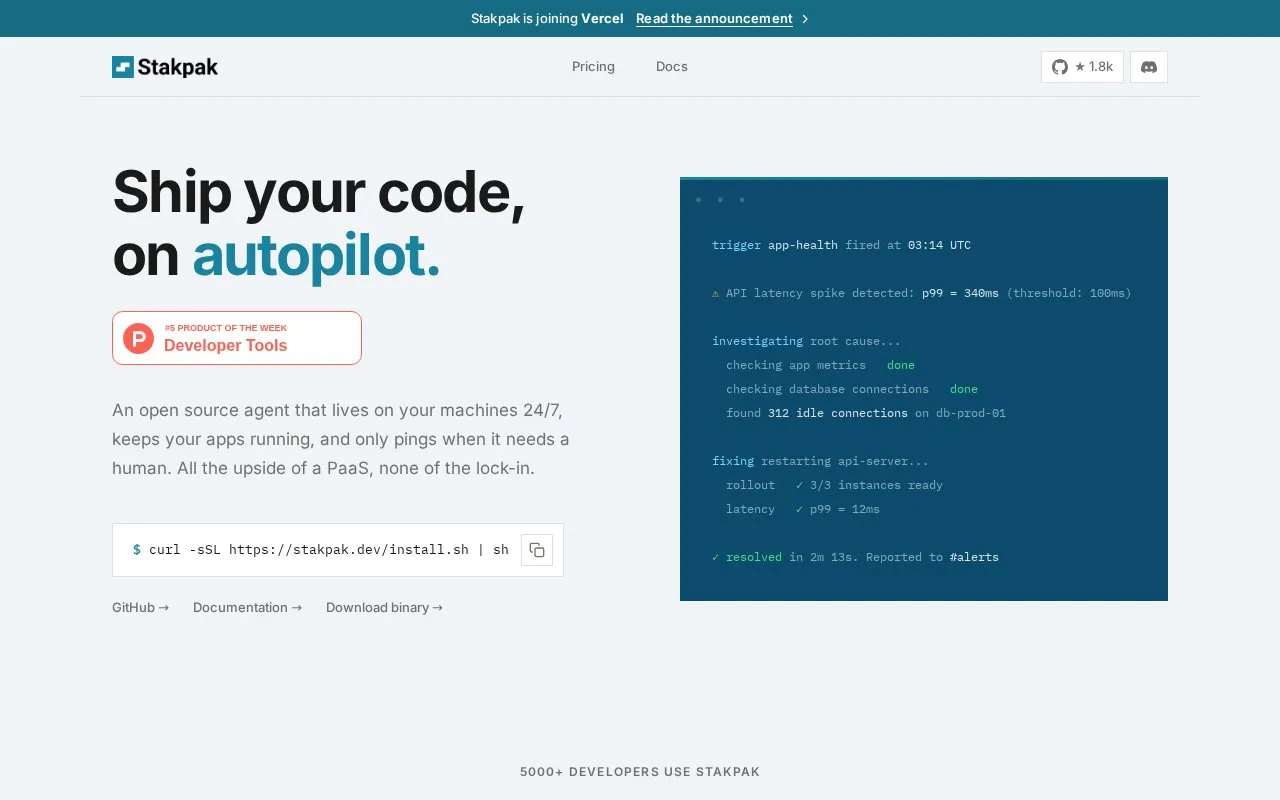
About Stakpak
Stakpak is an agent that runs on your own machines to keep applications running and to report problems when they need a human. Its autopilot is a single long-running process combining scheduling, messaging and a local API; it installs as a system service and persists across reboots. It is set up in three steps: run the install script, run stakpak init to discover your stack and generate APPS.md, then stakpak up to let the agent run continuously. A separate stakpak command provides an interactive terminal interface, and stakpak autopilot status shows schedules, channels and recent activity.
Advertised uses include auto-healing failed health checks, scanning for idle cloud resources and orphaned volumes, and renewing TLS certificates or handling expiring secrets, deprecated APIs and end-of-life runtimes. The site describes safeguards such as a network sandbox (Warden) that routes agent network requests through a proxy with Cedar policies, secret substitution that swaps detected secret values for placeholders before they reach a model, and session audit logs with backups taken before changes, locally and over SSH. The site states that the project is written in Rust under Apache 2.0 and runs entirely on your machines with mTLS encryption, and that it works with a model of your choice; no list of supported models is given. Reporting is described as going to channels such as Slack, and pricing and plan details are not published.
Key features
- Runs 24/7 as a system service that persists across reboots
- Auto-healing: detects failed health checks, restarts apps, sends reports
- Cost watchdog scans for idle cloud instances and orphaned storage volumes
- Handles TLS renewals, expiring secrets, deprecated APIs and EOL runtimes
- Network sandbox (Warden) routes agent requests through a Cedar-policy proxy
- Secret substitution replaces 210+ secret types with placeholders before model processing
Best for: Developers and small teams who want their own applications kept running on their own machines without taking on PaaS lock-in.
Good for
- Single binary installs on your machines and starts from one install script
- Session audit logs with backups before changes, plus replay and rollback
- Site states it runs with mTLS and no data leaves your environment
Watch out for
- Pricing and plan details are not published on the homepage
- No list of supported operating systems or compatible model providers is given
- Site and documentation are presented only in English
Stakpak at a glance
- Website
- stakpak.dev
- Category
- AI & Machine Learning › AI Agents & Automation
- Type
- Online tool
- Pricing
- Not confirmed. Check the site
- Platforms
- Web
- Open source
- Not stated
- Language
- English
- Last checked
- Oct 6, 2026 · Online when checked
- Listed
- Oct 5, 2026
Stakpak alternatives
Tools and sites you could use instead, ranked by how closely they match.

qomplement automates supply-chain operations through an AI ERP designed to reduce manual work and manage transactions.

Dailybot collects team updates and AI reports, keeping work and agent activity visible without adding more meetings.

Build no-code AI agents with this automation platform for research, workflows, and report creation.

Duckie provides AI support agents that resolve customer tickets, investigate issues, and automate workflows using a knowledge base.

Generate & monitor API keys, track usage, and manage Extract/Crawl end-points – all in one place.
Popular in AI Agents & Automation
Well-known listings from the same topic.
Simsim.aiMaya AI.smartmaya.aiMakeformsmakeforms.ioAgent Skillsagentskills.ioGenFuse AIgenfuseai.comBeambeam.ai


Stakpak FAQ
How do I install and start Stakpak?
The homepage shows installing with a curl install script, running `stakpak init` to discover your stack and generate APPS.md, then `stakpak up` to start the autopilot running 24/7.
What do the three main commands do?
`stakpak` opens an interactive terminal interface you drive, `stakpak up` starts the autonomous agent in the background, and `stakpak autopilot status` monitors schedules, channels and recent activity.
Which AI model does it use?
The site says it works with your favorite model, but does not name specific model providers or describe how the model is configured.
Is something wrong or out of date?
Tell us and an editor will check it.
Own this website?
Claim this listing
Claim the listing and suggest updates yourself. An editor checks every claim first.