

Notes+ is an iPad note-taking app that supports Apple Pencil and includes learning tools, according to its page.
Strflow
Strflow keeps notes and to-dos in a text-yourself timeline on iPhone, iPad, and Mac.
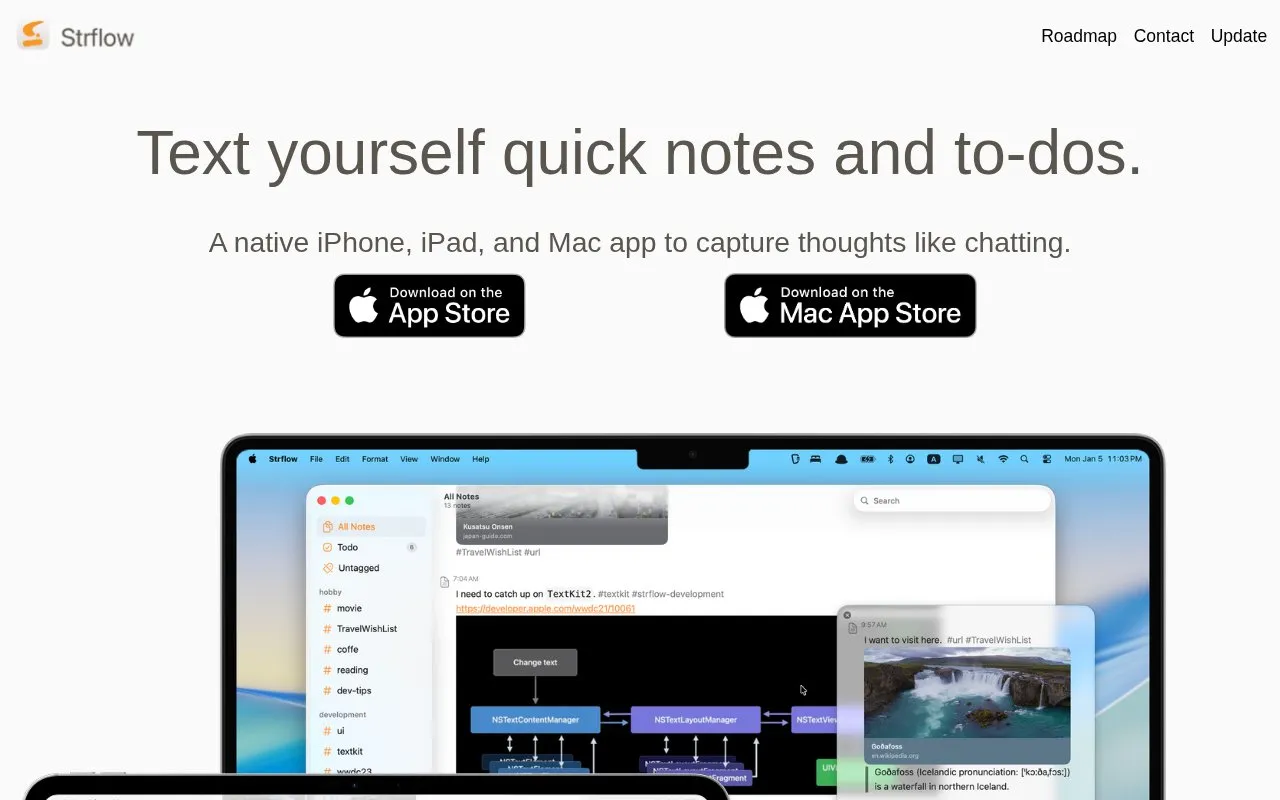
About Strflow
Strflow is a notes app for iPhone, iPad, and Mac that stores notes and to-dos in a timeline styled like messaging yourself. It supports tags for topic timelines, checklists grouped in a Todo timeline, and scheduling notes for future dates as reminders.
It accepts images, text formatting, note links, and link previews, with entry from the app, the share sheet, or a shortcut key on macOS. It describes end-to-end encryption with Advanced Data Protection and allows export of all notes as Markdown.
Key features
- Chat-style timeline for self-messaging notes and to-dos
- Tags to create topic-centered timelines
- Checklists grouped in a dedicated Todo timeline
- Scheduled notes for future dates as reminders
- Entry from share sheet and macOS shortcut key
- Export of all notes as Markdown
Best for: People who capture brief notes and to-dos on iPhone, iPad, and Mac by messaging themselves.
Good for
- No account required to start
- Exports all notes as Markdown without lock-in
- Describes end-to-end encryption with Advanced Data Protection
Watch out for
- Multi-device use requires Strflow Plus
Strflow at a glance
- Website
- strflow.app
- Category
- Software & Utilities › Linux & Mac Apps
- Type
- Website
- Pricing
- Not confirmed. Check the site
- Platforms
- iOS, Web
- Open source
- Not stated
- Language
- English
- Last checked
- Oct 5, 2026 · Online when checked
- Listed
- Oct 5, 2026
Strflow alternatives
Tools and sites you could use instead, ranked by how closely they match.
Popular in Linux & Mac Apps
Well-known listings from the same topic.
Browshbrow.shcalcursecalcurse.orgBibDeskbibdesk.sourceforge.ioCommandlineFUcommandlinefu.comBashlybashly.devzshzsh.org


Strflow FAQ
Do I need an account to start using Strflow?
No, no account is required to start.
Can I export my notes from Strflow?
Yes, you can export all notes as Markdown.
How does Strflow handle reminders?
You can schedule notes for future dates and use them as reminders.
Is something wrong or out of date?
Tell us and an editor will check it.
Own this website?
Claim this listing
Claim the listing and suggest updates yourself. An editor checks every claim first.