
timeto.me
timeto.me describes a personal productivity system for Android and iOS with no ads and an open-source app.
About timeto.me
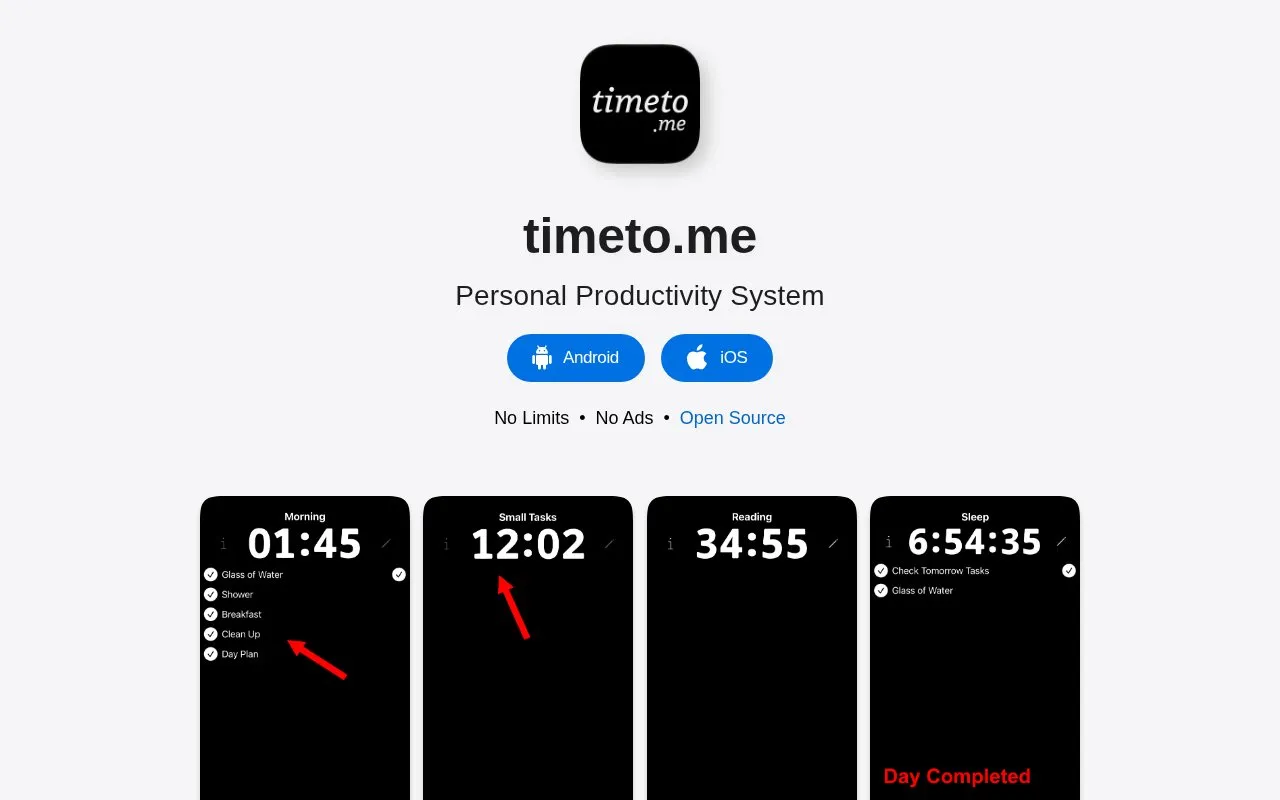
timeto.me is a personal productivity system with apps for Android and iOS. It uses user-defined activities tied to real-life goals, with different combinations of timers, checklists and tasks per activity.
The site documents the creator's own setup, including routines with countdown timers and checklists, workouts with a count-up stopwatch, and work with daily totals, task notes and history. The approach is described as not focused on detailed time tracking, activity charts, or tracking incidental activities such as commuting and eating.
Key features
- Create custom activities tied to daily goals
- Countdown timer to limit routine time
- Checklists inside activities to avoid forgetting steps
- Count-up stopwatch for open-ended activities like workouts
- Total-day stopwatch showing time spent on work today
- Task notes with history of time per task
- States no limits and no ads in header
- Allows different timer and checklist behavior per activity
- Shows work history with time spent on each noted task
- Not focused on time tracking, activity charts, or reducing wasted time
- Author states there is no perfect app or system
- Documentation describes the creator's personal setup
timeto.me at a glance
- Website
- timeto.me
- Category
- Mobile Apps › Android Productivity Apps
- Type
- Website
- Pricing
- Not confirmed. Check the site
- Platforms
- Android, iOS, Web
- Open source
- Not stated
- Language
- English
- Last checked
- Oct 5, 2026 · Online when checked
- Listed
- Oct 5, 2026
Popular in Android Productivity Apps
Well-known listings from the same topic.


timeto.me FAQ
What is the timeto.me system focused on?
How does the Morning activity work in the example?
How does Workout differ from Morning?
Tell us and an editor will check it.
Claim the listing and suggest updates yourself. An editor checks every claim first.