

Transpose
Transpose lets musicians change pitch and tempo, loop sections, and use studio tools with online music services.
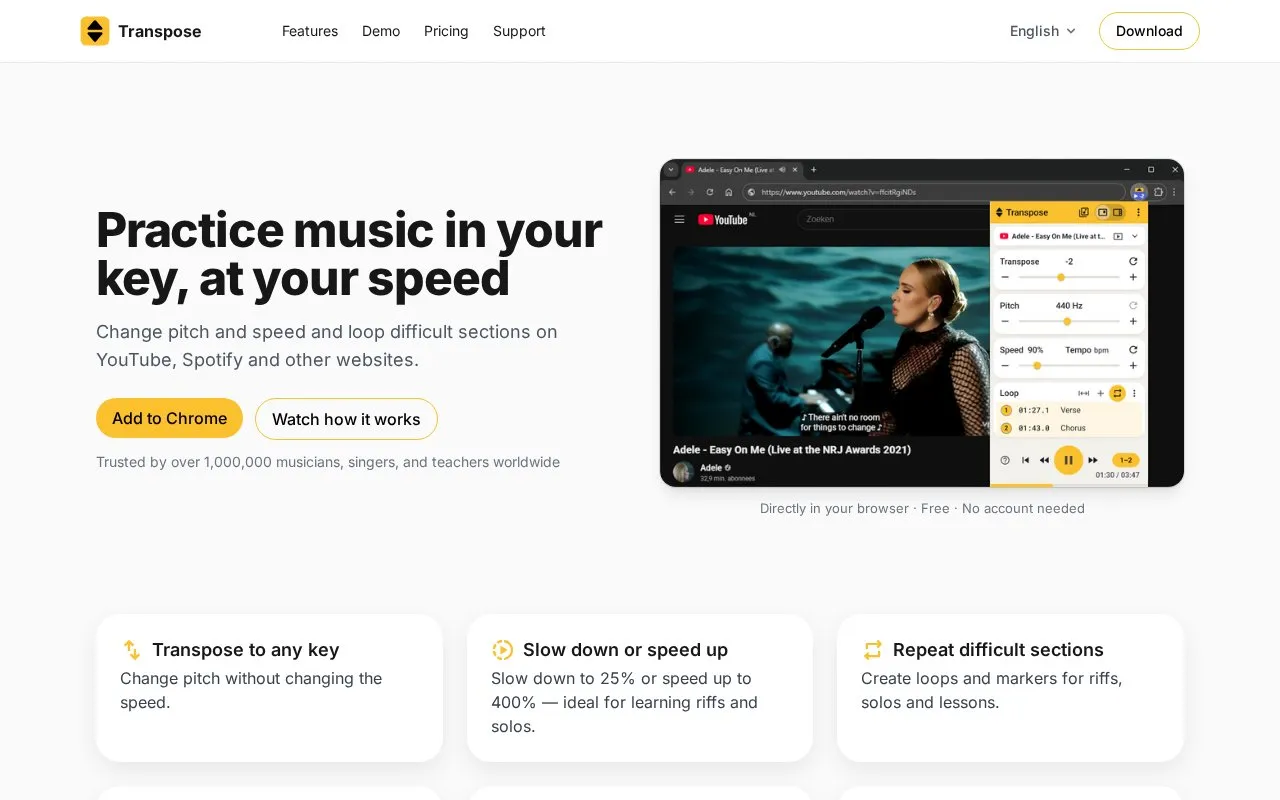
About Transpose
Transpose is a browser extension for practicing music on websites and services such as YouTube, Spotify, SoundCloud, Apple Music, Deezer, Vimeo, Tidal, and local MP3 or MP4 files. It changes pitch by up to 12 semitones, with fine-tuning, without changing the speed. It also changes playback speed from 25% to 400%, and it can loop sections and set markers to jump to specific parts of a song. Playback controls work while the music plays, and no download or import is required. Transpose is offered in two views, Compact, a small window with quick controls, and Side, a larger panel that stays visible beside the website.
Pitch, speed, and loops are described as free for every song, with no account required. The Studio toolkit adds a timeline with draggable markers, clips, sequences, scenes, HQ audio, Vocal Reducer, EQ, Stem Mix, and stem splitting. Without a paid plan, Studio tools are available for three songs at a time, and one Studio song can be replaced every 30 days. Monthly, annual, and Lifetime options give Studio access for unlimited songs. The subscription is linked to a Google account, and the homepage shows a sign-in step before checkout.
Key features
- Change pitch up to 12 semitones without changing playback speed
- Slow playback down to 25% or speed it up to 400%
- Create loops and markers to repeat difficult sections
- Jump straight to a marked section in Compact view
- Separate vocals and instruments with Vocal Reducer and stem splitting
- Studio workspace with timeline, clips, sequences, and scenes
Best for: Musicians, singers, and music teachers who want to practice, learn, or rehearse songs from online music services.
Good for
- Pitch, speed, and loops are available for every song without an account
- Works with several named streaming and video services and with local MP3 or MP4 files
- Compact and Side views let the controls sit beside the music
Watch out for
- Studio tools are limited to three songs at a time unless a paid plan is chosen
- Subscriptions are linked to a Google account, so sign-in is needed for paid plans
Transpose at a glance
- Website
- transpose.video
- Category
- Software & Utilities › Browser Extensions
- Type
- Website
- Pricing
- Not confirmed. Check the site
- Platforms
- Web
- Open source
- Not stated
- Language
- English
- Last checked
- Oct 6, 2026 · Online when checked
- Listed
- Oct 5, 2026
Guides for Browser Extensions
Transpose alternatives
Tools and sites you could use instead, ranked by how closely they match.

Web Oasis presents a start page and web portal with listed sections for currency and file conversion, weather, hosting, chat, and other tools.

WebOasis offers a start page and portal listing sections for news, technology, social feeds, file conversion, uploads, radio, and chat.

Stylebot lets users change webpage colors, fonts, and other styles with a basic editor or custom CSS.

CSE lets users change Safari search engine settings, including preferred engines, language options, and hiding AI Overviews.

Change Safari’s default search engine with CSE, a Safari extension distributed through the App Store and AltStore PAL.
Open source
24 alternatives
Change the language identifier sent to websites with this configurable Firefox extension.
Popular in Browser Extensions
Well-known listings from the same topic.
Popupblocker by Joofthanaddons.mozilla.org/firefox/addon/popupblockerallEnhancementscplx.appViolentmonkeyviolentmonkey.github.ioMomentummomentumdash.comMission Controlmission-control.appSession Buddysessionbuddy.com


Transpose FAQ
Is Transpose really free?
Pitch, speed, and loops can be used for as many songs as you like, without an account. The complete Studio toolkit can be used on three songs at a time, without an account or expiry date, and one Studio song can be replaced every 30 days. A subscription or Lifetime purchase gives Studio access for unlimited songs.
How do you play a song in a different key?
Open a song on YouTube or Spotify, click Transpose, and shift the pitch in semitones. You can sing or play along straight away without downloading a music file first.
What is a Studio song?
A song opened in Studio gets extra tools such as clips, Stem Mix, and chord recognition. Three songs can be chosen at a time without an account, and the selection can be changed later.
Is something wrong or out of date?
Tell us and an editor will check it.
Own this website?
Claim this listing
Claim the listing and suggest updates yourself. An editor checks every claim first.