

SocialFocus hides selected distracting elements on social media sites in Safari, Chrome, and Firefox.
Update Scanner
Update Scanner monitors webpages for changes, including sites that do not provide Atom or RSS feeds.
About Update Scanner
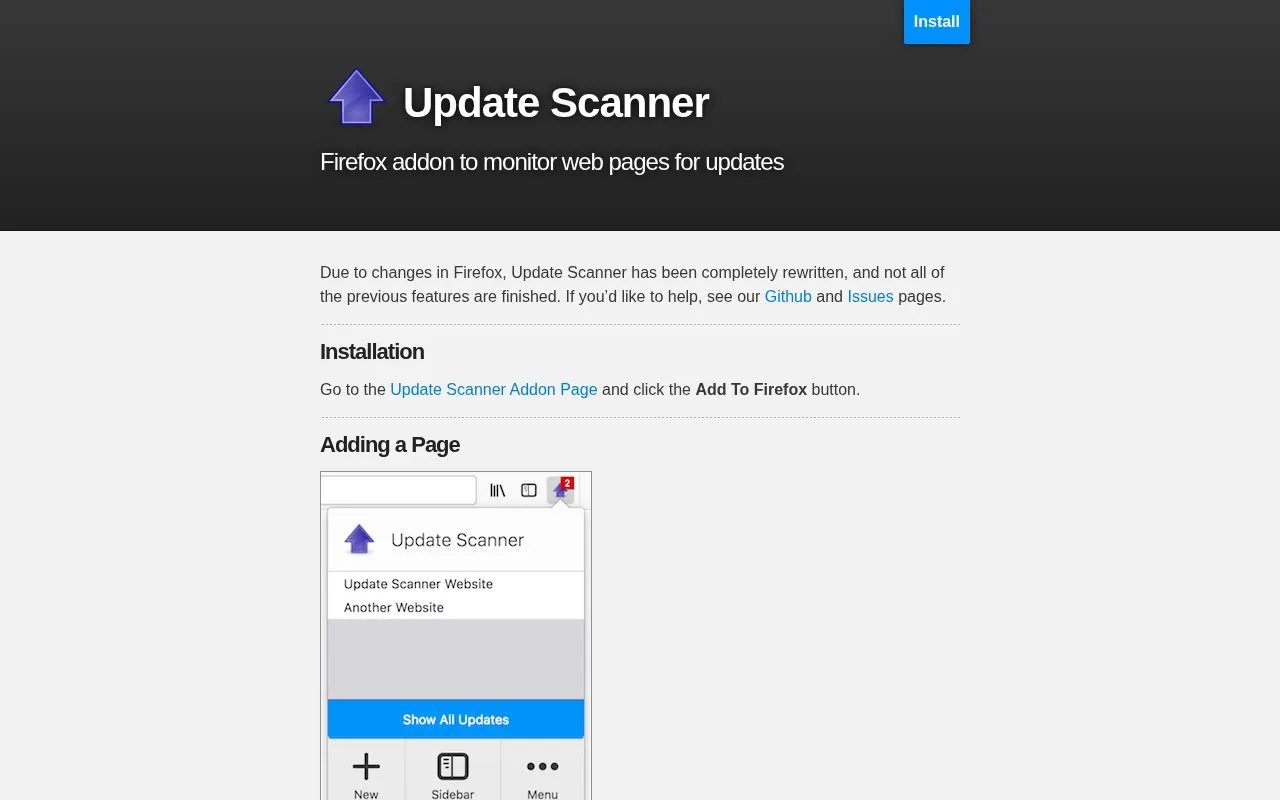
Update Scanner is a Firefox extension that monitors web pages for changes. It is intended for websites that do not provide Atom or RSS feeds. Users add a page from its own location, choose how often it is checked, and can choose to ignore minor updates. When a change is detected, a notification panel appears, and the changes are highlighted in yellow on the page. A toolbar list and a sidebar show which monitored pages have been updated.
The extension was completely rewritten because of changes in Firefox, and the homepage states that not all of the previous features are finished. The homepage invites help with the project through its GitHub and Issues pages.
Key features
- Monitors web pages for changes, including pages without Atom or RSS feeds
- Lets users set how often each monitored page is checked
- Option to ignore minor updates on a monitored page
- Notification panel appears when an update is detected
- Changes shown highlighted in yellow on the monitored page
- Sidebar lists updated items in bold and shows recent changes on selection
Best for: Firefox users who want to track changes on websites that do not offer Atom or RSS feeds.
Good for
- Designed for websites that do not provide Atom or RSS feeds
- Users can set the check frequency and ignore minor updates
- Changes are highlighted on the page so they are easy to find
Watch out for
- Not all features from the previous version are finished
- Installed as a Firefox add-on, so it requires Firefox
Update Scanner at a glance
- Category
- Software & Utilities › Firefox Extensions
- Type
- Website
- Pricing
- Not confirmed. Check the site
- Platforms
- Web
- Open source
- Not stated
- Last checked
- Oct 6, 2026 · Online when checked
- Listed
- Oct 5, 2026
Update Scanner alternatives
Tools and sites you could use instead, ranked by how closely they match.

Auto Refresh Plus lets users set page refresh intervals and monitor changing web pages in Chrome, Firefox, Edge, and Opera.
Popular in Firefox Extensions
Well-known listings from the same topic.
Browserlingbrowserling.comKarakeepkarakeep.appFirefoxCSS Storefirefoxcss-store.github.ioPagetualpagetual.hoothin.comShortkeysshortkeys.appCookie-Editorcookie-editor.com


Update Scanner FAQ
How do I install Update Scanner?
Go to the Update Scanner add-on page on the Firefox add-ons site and click the Add To Firefox button.
How do I add a page to monitor?
Go to the web page you want to monitor, click the up-arrow icon in the toolbar, and press the New button.
How can I see which monitored pages have changed?
Click the up-arrow toolbar icon to see a list of updated pages, or open the sidebar, where updated items are shown in bold.
Is something wrong or out of date?
Tell us and an editor will check it.
Own this website?
Claim this listing
Claim the listing and suggest updates yourself. An editor checks every claim first.