

AnimeGenius generates anime-style images and videos from text, sketches, or uploaded images and includes an image editor.
Vheer
Vheer generates a new image from an uploaded photo while preserving pose and key features.
About Vheer
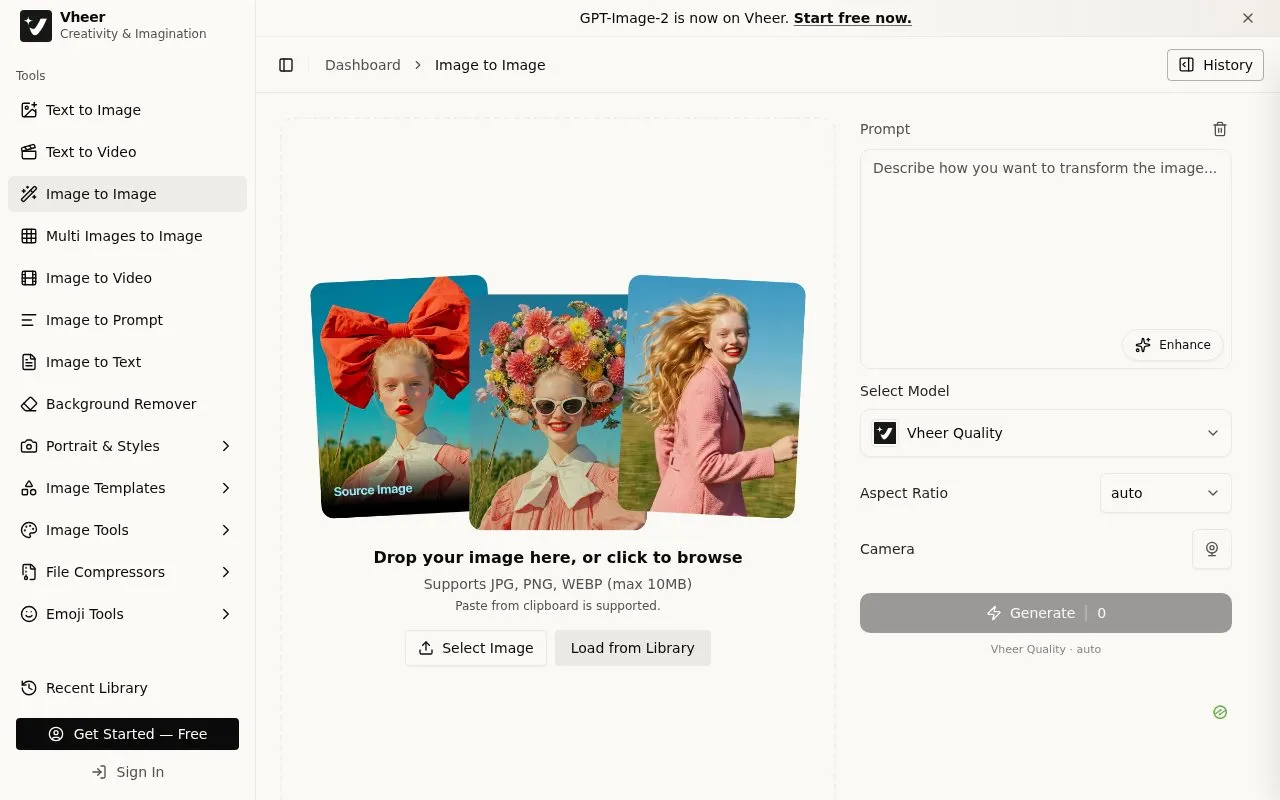
Vheer provides a web-based Image to Image Generator that creates a new image from an uploaded photo. It preserves the pose and key features of the original while allowing changes to style, details, or background through a text prompt. The tool is part of a larger set of image, video, and text tools.
To use it, you upload a JPG, PNG, or WEBP file up to 10MB by dropping it, browsing, or pasting from the clipboard. You can also load an image from the library. You then enter a prompt of up to 5000 characters and select a model, aspect ratio, and camera setting before generating. An enhance option is available for prompts, and history is saved persistently when signed in.
It suits users who want style transfer and creative transformations of existing photos without changing the underlying pose.
Key features
- Generate new image from uploaded photo
- Preserve pose and key features during transformation
- Accept JPG, PNG, WEBP files up to 10MB
- Support paste from clipboard and library loading
- Accept text prompts up to 5000 characters
- Offer model, aspect ratio and camera options
Best for: People who want to change the style, details, or background of a photo while keeping the pose.
Good for
- Keeps original pose and key features
- Accepts clipboard paste and library images
- Includes related image, video and text tools
Watch out for
- Image uploads limited to 10MB
- Sign-in required to save history persistently
Vheer at a glance
- Category
- AI & Machine Learning › AI Image Generators
- Type
- Online tool
- Pricing
- Not confirmed. Check the site
- Platforms
- Web
- Open source
- Not stated
- Language
- English
- Last checked
- Oct 5, 2026 · Online when checked
- Listed
- Oct 5, 2026
Vheer alternatives
Tools and sites you could use instead, ranked by how closely they match.

3D AI Studio converts text prompts and images into 3D assets, with tools for generating models from uploaded images.

Airbrush generates images, stock photos, art, and NFTs with AI, with an online image generator on its site.

Fast Image AI applies styles such as Ghibli or sketch to photos and generates AI artwork from text prompts.

CGDream generates images from text, photos, or 3D models and offers inpainting, upscaling, and style controls.
Stable Diffusion Online generates images from text descriptions using the Stable Diffusion model.
Popular in AI Image Generators
Well-known listings from the same topic.
FigureLabsfigurelabs.aiImagePromptGuruimagepromptguru.netAI SVGaisvg.artFlux.1 AIflux1.aiHairstyle AIhairstyleai.comCandyIconscandyicons.com


Vheer FAQ
What does Vheer Image to Image Generator do?
It generates a new image from an uploaded photo while preserving pose and key features. You can change style, details, or background using a text prompt.
What image formats can I upload?
It supports JPG, PNG, and WEBP files up to 10MB. You can drop a file, browse, paste from clipboard, or load from the library.
Do I need to sign in to save history?
Yes, generation history is saved persistently when you are logged in. The page prompts users to sign in to save history.
Is something wrong or out of date?
Tell us and an editor will check it.
Own this website?
Claim this listing
Claim the listing and suggest updates yourself. An editor checks every claim first.