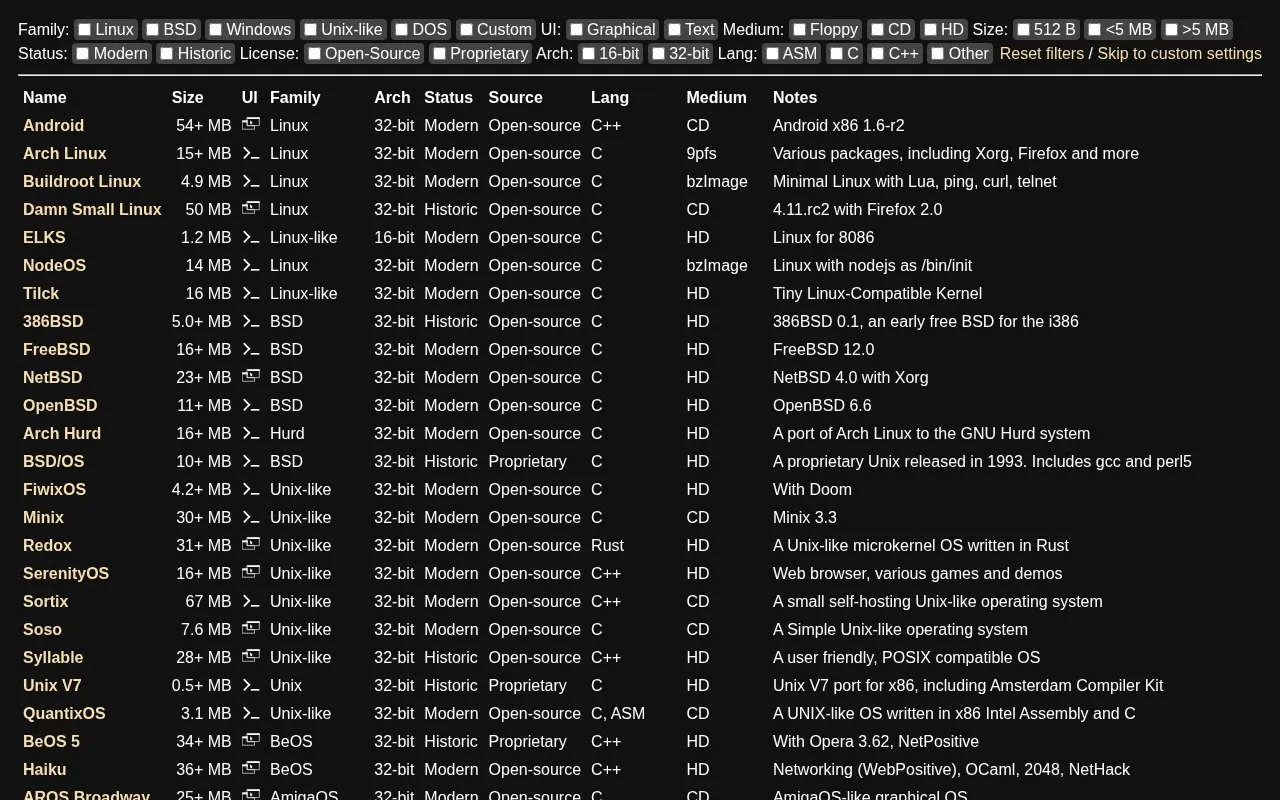
Virtual x86 is a browser-based x86 emulator that starts preconfigured operating system images directly in a page. Its catalogue spans Linux, BSD, Unix-like, Windows, Windows-like, DOS, Hurd, BeOS-like, AmigaOS-like and Plan 9 families, from small floppy boot images to larger hard-disk systems. Entries are labelled by user interface (graphical or text), boot medium (floppy, CD or hard disk), image size, architecture (16-bit or 32-bit), status (modern or historic) and license (open-source or proprietary), and some listings note bundled software such as browsers, games or development tools.
Key features
Runs listed x86 operating systems inside a browser page
Catalogue covers Linux, BSD, Windows, DOS, Unix-like and Plan 9 families
Filters by UI, boot medium, image size, architecture, status and license
Includes floppy, CD and hard-disk boot images
Mixes 16-bit and 32-bit systems, both historic and modern
Listing notes describe bundled software for many images
Best for: People who want to sample historic or alternative x86 operating systems without setting up their own emulator environment.
Good for
Broad catalogue covering many operating system families, eras and licenses
Filter controls let users narrow the list by architecture, medium, UI and status
Systems launch from preconfigured images within the browser
Watch out for
Pricing is not stated on the source
The directory lists the project as not open source
Listed images are limited to 16-bit and 32-bit x86 systems
The catalogue includes Linux, BSD, Unix-like, Windows and Windows-like, DOS, Hurd, BeOS-like, AmigaOS-like and Plan 9 systems, ranging from Windows 1.01 and MS-DOS releases to FreeBSD, NetBSD and Windows 2000.
Can I narrow down the catalogue?
Yes. Filters are provided for family, UI, medium, size, status, license, architecture and language, with a link to custom settings.
Where do the systems run?
Each image boots in the browser according to the site's description; the homepage does not describe a separate installation step.
Is something wrong or out of date?
Tell us and an editor will check it.
Own this website?
Claim the listing and suggest updates yourself. An editor checks every claim first.