

Visual Center
Visual Center helps locate the visual center of an uploaded logo or image, according to its page description.
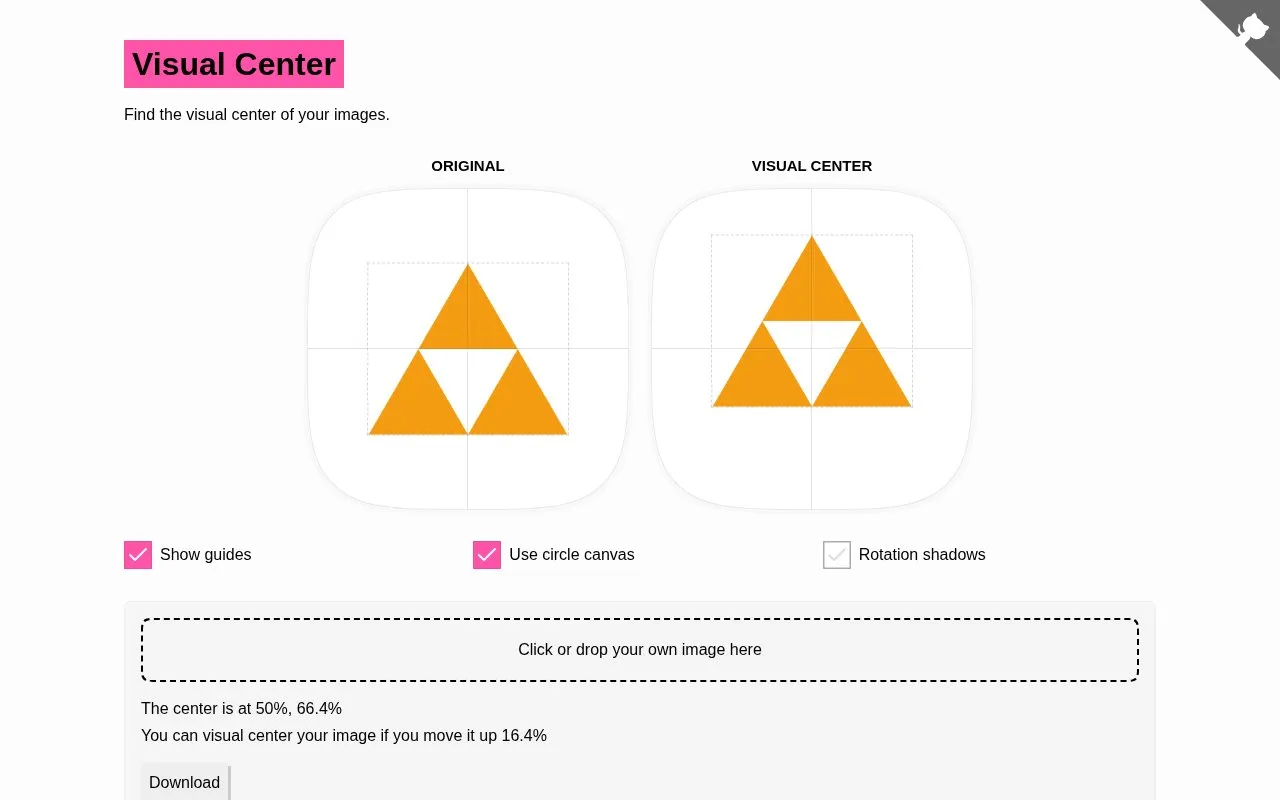
About Visual Center
Visual Center is a free web-based tool that calculates the visual center of user-uploaded images or logos, addressing the unbalanced appearance that can occur when an image has heavier visual weight on one side. It adjusts image padding to distribute pixel weight equally across both horizontal and vertical axes, making adjusted images appear more centered and perform better when rotated. The tool runs entirely in a web browser with no required software installation, and includes optional features like guide overlays, circle canvas mode, and rotation shadow previews to help users verify adjustments.
Key features
- Calculate visual center of uploaded images and logos
- Adjust image padding to balance visual weight
- Display guide overlays for alignment reference
- Enable circle canvas view mode
- Preview rotation shadows for adjusted images
- Download adjusted centered image files
Best for: Designers, logo creators, and users working with images that require precise visual centering for rotation or alignment benefit most.
Good for
- Runs entirely in a web browser with no installation required
- Provides a clear explanation of its visual center calculation algorithm
- Offers optional preview features to verify visual center adjustments
Watch out for
- Only processes one image at a time with no bulk upload option
- No offline access available as it is a web-only tool
- No public open source repository or code available for review
Visual Center at a glance
- Website
- javier.xyz/visual-center
- Category
- Online Tools › Image Tools
- Type
- Website
- Pricing
- Not confirmed. Check the site
- Platforms
- Web
- Open source
- Not stated
- Language
- English
- Last checked
- Oct 5, 2026 · Online when checked
- Listed
- Oct 5, 2026
Guides for Image Tools

Popular in Image Tools
Well-known listings from the same topic.
CamScannerapps.apple.com/us/app/camscanner-pdf-scanner-a…BeeRefbeeref.orgGreenshotgetgreenshot.orgLightshotapp.prntscr.comnomacsnomacs.orgConverseenconverseen.fasterland.net


Visual Center FAQ
How does Visual Center calculate the visual center of an image?
It assigns a color difference value to each pixel relative to the detected background color, then finds the coordinate where total pixel weight is equal on both sides of each axis.
What benefit does adjusting an image's visual center provide?
It distributes pixel weight equally across both axes to make the image appear more centered and rotate better.
Can I use Visual Center on my own images?
Yes, users can click or drag and drop their own images into the tool to process them.
Is something wrong or out of date?
Tell us and an editor will check it.
Own this website?
Claim this listing
Claim the listing and suggest updates yourself. An editor checks every claim first.