

Remove Vocals uses AI to create an instrumental karaoke track from a song.
Voicss
Voicss separates vocals and instrumentals from uploaded songs and videos, with tools for vocal isolation and karaoke backing tracks.
About Voicss
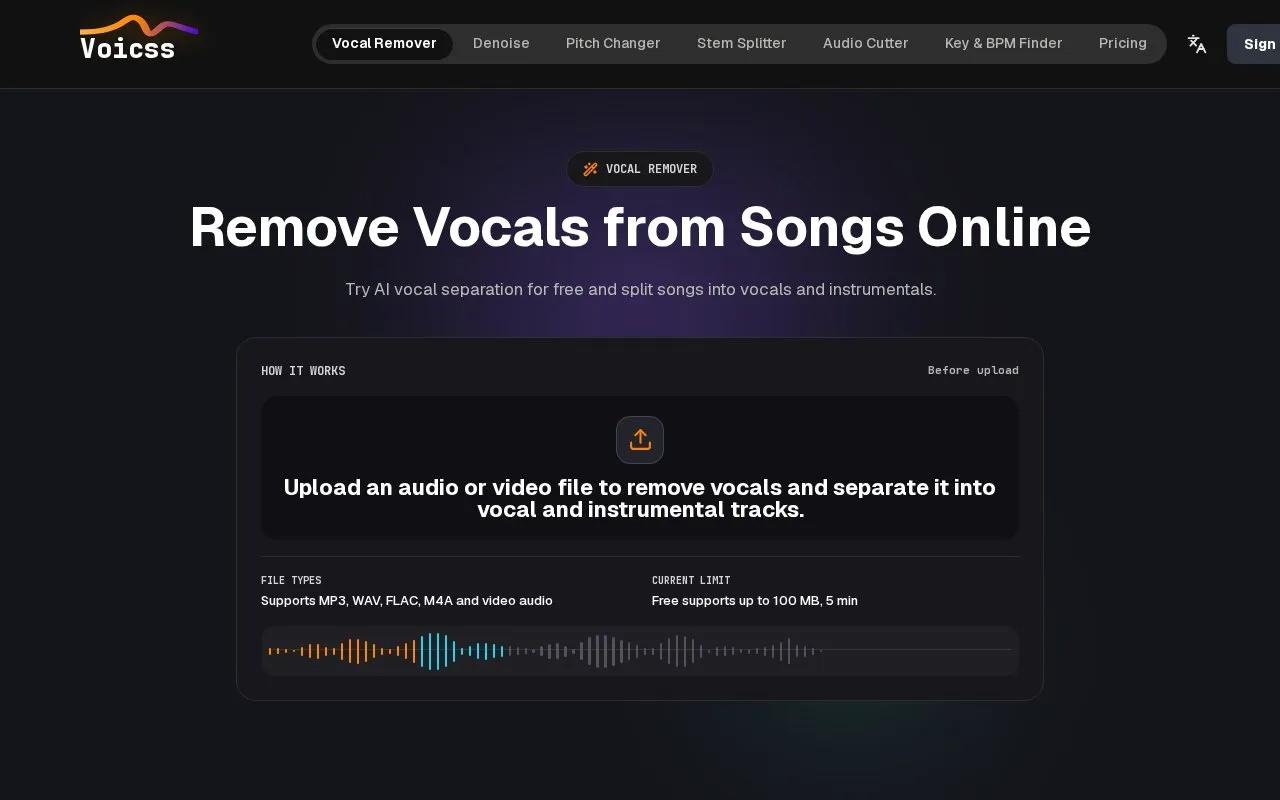
Voicss separates vocals and instrumentals from uploaded audio and video files. Users upload a file, wait for processing, then preview and download the vocal and instrumental tracks for uses such as karaoke, practice, remixing, or editing. It also lists audio denoise, pitch changing, stem splitting, acapella extraction, and audio cutting.
Free use supports files up to 100 MB and 5 minutes, with additional file size, duration, and daily limits. Processing time depends on file size, duration, and queue load, and sign-in or credits may be required.
Key features
- Separate uploaded audio or video into vocal and instrumental tracks
- Create karaoke backing tracks from songs
- Extract isolated vocals for remixing or practice
- Change pitch of audio files
- Remove background noise with denoise tool
- Split stems and cut audio segments
Best for: People who need vocal-only or instrumental versions of songs for karaoke, practice, or remixing.
Good for
- No audio editing experience or desktop software required to process files
- Supports MP3, WAV, FLAC, M4A, and video audio
- First audio split does not require sign-up, with preview before download
Watch out for
- Free files are limited to 100 MB and 5 minutes
- Processing time varies by file size, duration, and queue load
- Free or guest use has daily limits and may require sign-in or credits
Voicss at a glance
- Website
- voicss.com
- Category
- AI & Machine Learning › AI Voice & Audio
- Type
- Online tool
- Pricing
- Not confirmed. Check the site
- Platforms
- Web
- Open source
- Not stated
- Language
- English
- Good for
- Creators
- Last checked
- Oct 5, 2026 · Online when checked
- Listed
- Oct 5, 2026
Voicss alternatives
Tools and sites you could use instead, ranked by how closely they match.

VocalRemover separates vocals and instrumental audio for karaoke or acapella tracks.

unMix removes vocals, separates audio stems, and creates karaoke tracks with apps for mobile, desktop, web, and extensions.

Vocali.se separates vocals and music from a song through a free one step service.
Free
9 alternatives
MVSEP separates audio into vocal and instrumental parts and extracts text from audio.

Ultimate Vocal Remover removes vocals and separates other stems from music tracks.
Popular in AI Voice & Audio
Well-known listings from the same topic.
Google Illuminateilluminate.google.comAlteredaltered.aiELSA Speakelsaspeak.comKreadoAIkreadoai.comPodwisepodwise.aiAddsubtitleaddsubtitle.ai


Voicss FAQ
How does Voicss remove vocals?
Upload an audio or video file, wait for processing, then preview and download the separated vocal and instrumental tracks.
Which file types and sizes are supported?
It supports MP3, WAV, FLAC, M4A and video audio, with free use up to 100 MB and 5 minutes.
How long does processing take?
Processing time depends on file size, duration, and queue load, with progress shown in the task panel.
Is something wrong or out of date?
Tell us and an editor will check it.
Own this website?
Claim this listing
Claim the listing and suggest updates yourself. An editor checks every claim first.