
WFC
Manage Windows Firewall rules and receive outbound connection notifications with Windows Firewall Control.
About WFC
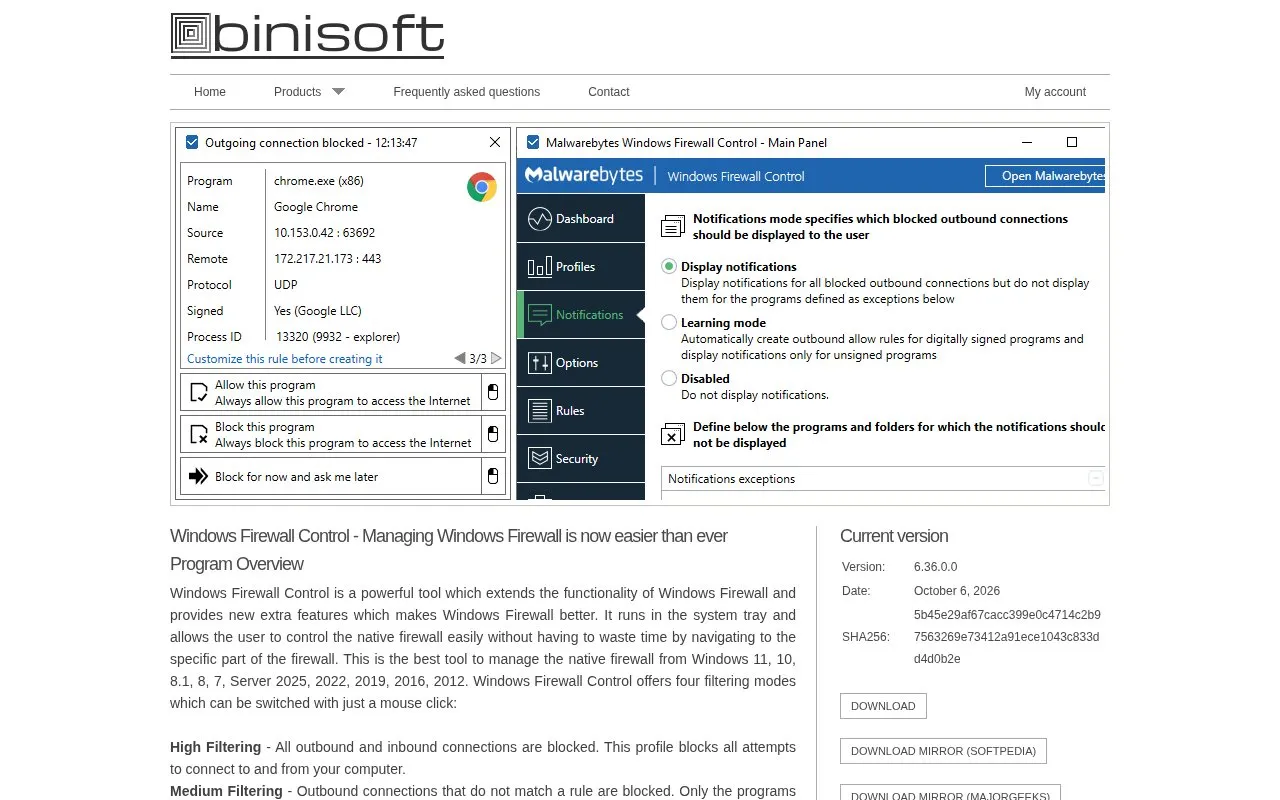
Windows Firewall Control is a Windows utility that extends the built-in Windows Firewall. It runs in the system tray and lets users switch between four filtering modes, manage firewall rules, and receive notifications when outbound connections are blocked. The software does not perform packet filtering itself. Windows Firewall applies the rules, and WFC provides the interface and added management tools.
The program supports Windows 11, 10, 8.1, 8, 7, and several Windows Server versions, including Server 2025, 2022, 2019, 2016, and 2012. It requires .NET Framework 4.8 and the Windows Firewall service. Notifications also depend on the DNS Client service. The vendor states that Windows Firewall may be incompatible with software proxies, web filtering modules, NDIS drivers, and other security software that redirects traffic, and that some system configurations may cause compatibility problems. Pricing is not stated on the source page.
Key features
- Four filtering modes (High, Medium, Low, No Filtering) switchable from the system tray
- Notifications when outbound connections are blocked
- Learning mode that automatically allows digitally signed programs
- Temporary rules that expire on a set time or program restart
- Detection of duplicate and invalid firewall rules, with options to merge them
- Import and export of partial sets of firewall rules
Best for: Windows users who want a graphical way to manage Windows Firewall rules and to see outbound connections that are blocked.
Good for
- Standard user accounts are supported, and elevated privileges are required only at installation.
- Supports a wide range of Windows client and Server versions, both x86 and x64.
- The interface is available in 23 languages.
Watch out for
- Windows Firewall service must be enabled, and the DNS Client service is needed for notifications to work properly.
- Windows Firewall may be incompatible with software proxies, web filtering modules, NDIS drivers, and other security software that redirects traffic.
- Compatibility problems may occur due to differences in system configuration and installed software.
WFC at a glance
- Website
- binisoft.org/wfc.php
- Category
- Privacy & Security › Security Tools
- Type
- Website
- Pricing
- Not confirmed. Check the site
- Platforms
- Web, Windows
- Open source
- Not stated
- Language
- English
- Last checked
- Oct 6, 2026 · Online when checked
- Listed
- Oct 5, 2026
Guides for Security Tools
WFC alternatives
Tools and sites you could use instead, ranked by how closely they match.

Manage Android firewall rules with AFWall+, an iptables-based firewall app.
Open source
24 alternatives
Set network rules by application or globally with Fort Firewall for Windows.
Open source
24 alternatives
Manage two-factor authentication codes with OTP Auth, an iOS app listed on the App Store.
FreemiumPick
24 alternatives
Protect payment data with Evervault’s encryption model while retaining control of the payment experience.

Use Metasploit to find security issues, verify mitigations, and manage authorized penetration testing assessments.

Manage two-step verification tokens on Android with Aegis Authenticator, a free, open-source app.
Popular in Security Tools
Well-known listings from the same topic.
Online Password Hash Crackonlinehashcrack.comMD5 reverse lookupmd5.gromweb.comMozilla SSLssl-config.mozilla.orgchallenges.rechallenges.reGoPlus Locker V3gopluslabs.ioSuperagentsuperagent.sh


WFC FAQ
Does Windows Firewall Control filter network packets itself?
No. The source states that Windows Firewall Control does not perform packet filtering and does not block or allow connections. Windows Firewall does this based on its existing rules.
Which Windows versions are supported?
The source lists Windows 11, 10, 8.1, 8, 7, Server 2025, 2022, 2019, 2016, and 2012, in compatible x86 and x64 versions.
Is something wrong or out of date?
Tell us and an editor will check it.
Own this website?
Claim this listing
Claim the listing and suggest updates yourself. An editor checks every claim first.