

Media.io offers online tools for editing, converting, and compressing video, audio, and image files.
123Apps
123apps groups browser apps for editing and converting video, audio, PDF, and other files.
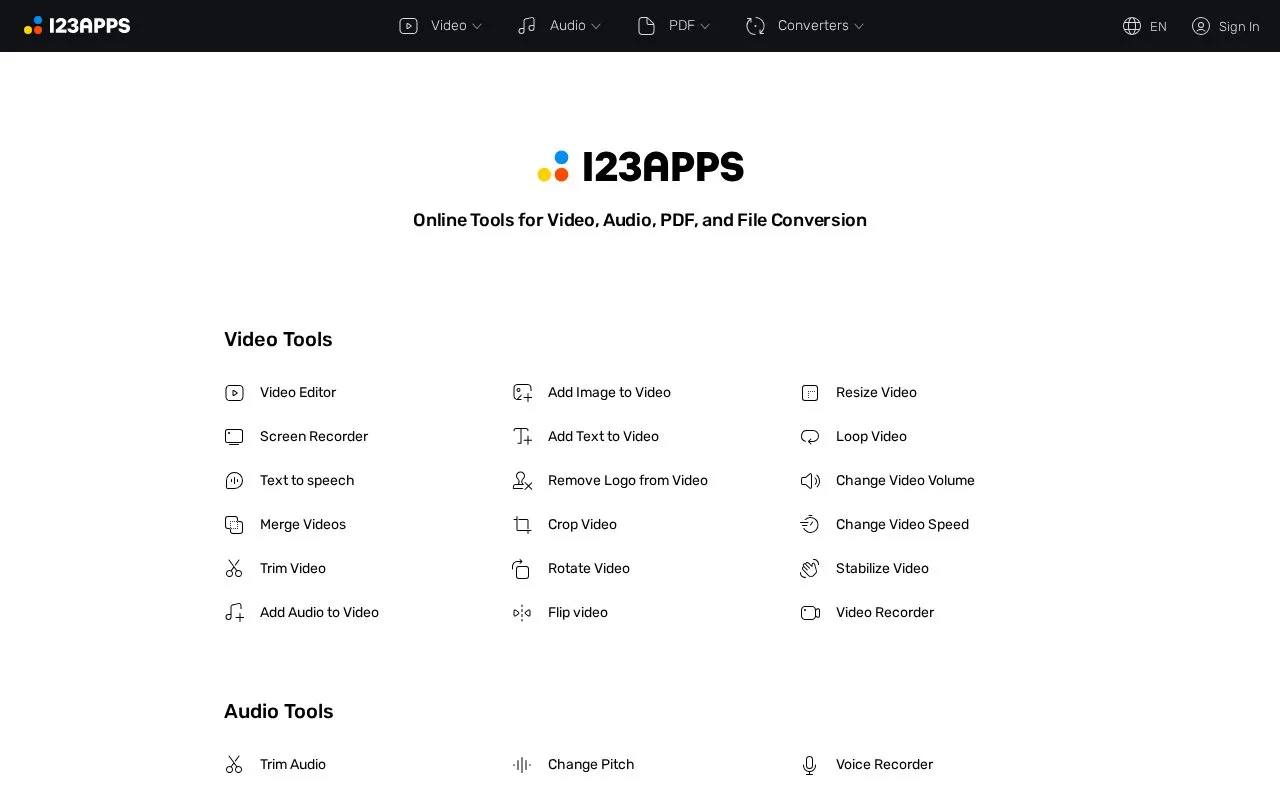
About 123Apps
123apps offers browser-based tools for editing and converting video, audio, PDF, and other files. The homepage lists video tools such as a video editor, screen recorder, trimmer, merger, and text-to-speech; audio tools such as a trimmer, equalizer, pitch changer, and voice recorder; PDF tools for splitting, merging, compressing, unlocking, and converting to and from Word, Excel, images, and HTML; and converters for audio, video, images, documents, fonts, archives, and ebooks.
A Premium subscription is offered for access to all apps. The page describes Premium as providing access to 51 apps, opening files up to 10 GB, AI audio processing, unlimited files, no ads, and cancellation at any time. The page does not state which limits apply to free accounts. Some tools may connect to external services: the page shows a prompt to authorize Google Drive access.
Key features
- Video editing tools including trimming, merging, cropping, rotating, and speed changes
- Audio tools including trimming, volume and pitch changes, equalizer, and reversing
- PDF tools for splitting, merging, compressing, unlocking, protecting, and adding page numbers
- PDF conversion to and from Word, Excel, JPG, PNG, and HTML formats
- Converters for audio, video, image, document, font, archive, and ebook files
- Screen recorder, voice recorder, and text-to-speech tools
Best for: People who need to edit, convert, or compress common video, audio, or PDF files in a web browser without installing software.
Good for
- Covers video, audio, PDF, and general file conversion in one site.
- The interface is available in many languages, including English, German, and Spanish.
- Sign-in options include email codes and several third-party accounts.
Watch out for
- Several listed benefits, such as opening files up to 10 GB and unlimited files, are described as Premium features.
- The homepage does not state the limits of free accounts.
- A Google Drive authorization prompt appears, so some use may involve an external storage service.
123Apps at a glance
- Website
- 123apps.com
- Type
- Website
- Pricing
- Not confirmed. Check the site
- Platforms
- Web
- Open source
- Not stated
- Language
- English
- Last checked
- Oct 6, 2026 · Online when checked
- Listed
- Oct 5, 2026
123Apps alternatives
Tools and sites you could use instead, ranked by how closely they match.

bfotool provides free browser-based tools for converting, formatting, encoding, testing, generating, and validating data.
Free
24 alternatives
HeyTools collects 110 browser-based utilities for formatting, converting, and generating content locally.
Free
24 alternativesConvert BIP39 mnemonic phrases with Ian Coleman's browser-based code converter and review its source code.

10015.io groups free online tools in one toolbox, with categories spanning graphics, text, programming, finance, and charts.
FreePick
24 alternatives
Meetup helps people find local groups, events, and activities, or create groups around shared interests.
Popular in Web Directories & Curated Lists
Well-known listings from the same topic.
Cheat Sheetscheat-sheets.orgStation Indexwikipedia.org/wiki/List_of_Internet_radio_stat…Wiki LLM Listen.wikipedia.org/wiki/List_of_large_language_m…List of Emojisen.wikipedia.org/wiki/List_of_emojisProton Calendarproton.me/calendarList of Text Editorswikipedia.org/wiki/List_of_text_editors


123Apps FAQ
What happens to access if I cancel a Premium subscription?
Cancelling stops future charges. You keep access to premium features until the end of the current billing period, and your payment details are removed from the account.
Can I pause a subscription instead of cancelling?
The page offers a pause option. Pausing stops future charges and keeps your payment details, so you can resume in one click. Cancelling requires entering payment details again to subscribe later.
What happens if I delete my account?
Deleting the account permanently removes the account and all of its data. The page states that this cannot be undone.
Is something wrong or out of date?
Tell us and an editor will check it.
Own this website?
Claim this listing
Claim the listing and suggest updates yourself. An editor checks every claim first.