Use VoiceMeeter from VB-Audio to mix audio through a virtual audio device.
Banana
VoiceMeeter Banana provides virtual audio mixing and routing tools from VB-Audio.
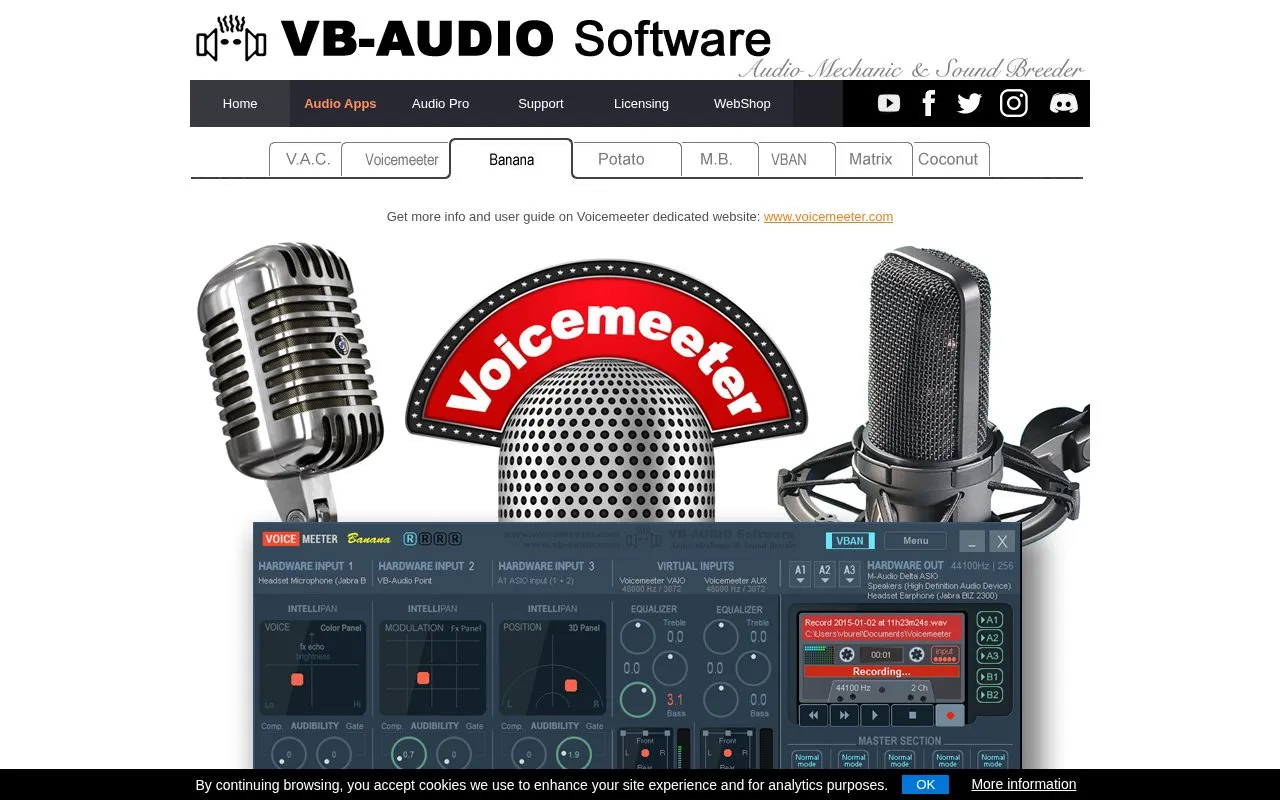
About Banana
VoiceMeeter Banana is an advanced audio mixer for Windows from VB-Audio. It uses a virtual audio device to route and mix audio from physical devices, virtual inputs and applications. The homepage describes three physical and two virtual inputs and outputs, with five buses (A1, A2, A3, B1 and B2) and per-strip and bus processing that includes equalization, compression, gating, limiting and 3D panning.
The application is offered as donationware. The homepage says all functions are available except optional features, and that users can pay what they want, when they want. After 30 days, the About box invites users to buy a license or continue evaluating. The homepage states that the application does not need an internet connection and does not collect user data. The product is described as originating in France. The homepage says the setup program must be run in administrative mode and the computer rebooted after installation, and it asks first-time users to follow the user manual step by step, especially step zero.
Key features
- Three physical and two virtual inputs and outputs for routing audio sources
- Five buses (A1, A2, A3, B1, B2) for routing mixed audio
- Parametric equalizer on buses, with six cells per equalizer
- Integrated tape deck that records or plays audio sources and files
- Supports MME, DirectX, KS, WDM, WaveRT, WASAPI and ASIO audio interfaces
- VBAN audio, MIDI and text input and output streams
Best for: Windows users who want to route and mix several audio sources, devices and applications on one computer.
Good for
- The homepage states that all functions are available, except optional features, before any payment
- The homepage states that the application does not need an internet connection and does not collect user data
- Supports a broad range of Windows audio interfaces, including ASIO
Watch out for
- Installation requires running the setup program in administrative mode and rebooting afterward
- After 30 days, the About box prompts users to buy a license or continue evaluating
- Sample rate processing and virtual ASIO settings are defined by the Output A1 configuration
Banana at a glance
- Category
- Software & Utilities › Hardware & Diagnostics
- Type
- Website
- Pricing
- Not confirmed. Check the site
- Platforms
- Android, Web
- Open source
- Not stated
- Last checked
- Oct 6, 2026 · Online when checked
- Listed
- Oct 5, 2026
Banana alternatives
Tools and sites you could use instead, ranked by how closely they match.
Popular in Hardware & Diagnostics
Well-known listings from the same topic.
PC Managerpcmanager.microsoft.comDolby Accessapps.microsoft.com/detail/9n0866fs04w8RAMMaplearn.microsoft.com/en-us/sysinternals/downloa…AppControlappcontrol.comUNIGINE Benchmarksbenchmark.unigine.comMemTestmemtest.org


Banana FAQ
Does Voicemeeter Banana need an internet connection?
The homepage states that the application does not need any internet connection and does not collect any user data.
How long can I use the program before I need to buy a license?
After 30 days, the About box invites users to buy a license or continue to evaluate the program.
What should I do before first use?
The homepage says to follow the user manual step by step, especially step ZERO of the documentation.
Is something wrong or out of date?
Tell us and an editor will check it.
Own this website?
Claim this listing
Claim the listing and suggest updates yourself. An editor checks every claim first.