
Search Nara Medical University's GINMU institutional repository for scholarly publications and research outputs.
Chubu University Digital Archives
Chubu University’s library site provides a catalog, repository and search tools for its collections and other libraries.
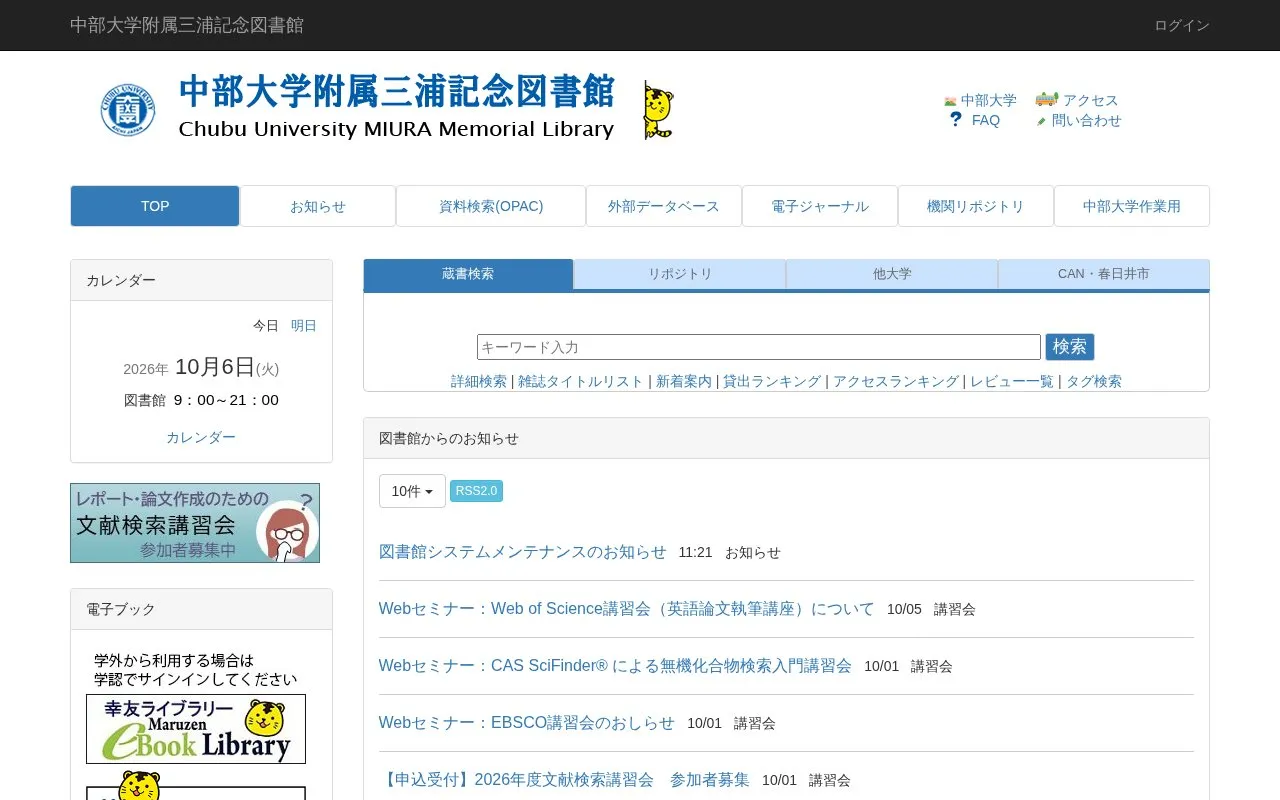
About Chubu University Digital Archives
The Chubu University Digital Archives is the web portal of the Miura Memorial Library at Chubu University in Kasugai, Aichi, Japan. It provides holdings search (OPAC) with detailed search options, journal title lists, tag search, and browse views for rankings, new arrivals and user reviews. Separate tabs cover the institutional repository, other universities, and the CAN consortium and Kasugai City collections, and the site links out to external databases and e-journals, with GakuNin authentication listed among the search routes.
Logged-in users can check their account status and use services such as bookmarks, saved searches, review and tag history, interlibrary loan copy and loan requests, and purchase requests for student-requested books. Instructional videos and PDFs on using the library are hosted on a Google shared drive and are limited to on-campus users, who must sign in with a Chubu University Google account; the interface is primarily in Japanese, with an English locale option and some English section labels.
Key features
- Holdings search (OPAC) with detailed search and journal title list
- Separate searches for the institutional repository, other universities, CAN/Kasugai City
- Browse rankings by loans and access, plus new arrivals and reviews
- Tag search and tag browsing for finding related material
- Login access to account status, bookmarks, favorite searches, review and tag history
- Online interlibrary loan copy and loan requests, and student book purchase requests
Best for: Chubu University students, faculty and library visitors who need to search the library's holdings, repository and partner-library collections or manage their library account online.
Good for
- Brings the library catalog, institutional repository, partner university, CAN consortium and Kasugai City searches together on one site
- Account holders can place interlibrary loan and purchase requests and keep bookmarks and search history
- Some interface labels and an English locale are available alongside the main Japanese content
Watch out for
- Library instruction videos and PDFs require a Chubu University Google account and are viewable only by on-campus users
- The site is primarily in Japanese, which may limit use for readers without Japanese
Chubu University Digital Archives at a glance
- Category
- Research & Data › Medical Research Search
- Type
- Website
- Pricing
- Not confirmed. Check the site
- Platforms
- Web
- Open source
- Not stated
- Language
- Japanese
- Last checked
- Oct 6, 2026 · Online when checked
- Listed
- Oct 5, 2026
Chubu University Digital Archives alternatives
Tools and sites you could use instead, ranked by how closely they match.
NOVA University Lisbon’s repository provides access to scholarly works from the institution.
The European Library connects visitors with resources from 48 European national libraries and research libraries.

EBSCO provides research databases, journals, ebooks and discovery services for libraries, schools and other institutions.
UWA’s Profiles and Research Repository lets visitors search researcher profiles and university research across indexed concepts and text.

edoc is the University of Basel institutional repository for research information and scholarly data.
Popular in Medical Research Search
Well-known listings from the same topic.
Source Librarysourcelibrary.orgACT UP Oral History Projectactuporalhistory.orgBiblioteca Virtual em Medicina Veterinária e Zootecniabvs-vet.org.brBangladesh Journals OnLinebanglajol.info


Chubu University Digital Archives FAQ
Who can view the library's instructional videos and PDFs?
They are limited to on-campus users, who must log in with a Chubu University Google account ending in @gs4e.chubu.ac.jp, not a @gmail.com address. The files are hosted on a Google shared drive.
What can I do after logging in?
Logging in lets you check your account status and use services such as bookmarks, favorite searches, review and tag history, interlibrary loan copy and loan requests, and purchase requests for student-requested books.
How can I contact the library?
By phone at 0568-51-4437 on weekdays from 9:00 to 17:00, by fax at 0568-52-1510, or by email at chubu-library[at]fsc.chubu.ac.jp (replace [at] with @). Outside those hours, the inquiry form is suggested, and replies may take time.
Is something wrong or out of date?
Tell us and an editor will check it.
Own this website?
Claim this listing
Claim the listing and suggest updates yourself. An editor checks every claim first.