

Create animated custom emoji for Slack, Discord and Twitch with Slackmoji Lab.
EmojiCreator
EmojiCreator makes custom animated emojis from images, with effects and GIF downloads for apps such as Discord, Slack, Teams, and Twitch.
About EmojiCreator
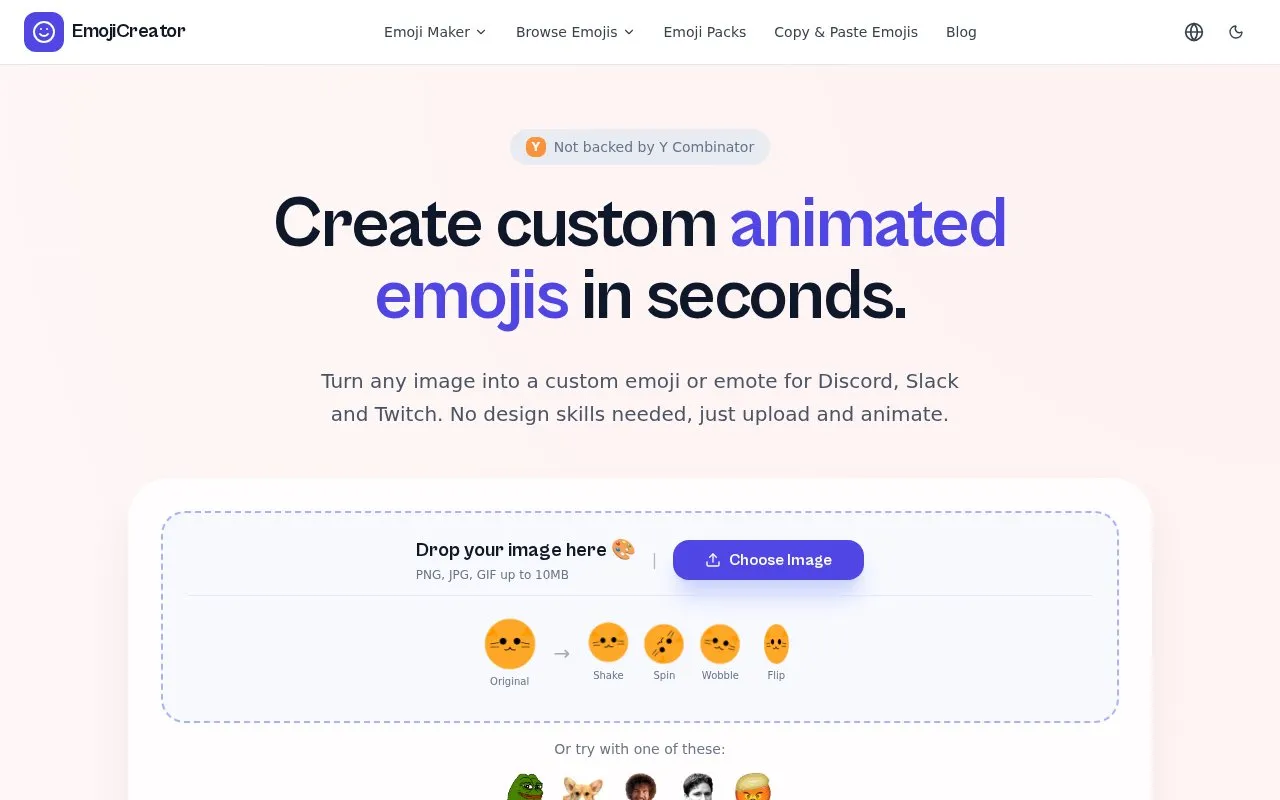
EmojiCreator is a browser-based tool that turns an uploaded image into a custom emoji or emote. It accepts JPG, PNG and GIF files up to 10MB, applies an animation effect such as shake, spin, wobble, flip or fire, and exports the result as an animated GIF or a transparent PNG sized for Discord, Slack, Microsoft Teams and Twitch. Ready-made emoji packs can also be downloaded without signing up.
No design skills or installed software are required. Using the output depends on each platform's own rules: Discord animated emojis require Nitro, Slack custom emojis are added by workspace admins, Twitch subscriber and follower emotes are limited to Affiliates and Partners, and Teams custom emojis may need an admin to add them. The site describes the creator as free; no further pricing details are given.
Key features
- Converts uploaded images into custom emojis and emotes
- Accepts JPG, PNG and GIF files up to 10MB
- Animation effects include shake, spin, wobble, flip and fire
- Exports animated GIFs or transparent PNGs
- Output sized for Discord, Slack, Teams and Twitch
- Ready-made emoji packs downloadable without signup
Best for: Community managers, streamers and teams who want custom emojis or emotes for Discord, Slack, Teams or Twitch without design skills.
Good for
- Runs in the browser with no design skills or installation needed
- Offers several animation effects with GIF and transparent PNG export
- Includes platform-specific upload instructions and prebuilt emoji packs
Watch out for
- Uploads are limited to JPG, PNG or GIF files up to 10MB
- Platform rules apply: Discord animated emojis need Nitro, Slack uploads need admin access, Twitch emotes need Affiliate or Partner status
- No pricing details beyond the site's statement that the creator is free
EmojiCreator at a glance
- Website
- emojicreator.ai
- Category
- Design & Creative › Image Creation & Editing
- Type
- Online tool
- Pricing
- Not confirmed. Check the site
- Platforms
- Web
- Open source
- Not stated
- Language
- English
- Last checked
- Oct 6, 2026 · Online when checked
- Listed
- Oct 5, 2026
EmojiCreator alternatives
Tools and sites you could use instead, ranked by how closely they match.

Convert animated GIFs into emoji files compatible with Slack and Discord using this online tool.

Party-ify turns an image into an animated emoji in a Party Parrot style, according to the page description.
Popular in Image Creation & Editing
Well-known listings from the same topic.
Canvacanva.comGIMPgimp.orgGreenScreenMemesgreenscreenmemes.comMeme Townmeme.townKRESKA.artkreska.artPixelartVillagepixelartvillage.com


EmojiCreator FAQ
How do I make a custom emoji?
Upload an image, choose an animation style such as shake, spin or wobble, then download the result already sized for your platform. The site says this takes less than a minute.
Which platforms can I use the exported emojis on?
Discord server emojis, Slack workspace emojis, Twitch channel emotes, Microsoft Teams custom emojis, and other platforms that support custom emoji uploads. Each platform's own upload rules apply.
Do I need design skills to use it?
No. The site states you just upload an image and animate it, with no design skills or software required.
Is something wrong or out of date?
Tell us and an editor will check it.
Own this website?
Claim this listing
Claim the listing and suggest updates yourself. An editor checks every claim first.