

Cute Kaomoji collects Japanese-style emoticons users can browse and copy.
emotes.io
emotes.io collects Unicode emoticons, text faces, kaomoji, and other copyable characters.
About emotes.io
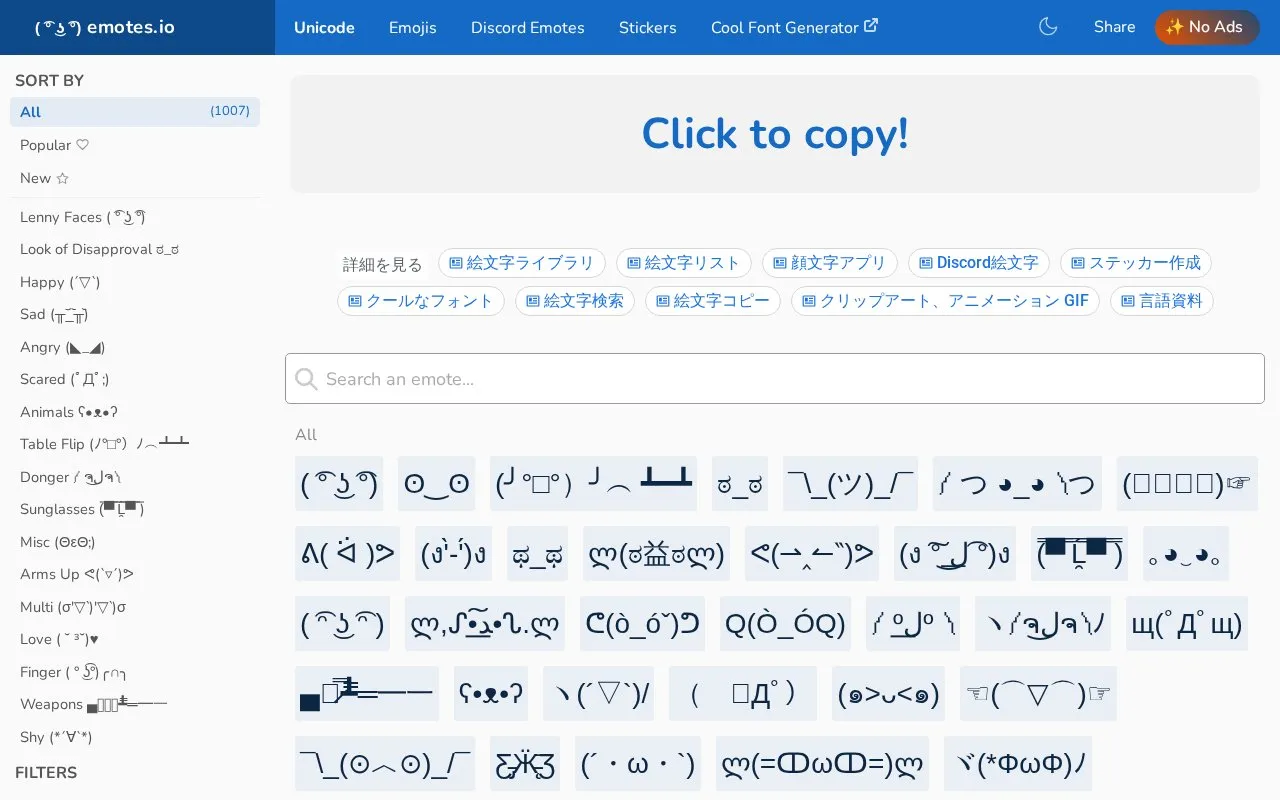
emotes.io is a web-based collection of Unicode emoticons, text faces, kaomoji, and other copy-and-paste characters. It says it offers over 700 emotes across categories such as Lenny faces, look of disapproval, happy, sad, angry, animals, table flip, and donger. Users click an emote to copy it to the clipboard and paste it elsewhere.
The homepage lists sorting by All, Popular, and New, category filters, dark mode, and share links for Twitter, Facebook, Tumblr, Pinterest, WhatsApp, Reddit, and LinkedIn. Pricing is not stated, and the site is listed as a web platform.
Key features
- Lists over 700 Unicode emoticons, text faces, kaomoji, and copy-paste characters.
- Click any emote to copy it to the clipboard for pasting elsewhere.
- Categories include Lenny, disapproval, happy, sad, angry, animals, table flip, and donger.
- Sorting options include All, Popular, and New.
- Dark mode is available.
- Share links include Twitter, Facebook, Tumblr, Pinterest, WhatsApp, Reddit, and LinkedIn.
Best for: People who need to quickly find and copy Unicode emoticons, kaomoji, or text faces for messages, posts, or other text fields.
Good for
- States a collection of over 700 emotes.
- Click-to-copy simplifies copying emotes for use elsewhere.
- Offers category filters and sorting by All, Popular, and New.
Watch out for
- Pricing is not stated.
- Listed as a web platform only.
emotes.io at a glance
- Website
- emotes.io
- Category
- Online Tools › Text Tools
- Type
- Website
- Pricing
- Not confirmed. Check the site
- Platforms
- Web
- Open source
- Not stated
- Language
- English
- Last checked
- Oct 6, 2026 · Online when checked
- Listed
- Oct 5, 2026
emotes.io alternatives
Tools and sites you could use instead, ranked by how closely they match.

GetSymbol provides a dictionary of symbols, with categories such as heart symbols and copyable character examples.

SYMBL provides a searchable reference for Unicode symbols, emoji, characters, scripts, alphabets, and hieroglyphs.

Grog’s Unicode Table provides an interactive, searchable table of Unicode characters and symbols.

Asciify provides an ASCII and Unicode character reference with search for developers.

Cute Font Copy converts plain text into Unicode styles such as cursive, bubble, and gothic characters for copying and pasting.
Free
24 alternativesPopular in Text Tools
Well-known listings from the same topic.
Prismprism.openai.comWithSubtitleswithsubtitles.comTophonetics.comtophonetics.comOutwriteoutwrite.comDocuSealdocuseal.comRefontrefont.ai


emotes.io FAQ
How do I copy an emote?
Click any emote to copy it to the clipboard, then paste it anywhere you like.
What types of characters are available?
Unicode emoticons, text faces, kaomoji, and other copy-and-paste characters, with over 700 emotes stated on the homepage.
How can I sort or filter emotes?
Sort by All, Popular, or New, and use category filters such as Lenny, disapproval, happy, sad, angry, animals, table flip, and donger.
Is something wrong or out of date?
Tell us and an editor will check it.
Own this website?
Claim this listing
Claim the listing and suggest updates yourself. An editor checks every claim first.