

SYMBL provides a searchable reference for Unicode symbols, emoji, characters, scripts, alphabets, and hieroglyphs.
Unicode Table
Grog’s Unicode Table provides an interactive, searchable table of Unicode characters and symbols.
About Unicode Table
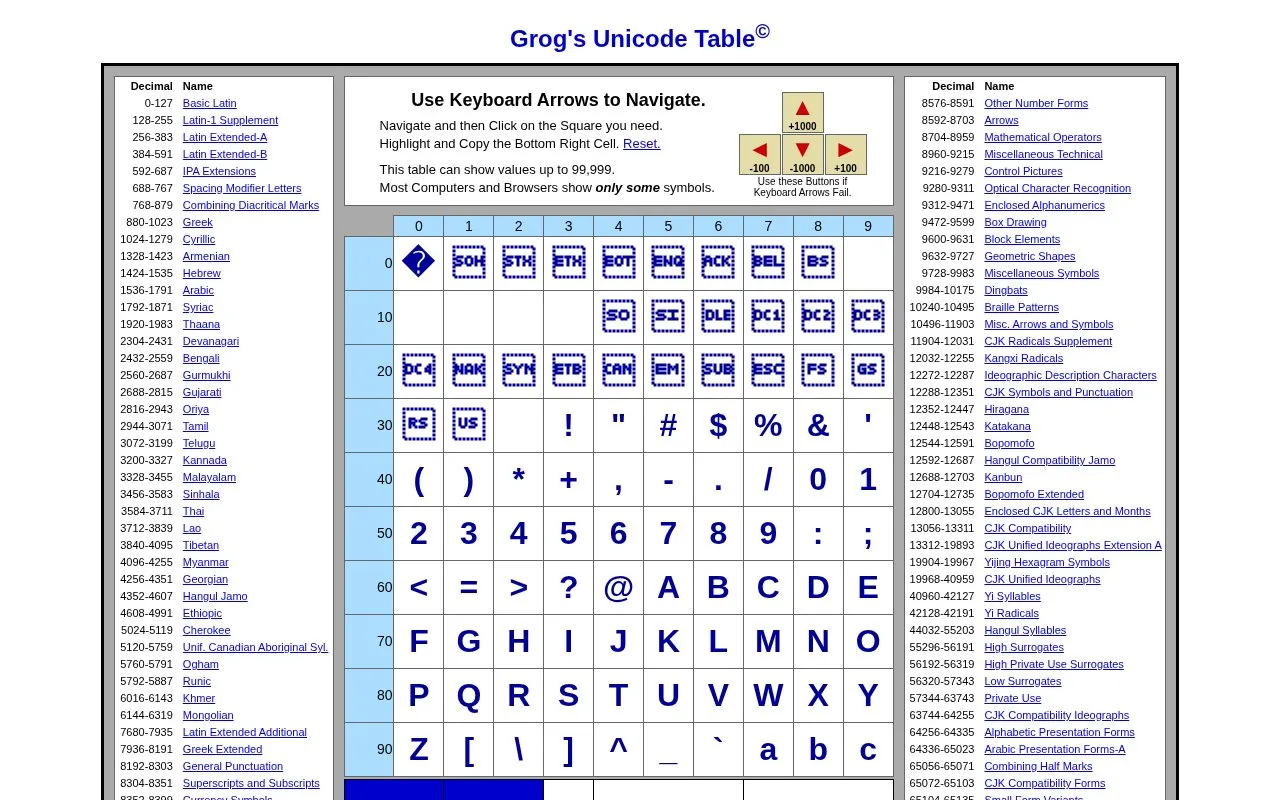
Grog's Unicode Table is a web page that displays Unicode characters and symbols in a table organized by named Unicode block, such as Basic Latin, Greek, Arabic, and CJK Unified Ideographs. Each cell shows a decimal code value. Selecting a symbol shows its hexadecimal and decimal values at the bottom of the table. The page is intended to provide code values for use in HTML.
The table can show values up to 99,999. Only characters that the user's computer and browser can display appear as symbols, so many cells are normally empty. The source advises testing a code on several browsers and computers to confirm it displays correctly. Keyboard arrow navigation is not supported by some browsers and operating systems, in which case the on-screen arrow buttons can be used instead.
Key features
- Block-by-block table of Unicode characters, each labeled with its English block name
- Decimal range shown for each Unicode block listed in the table
- Keyboard arrow navigation, with on-screen arrow buttons as an alternative
- Selected symbol shows its hexadecimal and decimal Unicode values
- Copy of the value in the bottom right cell of the table
Best for: Web developers and writers who need hexadecimal or decimal Unicode code values for characters to use in HTML.
Good for
- Shows both hexadecimal and decimal values for a selected symbol
- Groups characters under named Unicode blocks, which helps locate a range
Watch out for
- Only symbols available on the user's computer and browser are displayed, so many cells appear empty
- Keyboard arrow navigation does not work in some browsers and operating systems
- Table can only show values up to 99,999
Unicode Table at a glance
- Category
- Online Tools › Text Tools
- Type
- Website
- Pricing
- Not confirmed. Check the site
- Platforms
- Web
- Open source
- Not stated
- Last checked
- Oct 6, 2026 · Online when checked
- Listed
- Oct 5, 2026
Unicode Table alternatives
Tools and sites you could use instead, ranked by how closely they match.

SymbolSelect helps find and copy Unicode symbols and text signs, with searchable collections for use in posts and messages.

Unicode Explorer lets users explore Unicode characters, search code points, and copy symbols.

AmpWhat provides lookup and reference for Unicode characters, HTML entities, and symbols with hexadecimal or decimal codes.

GetSymbol provides a dictionary of symbols, with categories such as heart symbols and copyable character examples.

emotes.io collects Unicode emoticons, text faces, kaomoji, and other copyable characters.
Popular in Text Tools
Well-known listings from the same topic.
Prismprism.openai.comWithSubtitleswithsubtitles.comTophonetics.comtophonetics.comOutwriteoutwrite.comDocuSealdocuseal.comRefontrefont.ai


Unicode Table FAQ
Why do so many squares in the table appear empty?
The table can only show symbols and characters that the user's computer and browser have available, so many squares normally appear empty.
What should be done if the keyboard arrows do not work?
Use the arrow buttons shown in the table instead, then click the square needed.
Is something wrong or out of date?
Tell us and an editor will check it.
Own this website?
Claim this listing
Claim the listing and suggest updates yourself. An editor checks every claim first.