

Omni Calculator provides hundreds of custom-built online calculators for everyday problems in finance, business, health, math, statistics and construction.
Kalker
Use Kalker as a calculator with custom variables, functions, differentiation and integration on desktop, mobile or web.
About Kalker
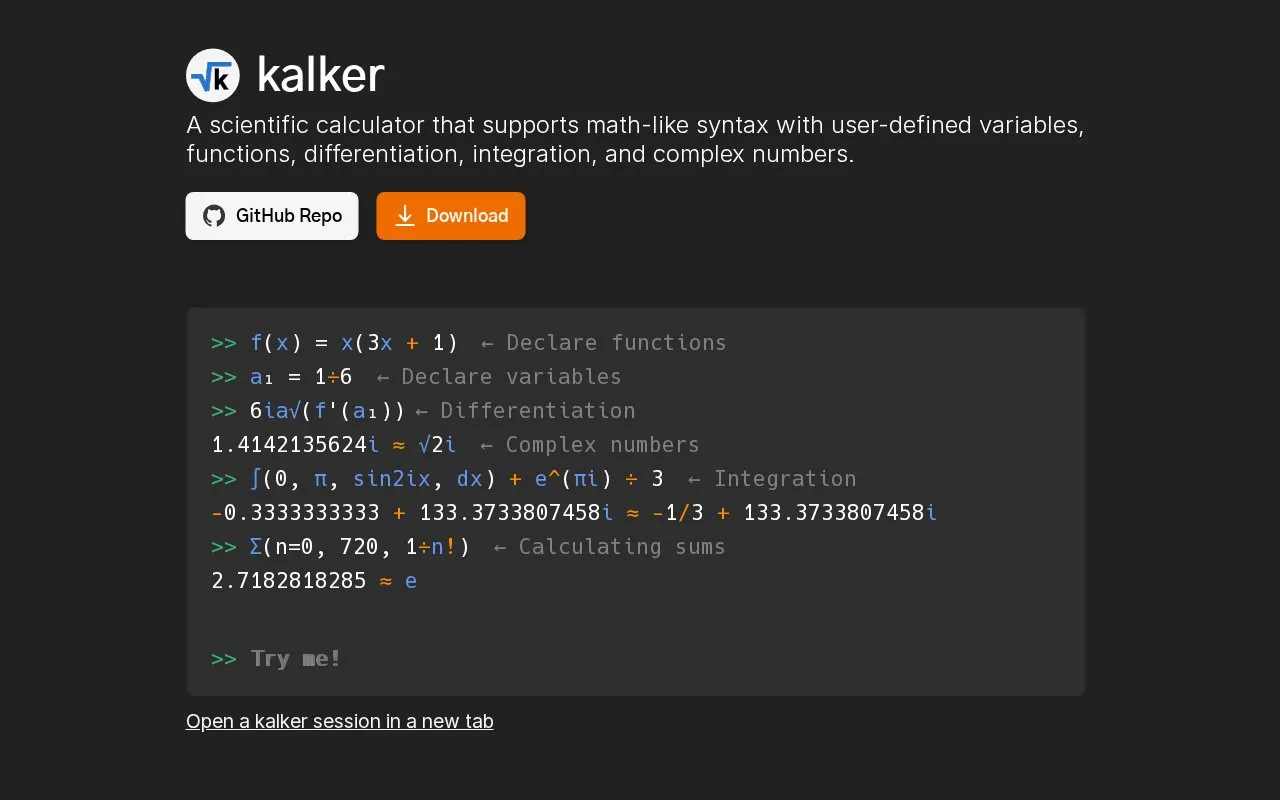
Kalker is a calculator that supports user-defined variables and functions. It can differentiate with prime notation, integrate over an interval, and work with complex numbers, vectors, matrices, sums, and different number bases. It runs on Windows, macOS, Linux, Android, and in web browsers.
Integrals and derivatives are estimated, and higher-order derivatives can be inaccurate. Root finding is estimated and limited to one root.
Key features
- Define custom variables and functions with parameters
- Differentiate using prime notation, such as f'(3)
- Integrate over an interval, such as integrate(0, pi, sin(x) dx)
- Work with complex numbers, vectors and matrices
- Understand ambiguous syntax such as 2sinx + 2xy
- Calculate sums and use different number bases
Best for: People who need to evaluate custom formulas with variables, functions, and calculus on multiple devices.
Good for
- Runs on Windows, macOS, Linux, Android, and in web browsers
- Supports user-defined variables and functions
- Understands ambiguous syntax such as 2sinx + 2xy
Watch out for
- Root finding is estimated and limited to one root
- Integrals and derivatives are estimated; higher-order derivatives can be inaccurate
- Vector comprehensions are marked as experimental
Kalker at a glance
- Website
- kalker.xyz
- Category
- Research & Data › Research & Study Tools
- Type
- Website
- Pricing
- Not confirmed. Check the site
- Platforms
- Android, Linux, macOS, Web, Windows
- Open source
- Not stated
- Language
- English
- Last checked
- Oct 5, 2026 · Online when checked
- Listed
- Oct 5, 2026
Kalker alternatives
Tools and sites you could use instead, ranked by how closely they match.

Helium organizes classes, homework, grades and notes in a color-coded student planner available on web and mobile.

microMathematics Plus is a visual calculator with a worksheet layout, graphing and function plotting.
Open source
24 alternatives
The Anki Manual provides user instructions and a resource list for guides, templates and custom schedulers.

Read GROBID project documentation for the software and its available functions.

Symbolab solves algebra, trigonometry and calculus problems step by step, with calculators for equations, derivatives and integrals.
Popular in Research & Study Tools
Well-known listings from the same topic.
NoteKnightnoteknight.comNotebookCastnotebookcast.comGeoGebrageogebra.orgWikitiawikitia.comMoby Thesaurusmoby-thesaurus.orgHandWikihandwiki.org


Kalker FAQ
How do I define variables and functions?
Use name = value for variables, such as x = 3/4, and name(param1, param2) = value for functions, such as f(x) = 2x+3.
How do I enter special symbols?
Type the function or constant name and press tab, for example sqrt becomes √, pi becomes π, and sum becomes Σ().
How do I change the display number base?
Use the base command, for example base 16 displays output in hexadecimal as well as decimal.
Is something wrong or out of date?
Tell us and an editor will check it.
Own this website?
Claim this listing
Claim the listing and suggest updates yourself. An editor checks every claim first.