

LibreOffice
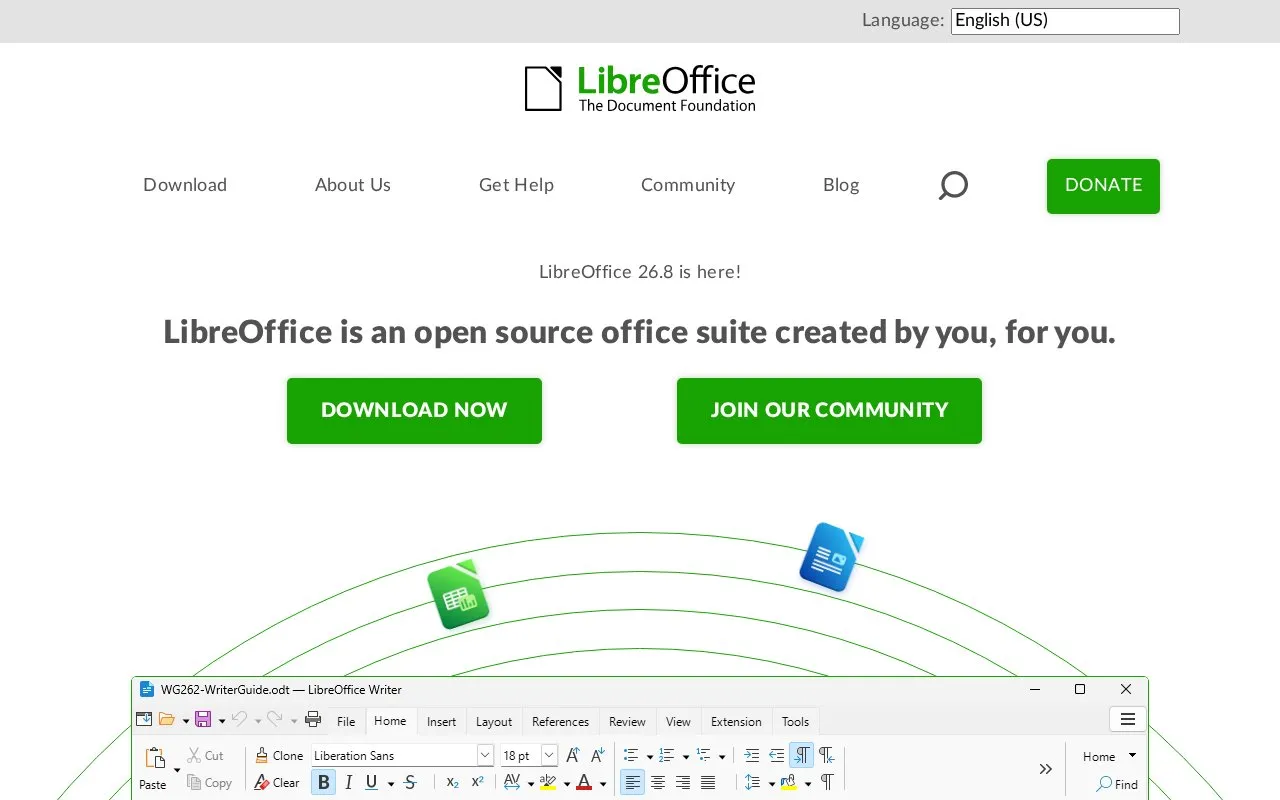
LibreOffice is a free, open-source office suite for Windows, macOS and Linux, with tools for documents, spreadsheets, presentations, drawings, databases and formulas.
About LibreOffice
LibreOffice is a free, open-source desktop office suite for Windows, macOS and Linux. Writer handles text documents, Calc works with spreadsheets and charts, and Impress creates presentations. The same suite also includes Draw for diagrams and illustrations, Base for database work, and Math for writing formulas. It fits people who want to create and edit office files on their own computer without paying for the core suite.
You can open and save Microsoft Word, Excel and PowerPoint formats, including DOCX, XLSX and PPTX, as well as work with OpenDocument files. That file support does not make Microsoft Office automation interchangeable. LibreOffice's documentation explains that most Office macro code needs changes because the applications use different objects and APIs. Check macro-dependent workbooks before moving a workflow, and keep the original files while evaluating the result. Most everyday features do not need Java, although some functions, notably in Base, do.
Key features
- Write documents with Writer
- Build spreadsheets and charts with Calc
- Create slide presentations with Impress
- Draw diagrams and illustrations with Draw
- Work with databases in Base and formulas in Math
- Open and save Microsoft Office and OpenDocument file formats
Best for: People who want desktop tools for documents, spreadsheets and presentations, especially when file ownership and a free core suite matter.
Good for
- Free, open-source suite for Windows, macOS and Linux
- Includes document, spreadsheet, presentation and supporting tools
- Can exchange files in common Microsoft Office formats
Watch out for
- Microsoft Office macros generally need adaptation rather than running unchanged
- Some features, particularly in Base, require Java
LibreOffice at a glance
- Website
- libreoffice.org
- Category
- Software & Utilities › Text Editors
- Type
- App
- Pricing
- Free
- Platforms
- Linux, macOS, Windows
- Details verified
- Oct 20, 2026 · Official source
- Open source
- Yes
- Language
- English
- Last checked
- Oct 6, 2026 · Online when checked
- Listed
- Oct 5, 2026
Guides for Text Editors

LibreOffice alternatives
Tools and sites you could use instead, ranked by how closely they match.

Calligra Suite includes tools for text documents, spreadsheets, presentations, vector graphics, databases, and project planning.
TreeSheets organizes information in a hierarchical spreadsheet format for tasks, mind maps, outlines, and small databases.
FreeOpen source
16 alternatives
ONLYOFFICE provides an online office suite compatible with Microsoft Office formats for document editing and collaboration.
LibreOffice comparisons
Featured in
 8 sites


Best of
8 Best Free SVG Editors in 2026 for Logos and Icons
The best free SVG editors let you change real vector shapes instead of painting over a flattened image. I'd pick…
 8 sites


Best of
8 Best Free Spreadsheet Apps for Everyday Number Work
Free spreadsheet apps cover budgets, shared trackers and CSV cleanup, but they differ sharply in where the file lives…
 8 sites


Best of
Best Free PDF Editors for Text, Forms and Page Changes
The best free PDF editors depend on what you need to change. I'd start with PDFgear on Windows for existing text, PDF24…
Popular in Text Editors
Well-known listings from the same topic.
Google Docsgoogle.com/docs/aboutProton Docsproton.me/drive/docsVertex42vertex42.comNotepad++notepad-plus-plus.orgSublime Textsublimetext.comdDocsdocs.fileverse.io


LibreOffice FAQ
Can LibreOffice open Word, Excel and PowerPoint files?
Yes. Writer, Calc and Impress can open and save their corresponding Microsoft Office formats, including DOCX, XLSX and PPTX.
Will my Excel macros run unchanged?
Do not assume so. LibreOffice can run some Excel VBA scripts, but its documentation says most macro code needs changes because the applications use different objects and APIs.
Do I need Java to use LibreOffice?
Most features do not require Java. Some features, notably in Base, do, so check requirements if database work is part of your workflow.
Is something wrong or out of date?
Tell us and an editor will check it.
Own this website?
Claim this listing
Claim the listing and suggest updates yourself. An editor checks every claim first.