

Notepad++
Notepad++ is a free, open-source text and source code editor for Windows, with support for multiple programming languages.
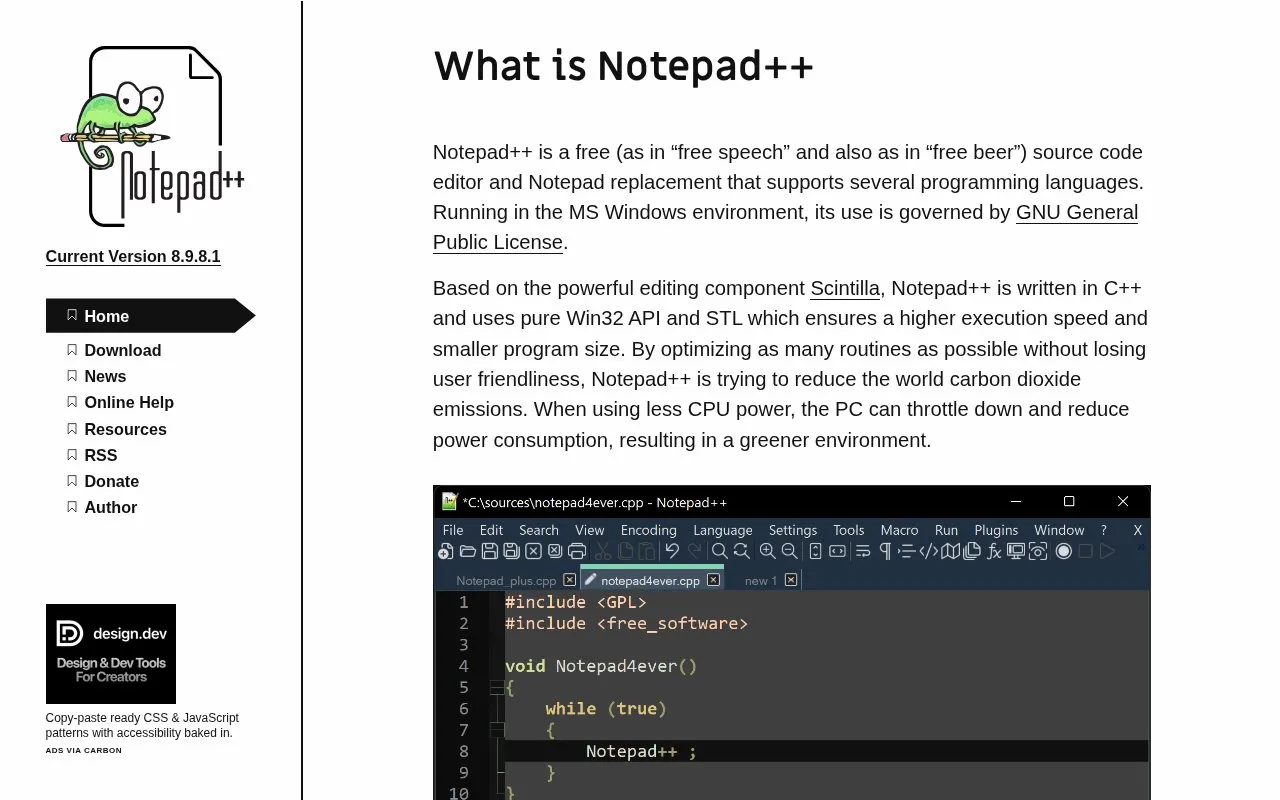
About Notepad++
Notepad++ is a free, open-source text and source code editor for Windows. It works as a Notepad replacement for everyday plain text and supports multiple programming languages. Its search tools are a practical reason to choose it: you can find or replace text in the current document, across open files or within a folder, using plain text or regular expressions. Filters let you narrow a folder search to relevant file types.
For repeated editing, column mode selects a rectangular block of text, and multi-editing lets you change several selected locations together. Two document views help you work with files side by side. You can also record a sequence of supported editing actions as a macro, save it and replay it later. Macros have limits: not every command can be recorded, and replay depends on the caret's position. Notepad++ is a Windows application, so someone who needs the same native editor on Linux or macOS should consider that platform boundary before adopting it.
Key features
- Edit plain text and source code for multiple languages
- Search and replace across documents or a selected folder
- Use regular expressions and file filters for text searches
- Edit rectangular selections and multiple locations
- Place documents in two side-by-side views
- Record and replay supported editing actions as macros
Best for: Windows users editing source files or plain text who need folder searches, repeated replacements and precise multi-line changes.
Good for
- Free and open source under the GPL
- Folder search and replacement can handle related files together
- Column editing and macros support repetitive text work
Watch out for
- Native application targets Windows
- Macro recording covers only supported actions and depends on the caret's position
Notepad++ at a glance
- Website
- notepad-plus-plus.org
- Category
- Software & Utilities › Text Editors
- Type
- App
- Pricing
- Free
- Platforms
- Windows
- Details verified
- Oct 20, 2026 · Official source
- Open source
- Yes · Source code
- Language
- English
- Last checked
- Oct 5, 2026 · Online when checked
- Listed
- Oct 5, 2026
Guides for Text Editors

Notepad++ alternatives
Tools and sites you could use instead, ranked by how closely they match.

NotepadNext reimplements Notepad++ for multiple platforms, and its project notes warn about bugs and incomplete features.
Open source
24 alternatives
Notepads offers a lightweight Windows 10 text editor as an alternative to existing code editors.
Open source
24 alternativesNotepad Online stores text notes in the browser and supports multiple pages, printing, and downloads.
Featured in
 8 sites


Best of
8 Best Free Code Editors for Web Projects and Quick Edits
I'd choose VS Code for a website project and Notepad++ for quick Windows edits. The best free code editors solve…
Popular in Text Editors
Well-known listings from the same topic.
Google Docsgoogle.com/docs/aboutProton Docsproton.me/drive/docsVertex42vertex42.comLibreOfficelibreoffice.orgdDocsdocs.fileverse.ioSublime Textsublimetext.com


Notepad++ FAQ
Can Notepad++ replace text in a folder of files?
Yes. Find in Files includes replacement, a directory selector and file filters. Check the directory and filters before applying a replacement across files.
Can Notepad++ repeat an editing sequence?
It can record supported editing actions as a macro, save the sequence and replay it. Not every command is recordable, and the caret's starting position affects the result.
Is something wrong or out of date?
Tell us and an editor will check it.
Own this website?
Claim this listing
Claim the listing and suggest updates yourself. An editor checks every claim first.