
dut calculates disk usage on Linux, according to its project description.
NCDU
ncdu analyzes disk usage in a text-mode interface, according to its project page.
About NCDU
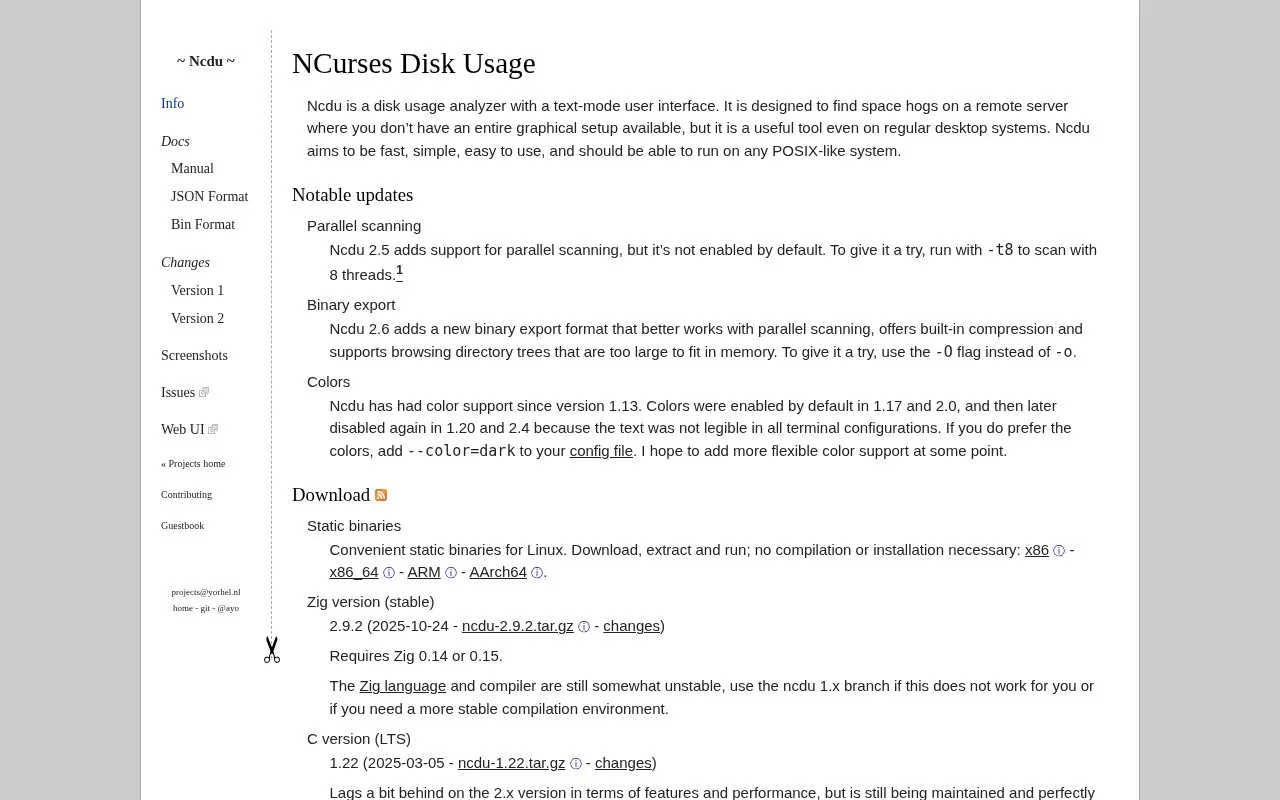
Ncdu is a disk usage analyzer with a text-mode interface for finding space hogs on a remote server without a graphical setup, also usable on desktop POSIX-like systems. It supports optional parallel scanning and a binary export format with built-in compression for browsing directory trees too large to fit in memory.
Parallel scanning is not enabled by default, colors are disabled by default for terminal legibility, and the 2.x branch requires Zig 0.14 or 0.15 while the maintained 1.x C branch lags in features and performance.
Key features
- Text-mode interface to analyze disk usage
- Finds large directories on servers without graphical setup
- Optional parallel scanning using thread count flag
- Binary export with built-in compression using -O flag
- Browses directory trees too large to fit in memory
- Static Linux binaries for x86_64, ARM and AArch64
Best for: Administrators and users checking disk use on remote servers or other POSIX-like systems without a graphical setup.
Good for
- Runs on POSIX-like systems, including servers without graphical setup
- Static Linux binaries run without compilation or installation
- Packaged for many systems, including BSDs, macOS and Windows
Watch out for
- Parallel scanning is not enabled by default
- Colors are disabled by default due to legibility in some terminals
- Zig-based 2.x builds require Zig 0.14 or 0.15, described as unstable
NCDU at a glance
- Website
- dev.yorhel.nl/ncdu
- Category
- Software & Utilities › Linux Apps
- Type
- Website
- Pricing
- Not confirmed. Check the site
- Platforms
- Linux, Web
- Open source
- Not stated
- Last checked
- Oct 5, 2026 · Online when checked
- Listed
- Oct 5, 2026
NCDU alternatives
Tools and sites you could use instead, ranked by how closely they match.

Filelight visualizes disk usage and helps identify files that can be removed to free space.

RecoverPy scans disk blocks to help find and recover deleted or overwritten files through an interactive interface.
Open source
24 alternativesPopular in Linux Apps
Well-known listings from the same topic.
AltBoxaltbox.devThe Levelatorarchive.org/details/conversationsnetwork_org-l…Alacrittyalacritty.orgShellScriptshellscript.shghostwriterghostwriter.kde.orgLibrebootlibreboot.org


NCDU FAQ
How do I try parallel scanning?
Run with -t8 to scan with 8 threads. It was added in Ncdu 2.5 but is not enabled by default.
How do I use the binary export for very large trees?
Use the -O flag instead of -o. The Ncdu 2.6 format offers built-in compression and supports browsing trees too large to fit in memory.
How do I enable colors?
Add --color=dark to your config file. Colors are disabled by default because text was not legible in all terminal configurations.
Is something wrong or out of date?
Tell us and an editor will check it.
Own this website?
Claim this listing
Claim the listing and suggest updates yourself. An editor checks every claim first.