

NeeView
NeeView browses images in folders and compressed files as pages in a book, with customization options.
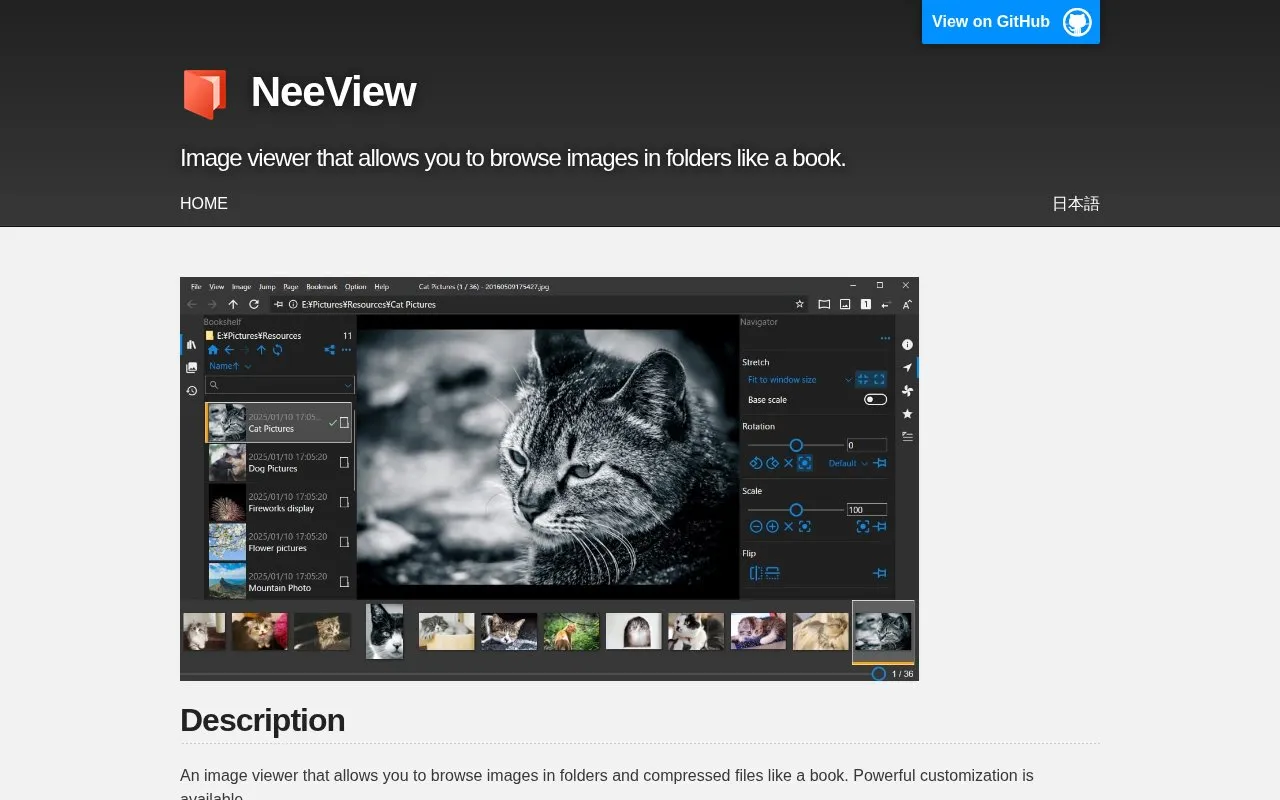
About NeeView
NeeView is an image viewer for Windows that lets you browse images stored in folders and compressed files as if they were pages in a book. It supports common image formats plus archive formats such as zip, rar, 7z, lzh, cbr, cbz and cb7, including recursively compressed files, as well as PDF and video playback. Browsing can be adjusted with full screen, facing and slide show modes, loupe mode, dragging to move, rotate or scale, touch operation and mouse gestures, and key and gesture customization. Scripts can extend commands, and Susie plugins are supported. The application requires Windows 10 64-bit or higher. Downloads are offered through GitHub Releases, the Microsoft Store and Vector; the homepage does not state pricing or licensing terms.
Key features
- Browses images in folders and compressed archives as book pages
- Supports bmp, jpg, gif, tiff, png, ico and WIC images
- Opens zip, rar, 7z, lzh, cbr, cbz and cb7 archives, including nested ones
- Adds PDF viewing and video playback
- Offers loupe, facing, full screen and slide show modes
- Supports touch operation, mouse gestures and key customization
Best for: Windows users who want a customizable viewer for image collections kept inside folders, archives or PDFs.
Good for
- Handles images, compressed archive formats, PDFs and video in one viewer
- Customizable keys, gestures, commands and interface modes
- Supports touch input, mouse gestures and Susie plugins
Watch out for
- Requires Windows 10 64-bit or higher
- Pricing is not stated on the homepage
NeeView at a glance
- Category
- Online Tools › Image Tools
- Type
- Online tool
- Pricing
- Not confirmed. Check the site
- Platforms
- Web, Windows
- Open source
- Not stated
- Language
- English
- Last checked
- Oct 6, 2026 · Online when checked
- Listed
- Oct 5, 2026
Guides for Image Tools

NeeView alternatives
Tools and sites you could use instead, ranked by how closely they match.

NeeView browses images from folders and compressed files in a book-like layout with configurable options.
Open source
24 alternatives
HomeGallery provides self-hosted photo and video browsing through a web gallery while retaining the user’s existing folders.
Popular in Image Tools
Well-known listings from the same topic.
CamScannerapps.apple.com/us/app/camscanner-pdf-scanner-a…BeeRefbeeref.orgGreenshotgetgreenshot.orgLightshotapp.prntscr.comnomacsnomacs.orgConverseenconverseen.fasterland.net


NeeView FAQ
What are the system requirements?
Windows 10 64-bit or higher.
Which image and archive formats does it support?
bmp, jpg, gif, tiff, png, ico and WIC images, plus zip, rar, 7z, lzh, cbr, cbz, cb7 and similar compressed files, with recursive compressed file support, PDF and video.
Where can NeeView be downloaded?
From GitHub Releases, the Microsoft Store or Vector.
Is something wrong or out of date?
Tell us and an editor will check it.
Own this website?
Claim this listing
Claim the listing and suggest updates yourself. An editor checks every claim first.