

NVIDIA Broadcast
NVIDIA Broadcast applies AI effects such as noise removal and virtual backgrounds to livestreams, voice chats, and video calls.
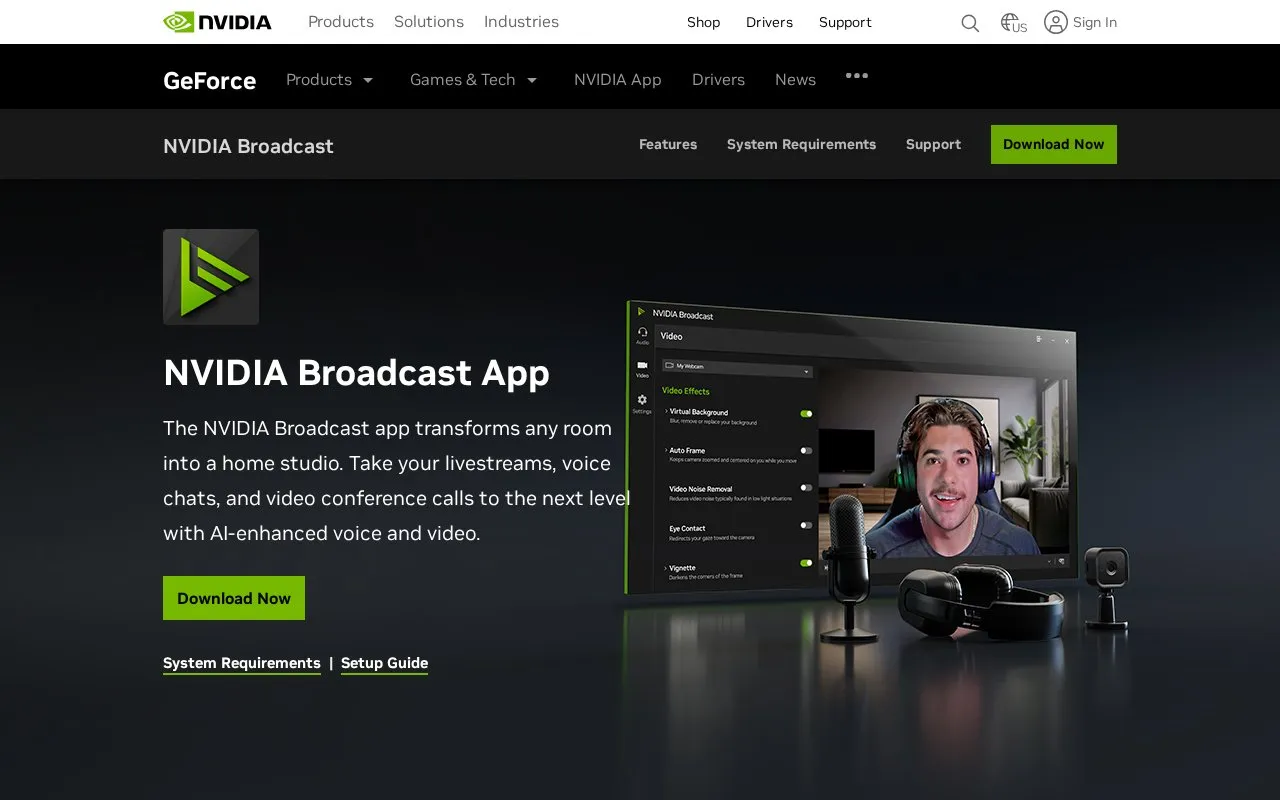
About NVIDIA Broadcast
NVIDIA Broadcast is a downloadable app that applies AI-based audio and video effects to livestreams, voice chats, and video calls. Its audio tools remove background noise and room echo and enhance microphone quality. Its video tools replace or blur the background, relight the face, adjust apparent eye direction, reduce visual noise in low light, and keep the subject in frame by cropping and zooming.
The listed system requirements specify Windows 10 64-bit, an NVIDIA GeForce RTX 2060, Quadro RTX 3000, TITAN RTX, or higher GPU, 8GB RAM or higher, and an NVIDIA driver from the R570 series or later. Internet connectivity is needed during installation. The homepage also describes developer options for integrating NVIDIA Broadcast features into other applications. Pricing is not stated.
Key features
- AI noise removal and room echo removal for microphone audio
- Studio Voice for AI-enhanced microphone audio quality
- Background removal, replacement, and blur for webcam video
- Virtual Key Light that relights the face automatically during streams
- Eye Contact effect that makes eyes appear directed at the camera
- Auto Frame that tracks movement by cropping and zooming in real time
Best for: Streamers, remote workers, and video call users with a compatible NVIDIA RTX GPU on Windows 10 64-bit who want better audio and video without a dedicated studio setup.
Good for
- Noise and echo removal is intended to work without a quiet room.
- Background effects are described as not requiring expensive equipment or complex lighting.
- The app is described as working with many common streaming and video call applications.
Watch out for
- Requires a supported NVIDIA GeForce RTX, Quadro RTX, or TITAN RTX graphics card or higher.
- Requires 8GB RAM or higher and an NVIDIA driver from the R570 series or later.
- Requires internet connectivity during installation.
NVIDIA Broadcast at a glance
- Type
- Online tool
- Pricing
- Not confirmed. Check the site
- Platforms
- Web
- Open source
- Not stated
- Language
- English
- Last checked
- Oct 6, 2026 · Online when checked
- Listed
- Oct 5, 2026
Guides for Screen Recording & Streaming Tools
NVIDIA Broadcast alternatives
Tools and sites you could use instead, ranked by how closely they match.

Chat Downloader retrieves chat messages from livestreams, videos, clips, and past broadcasts without authentication, with Python installation options.
Open source
24 alternatives
Owncast is free, open source software for running a live video and web chat server with existing broadcasting software.
Open source
24 alternatives
Recordly provides open source screen recording for Mac, Windows, and Linux, with auto-zoom, cursor effects, and product demo tools.
TikTok Chat Reader forwards TikTok LIVE chat comments, gifts, and other events to a client using an unofficial TikTok API.

The NVIDIA NVENC OBS guide explains how to configure OBS for video stream quality using NVENC encoding.

Restream helps create live video and broadcast it to multiple destinations, with tools for producing streams and making clips.
Popular in Screen Recording & Streaming Tools
Well-known listings from the same topic.
StreamElementsstreamelements.comStreamlabsstreamlabs.comStreamer.botstreamer.botAwesome Streaminggithub.com/juancarlospaco/awesome-streaming-to…VDO.Ninjavdo.ninjaStreamrecorderstreamrecorder.io


NVIDIA Broadcast FAQ
What hardware does NVIDIA Broadcast require?
The listed requirements are a supported NVIDIA GeForce RTX 2060, Quadro RTX 3000, TITAN RTX, or higher GPU, 8GB RAM or higher, and an NVIDIA Studio, Game Ready, or RTX Enterprise driver from R570 onward. Intel Core i5 8600 or AMD Ryzen r5 2600 or higher is recommended for the CPU.
Does the app need an internet connection to run?
The system requirements state that internet connectivity is needed during installation. The page does not say whether it is needed for everyday use.
Is something wrong or out of date?
Tell us and an editor will check it.
Own this website?
Claim this listing
Claim the listing and suggest updates yourself. An editor checks every claim first.