
OCRTool
OCRTool extracts editable text from images, PDFs, and screenshots, with options to copy or download recognized text.
About OCRTool
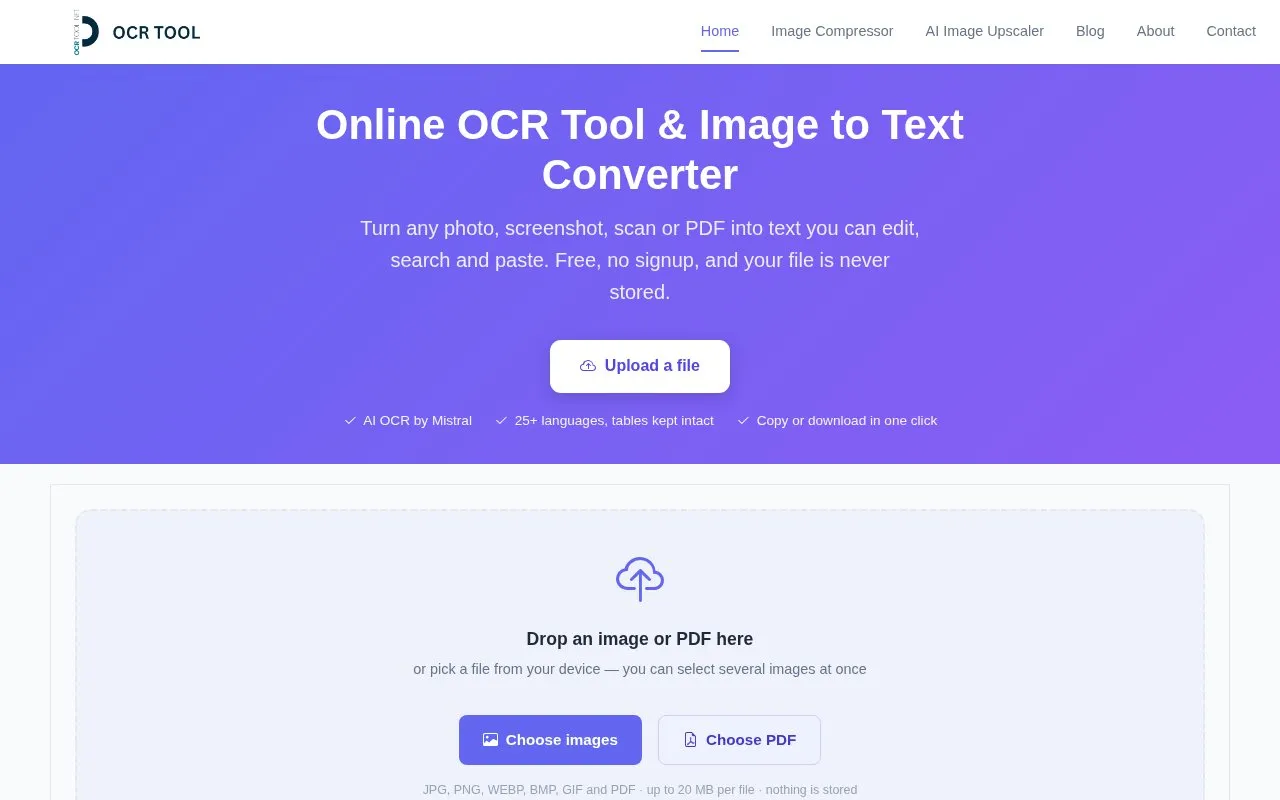
OCRTool is a browser-based tool that converts images and PDFs into editable text. It accepts JPG, PNG, WEBP, BMP, GIF and PDF files up to 20 MB each, and several images can be loaded at once and reviewed one by one. Recognition uses Mistral AI's OCR model, with support for 25+ languages and automatic language detection. Output can be plain text, Markdown, or tables only, and extracted tables can be edited in place and downloaded as CSV or Excel. Images can be adjusted before extraction using auto enhance, grayscale, auto levels, brightness, contrast, sharpen, threshold, invert and rotate controls.
According to the site, files are sent over an encrypted connection, converted, and discarded, with no account required, and it advises against uploading highly confidential documents. The site states the tool is free with no signup and no watermarks, though pricing details are not otherwise confirmed. TIFF files are not supported and must be converted to PNG or JPG first, and the tool's own guidance notes that clear, high-resolution images produce better results than blurry or faded ones.
Key features
- Extracts text from JPG, PNG, WEBP, BMP, GIF and PDF files up to 20 MB each
- Loads multiple images at once and steps through results in sequence
- Mistral AI OCR model with 25+ languages and auto-detection
- Output as plain text, Markdown, or tables only
- Editable table results downloadable as CSV or Excel
- Enhancement controls: auto enhance, grayscale, brightness, contrast, sharpen, threshold
Best for: People who need to turn photos, screenshots, scans or PDFs into editable text without installing software or creating an account.
Good for
- No signup or account required to run an extraction
- Built-in image enhancement tools for dark, faded or skewed scans
- Single page handles PDFs, multiple image formats, tables and language selection
Watch out for
- TIFF files are not supported and must be converted before upload
- Files are limited to 20 MB each
- Site advises against uploading highly confidential documents, and accuracy depends on image quality
OCRTool at a glance
- Website
- ocrtool.net
- Category
- Online Tools › PDF & Document Tools
- Type
- Online tool
- Pricing
- Not confirmed. Check the site
- Platforms
- Web
- Open source
- Not stated
- Language
- English
- Last checked
- Oct 5, 2026 · Online when checked
- Listed
- Oct 5, 2026
Guides for PDF & Document Tools
OCRTool alternatives
Tools and sites you could use instead, ranked by how closely they match.

2OCR extracts searchable text from image and PDF files using online optical character recognition.
FreePick
8 alternatives
NewOCR converts scanned images and documents, including PDF and DjVu files, into editable text online.

i2OCR extracts text from images and PDF files through a browser-based OCR service.

OnlineOCR converts images and PDFs into text or Word files using optical character recognition.

OnlineOCR converts image files to text or PDF and supports more than 100 languages, according to its page.

OCR.SPACE offers online OCR, an API for text extraction, and searchable PDF creation.
Popular in PDF & Document Tools
Well-known listings from the same topic.
2PDFConverter2pdfconverter.comAlt Enginesgithub.com/hiroi-sora/Umi-OCR_pluginsBentopdfgithub.com/alam00000/bentopdfPDFCoffeepdfcoffee.comPDF24pdf24.orgPDF Fixerpdffixer.com


OCRTool FAQ
What file formats and size limits apply?
JPG, PNG, WEBP, BMP, GIF and PDF, up to 20 MB per file. Several images can be loaded together. TIFF files must be converted to PNG or JPG first because browsers cannot open them.
Which languages does the OCR support?
25+ languages, including English, French, Spanish, German, Arabic, Hindi, Urdu, Chinese, Japanese, Korean and Russian, with automatic language detection. A separate backup-language selector is also available.
How do I keep tables intact when extracting?
Switch the output format to Markdown before extracting, which preserves table rows and columns. Cells remain editable before downloading results as CSV or Excel.
Is something wrong or out of date?
Tell us and an editor will check it.
Own this website?
Claim this listing
Claim the listing and suggest updates yourself. An editor checks every claim first.