
OnlineOCR
OnlineOCR converts image files to text or PDF and supports more than 100 languages, according to its page.
About OnlineOCR
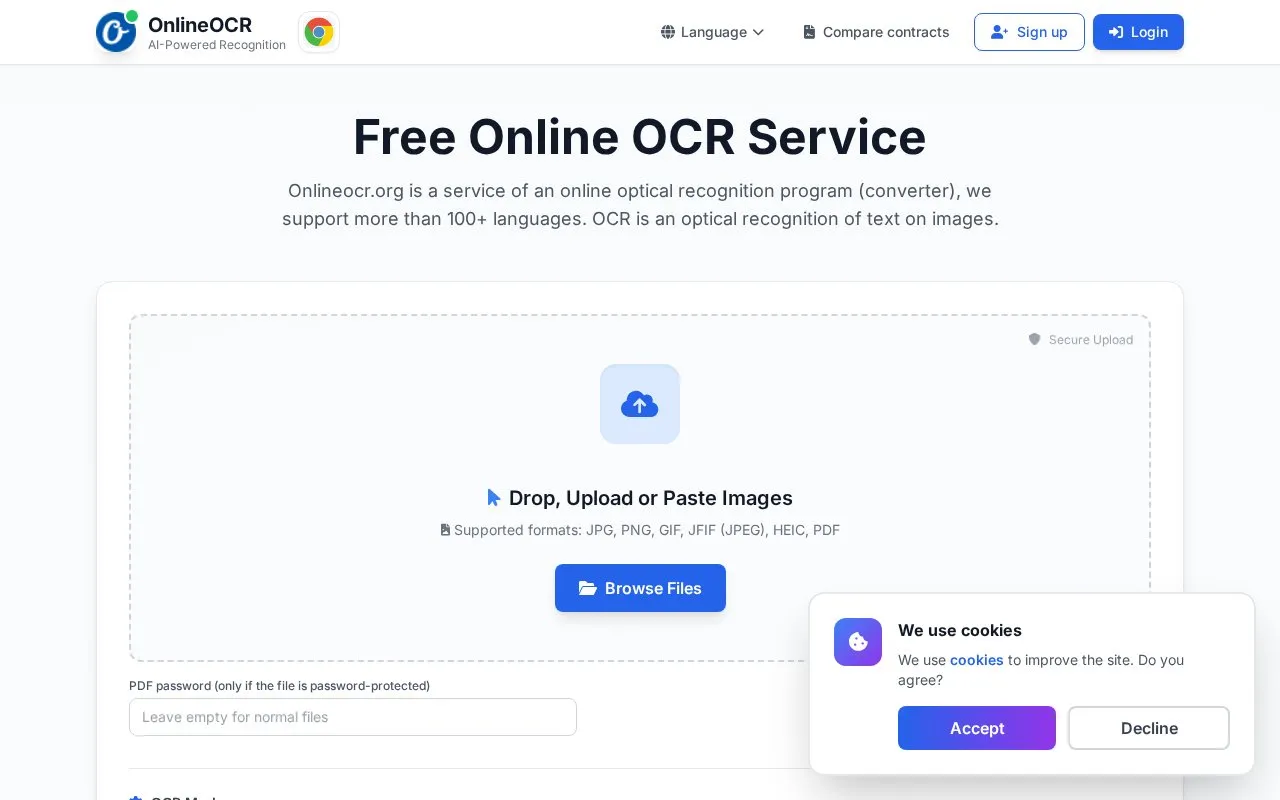
OnlineOCR is a browser-based optical character recognition service that turns images and PDFs into editable text. Accepted upload formats are JPG, PNG, GIF, JFIF (JPEG), HEIC and PDF, and password-protected PDFs can be opened by entering the password. Files can be dropped, uploaded, pasted or browsed from the device.
Key features
- Converts JPG, PNG, GIF, JFIF, HEIC and PDF files to text
- Simple OCR mode returns raw, unformatted text lines free of charge
- Premium OCR mode handles tables, lists and headings, capped at 3 pages daily
- Selects up to three recognition languages per conversion; English is the default
- Accepts password-protected PDFs through a password entry field
- Downloads the extracted text as a text file, individually or all at once
Best for: People who occasionally need to pull editable text out of a scanned image or PDF and prefer a free browser tool over installing software.
Good for
- The page states the service is free to use and needs no registration for basic conversions
- Handles common image formats alongside PDF, including password-protected PDFs
- Offers a long list of recognition languages, with up to three selectable per job
Watch out for
- Premium OCR, which recognises tables, lists and headings, is limited to 3 pages per day
- Simple OCR returns only raw text lines, without structured formatting
- The page says no registration is required, yet a quick registration prompt appears to continue OCR processing
OnlineOCR at a glance
- Website
- onlineocr.org
- Category
- Online Tools › PDF & Document Tools
- Type
- Online tool
- Pricing
- Not confirmed. Check the site
- Platforms
- Web
- Open source
- Not stated
- Language
- English
- Last checked
- Oct 6, 2026 · Online when checked
- Listed
- Oct 5, 2026
Guides for PDF & Document Tools
OnlineOCR alternatives
Tools and sites you could use instead, ranked by how closely they match.

OnlineOCR converts images and PDFs into text or Word files using optical character recognition.

2OCR extracts searchable text from image and PDF files using online optical character recognition.
FreePick
8 alternatives
NewOCR converts scanned images and documents, including PDF and DjVu files, into editable text online.

ihatepdf.cv provides browser-based tools to edit, merge, split, compress, convert, OCR, and encrypt PDF files, with no sign-up required.
Freemium
15 alternatives
i2OCR extracts text from images and PDF files through a browser-based OCR service.

OCRTool extracts editable text from images, PDFs, and screenshots, with options to copy or download recognized text.
Popular in PDF & Document Tools
Well-known listings from the same topic.
2PDFConverter2pdfconverter.comAlt Enginesgithub.com/hiroi-sora/Umi-OCR_pluginsBentopdfgithub.com/alam00000/bentopdfPDFCoffeepdfcoffee.comPDF24pdf24.orgPDF Fixerpdffixer.com


OnlineOCR FAQ
What does it cost?
The site describes the service as free to use with no registration required, and labels Simple OCR as free online recognition. Premium OCR, which handles tables, lists and headings, is described as a premium feature limited to 3 pages per day. No prices are listed on the page.
Which file types can I upload?
The upload area lists JPG, PNG, GIF, JFIF (JPEG) and PDF. The usage instructions on the same page also mention *.pdf, *.jpeg, *.tiff and *.bmp files.
How many languages can be selected at once?
Up to three languages can be selected per conversion, with English chosen by default. The page states that more than 100 languages are supported, while its meta description refers to 46+ languages.
Is something wrong or out of date?
Tell us and an editor will check it.
Own this website?
Claim this listing
Claim the listing and suggest updates yourself. An editor checks every claim first.