
PDFEncrypt
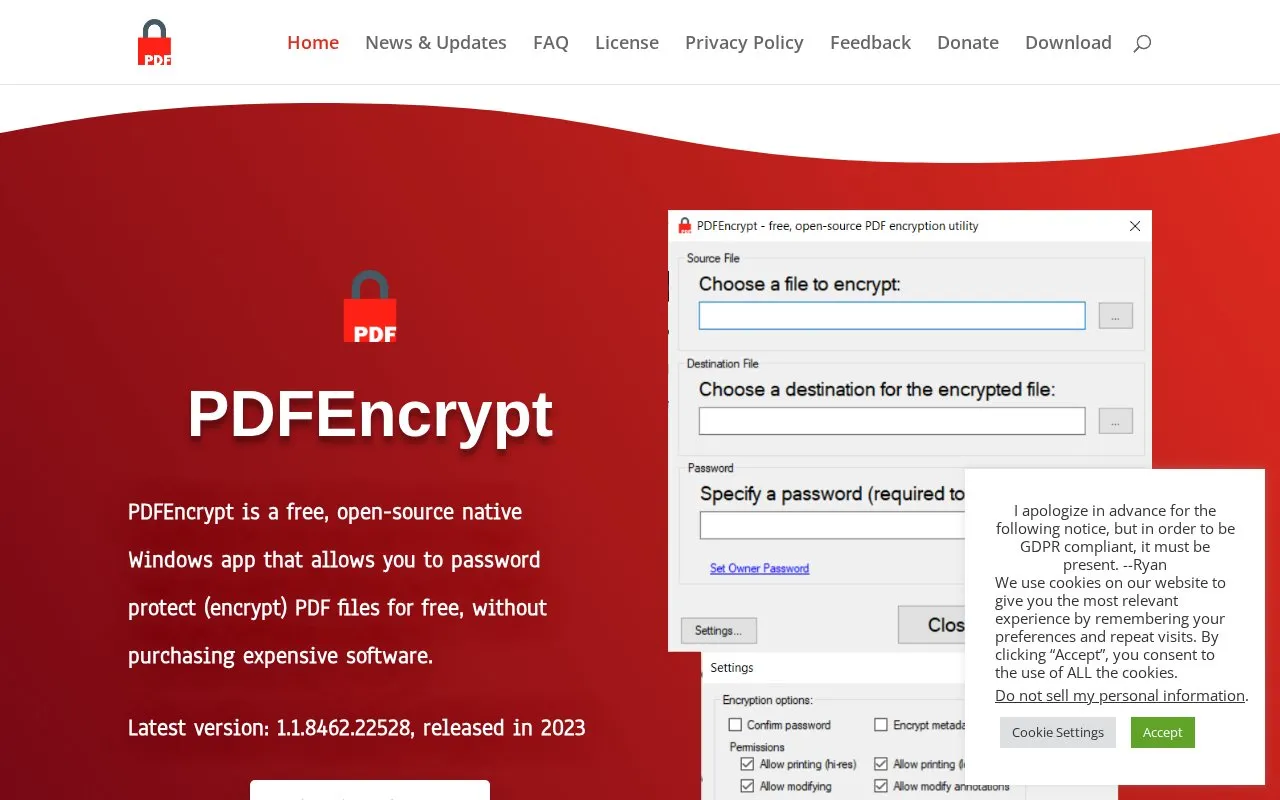
Password protection for PDF files is the purpose of PDFEncrypt, an open-source application for Windows.
About PDFEncrypt
PDFEncrypt is a Windows application for encrypting PDF files using standard PDF encryption algorithms. When a document is encrypted, its contents become unreadable until an authorized user provides the password in a reader such as Adobe Reader or Acrobat.
The application runs locally on a Windows PC, so files do not need to be uploaded to a third-party server for encryption. It supports a password required to open the document, additional options and permissions, an owner password, and command-line arguments for automation.
Key features
- Encrypt PDF files using standard PDF encryption algorithms
- Require password to open document in PDF readers
- Apply options and permissions to PDF files
- Process files locally on Windows PC
- Automate tasks with command-line arguments
- Use owner password setting
Best for: Windows users who need to add password protection to standard PDF files on their own computer.
Good for
- Runs locally without uploading files to a third-party server
- Source code is available on GitHub under the AGPL license
- Encrypted files are opened with a password in Adobe Reader or Acrobat
Watch out for
- Designed for Windows PCs, listed for Windows 7, 8, 10, and 11
- Latest version listed was released in 2023
PDFEncrypt at a glance
- Website
- pdfencrypt.net
- Category
- Online Tools › PDF & Document Tools
- Type
- Online tool
- Pricing
- Not confirmed. Check the site
- Platforms
- Web, Windows
- Open source
- Not stated
- Language
- English
- Last checked
- Oct 5, 2026 · Online when checked
- Listed
- Oct 5, 2026
Guides for PDF & Document Tools
PDFEncrypt alternatives
Tools and sites you could use instead, ranked by how closely they match.

Online2PDF converts files to PDF and supports merging, editing, compressing, removing passwords, and applying protection to PDF documents.
Popular in PDF & Document Tools
Well-known listings from the same topic.
2OCR2ocr.com2PDFConverter2pdfconverter.comAlt Enginesgithub.com/hiroi-sora/Umi-OCR_pluginsBentopdfgithub.com/alam00000/bentopdfOCRToolocrtool.netPDFCoffeepdfcoffee.com


PDFEncrypt FAQ
Do I have to upload my PDF to use PDFEncrypt?
No. The app runs directly on your Windows PC and does not require uploading files to a third-party server for encryption.
What happens when a PDF is encrypted with a password?
Its contents become unreadable, and the password must be entered before the document can be viewed in Adobe Reader or Acrobat.
Can PDFEncrypt be automated?
Yes. The release notes describe command-line arguments that allow encryption to be automated and incorporated into workflows.
Is something wrong or out of date?
Tell us and an editor will check it.
Own this website?
Claim this listing
Claim the listing and suggest updates yourself. An editor checks every claim first.