
PDFgear
Free PDF software for document editing, annotations, conversions, and page tasks. Available features vary between desktop, mobile, and web tools.
About PDFgear
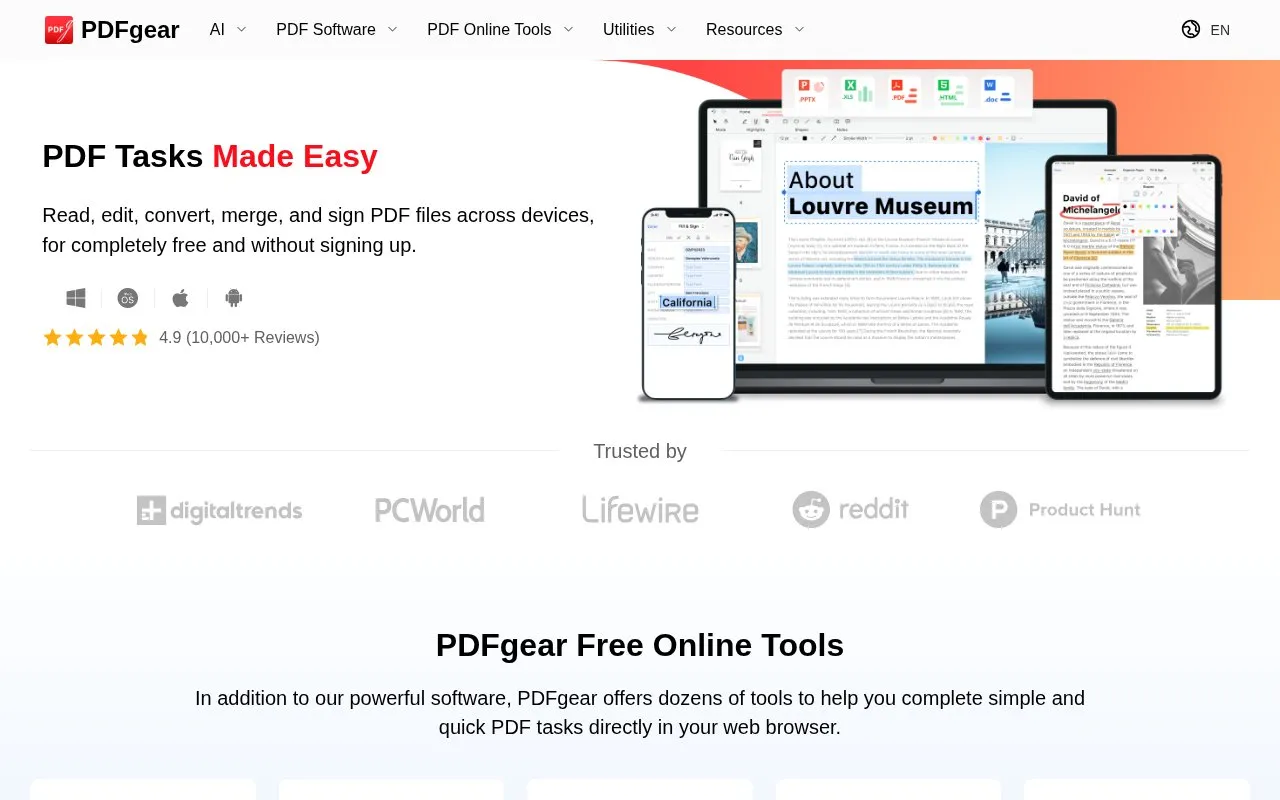
PDFgear is free software for reading, editing, converting, merging, and signing PDF files. It offers desktop apps for Windows and macOS, mobile apps for iOS and Android, and online tools that work in a web browser, without requiring sign-up.
Capabilities include editing text, images and form fields, adding annotations, converting between PDF and other formats, extracting text from scanned files with OCR, and managing pages by merging, splitting, adding, deleting, and compressing. Available features vary between desktop, mobile, and web tools.
Key features
- Edit text, images, links, and fillable form fields in PDFs
- Highlight, underline, and add notes, stamps, and text boxes
- Convert between PDF, Word, Excel, PPT, TXT, and JPG
- Extract text from scanned PDFs with OCR in 30+ languages
- Merge, split, add, or delete pages in PDF files
- Compress PDFs and add signatures to documents
Best for: People who need to edit, annotate, convert, and manage PDFs across desktop and mobile devices.
Good for
- Free to use without signing up
- Available on web, Windows, macOS, iOS, and Android
- Includes batch conversion and OCR in 30+ languages
Watch out for
- Features vary between desktop, mobile, and web tools
PDFgear at a glance
- Website
- pdfgear.com
- Category
- Online Tools › PDF & Document Tools
- Type
- Online tool
- Pricing
- Free
- Platforms
- Web, Windows, macOS, iOS, Android
- Open source
- Not stated
- Last checked
- Oct 7, 2026 · Online when checked
- Listed
- Oct 7, 2026
Guides for PDF & Document Tools
PDFgear alternatives
Tools and sites you could use instead, ranked by how closely they match.

Online PDF tools for annotations, conversion, compression, and page management. Pro adds features including existing-text editing and OCR.
Freemium

Browser-based PDF tools for review, forms, conversions, and document tasks. Availability and free-use allowances depend on the selected operation and account.
Freemium
PDFgear comparisons

Featured in
 8 sites


Best of
Best Free PDF Editors for Text, Forms and Page Changes
The best free PDF editors depend on what you need to change. I'd start with PDFgear on Windows for existing text, PDF24…
Popular in PDF & Document Tools
Well-known listings from the same topic.
2OCR2ocr.com2PDFConverter2pdfconverter.comAlt Enginesgithub.com/hiroi-sora/Umi-OCR_pluginsBentopdfgithub.com/alam00000/bentopdfOCRToolocrtool.netPDFCoffeepdfcoffee.com


PDFgear FAQ
Do I need to sign up to use PDFgear?
No. The homepage states PDF files can be read, edited, converted, merged, and signed for free without signing up.
What does PDFgear OCR do?
It extracts text from image-based documents and can convert scanned PDFs into editable Word or TXT, with 30+ languages supported.
Is something wrong or out of date?
Tell us and an editor will check it.
Own this website?
Claim this listing
Claim the listing and suggest updates yourself. An editor checks every claim first.