
Project Naptha
Project Naptha lets users highlight, copy, and translate text found in images through computer-vision processing.
About Project Naptha
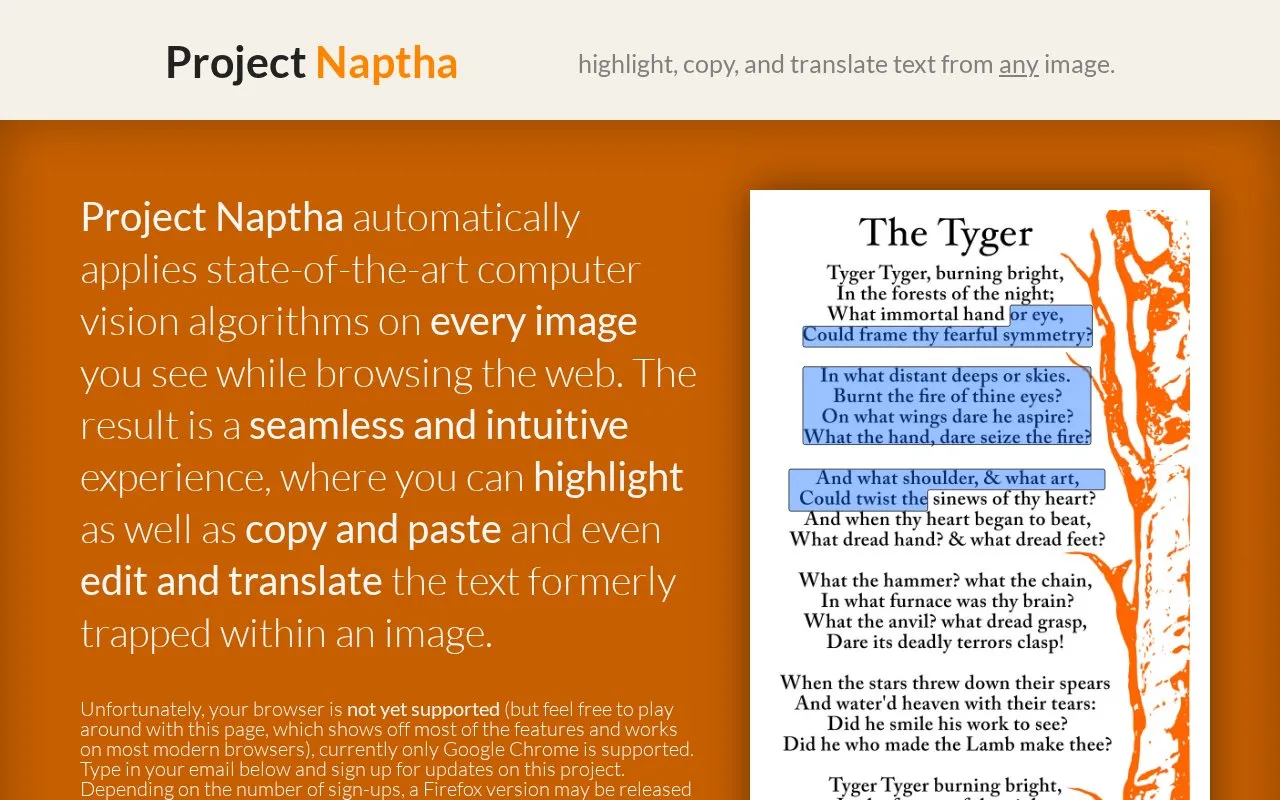
Project Naptha is a browser extension that applies computer-vision processing to images on web pages. It lets users highlight, copy, edit, and translate text that appears inside images, such as comics, document scans, photographs, charts, and diagrams. The homepage offers an "Add to Chrome" button and asks whether the visitor uses another browser.
Text recognition is less reliable for some image types. The source states that copying text from comics often produces jumbled results because letters that touch are hard to separate. For photographs, the source says recognition is unpredictable and advises users to set expectations low. Text rotated by more than about 30 degrees is not handled well.
Key features
- Highlights text inside images on web pages
- Copies image text with Ctrl+C for pasting into other applications
- Right-click options to erase, edit, or translate text in an image
- Handles rotated text up to roughly 30 degrees
- Works on local image files dragged into the browser window
- Applies computer-vision processing to images automatically while browsing
Best for: People who regularly need to copy, search, or translate text that appears inside images on web pages, such as scanned documents, comics, or diagrams.
Good for
- Applies to images on web pages without a separate step for each image
- Lets users edit or translate text found inside images
- Can work with image files stored on the user's computer
Watch out for
- Text recognition on photographs is described as unreliable
- Text copied from comics can come out jumbled
- Text rotated by more than about 30 degrees is not handled well
Project Naptha at a glance
- Website
- projectnaptha.com
- Category
- Online Tools › PDF & Document Tools
- Type
- Website
- Pricing
- Not confirmed. Check the site
- Platforms
- Web
- Open source
- Not stated
- Last checked
- Oct 6, 2026 · Online when checked
- Listed
- Oct 5, 2026
Guides for PDF & Document Tools
Popular in PDF & Document Tools
Well-known listings from the same topic.
2OCR2ocr.com2PDFConverter2pdfconverter.comAlt Enginesgithub.com/hiroi-sora/Umi-OCR_pluginsBentopdfgithub.com/alam00000/bentopdfOCRToolocrtool.netPDFCoffeepdfcoffee.com


Project Naptha FAQ
Can I use Project Naptha on image files saved on my computer?
The source says you can drag an image file into the browser window. It notes that you may need to open chrome://extensions and enable the "Allow access to file URLs" checkbox.
Does it work on rotated or vertical text?
It supports rotated text, but the source says recognition fails when text is rotated by more than about 30 degrees. Vertical text is not supported.
Why does copied text from comics sometimes come out jumbled?
Handwriting and lettering in comics are difficult to process because characters are often close together or connected, which makes it hard to separate individual letters.
Is something wrong or out of date?
Tell us and an editor will check it.
Own this website?
Claim this listing
Claim the listing and suggest updates yourself. An editor checks every claim first.