

SongFinder identifies songs from uploaded files or live audio recordings and includes audio cleanup tools.
SampleSeek
SampleSeek identifies where samples may come from, including recordings that have been sped up, slowed down, or pitched.
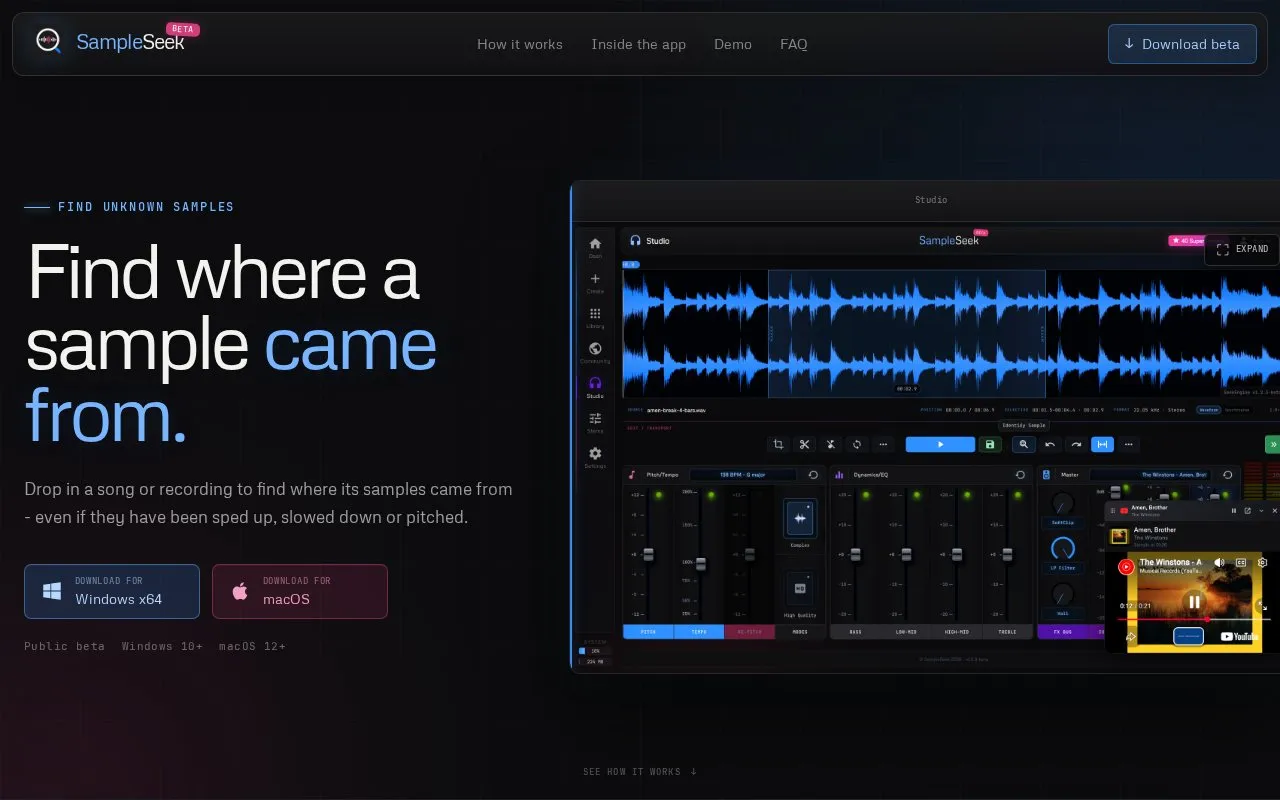
About SampleSeek
SampleSeek is a desktop app for Windows and macOS that helps find where a sample in a song or recording came from. You drop in a track, trim it to the section where the sample is clear, and start a search. It is built to handle samples that have been sped up, slowed down, pitched, or stretched.
You choose how the sample may have been changed, using options such as re-pitch, pitch only, time stretch, or independent pitch and tempo. You can start with a preset or set the pitch range, step size, direction, and clip sections yourself. In Studio you can trim audio, adjust pitch and tempo, apply EQ and dynamics, separate a track into bass, drums, vocals and other stems, and compare possible matches side by side with sample times. Searches can be saved privately or shared with others.
It suits listeners, producers, and sample researchers who want to check possible sample sources. Guided setup walks through the four steps, so production experience is not required, while Studio allows direct control for those who want it.
Key features
- Search a track for possible sample sources
- Handle sped-up, slowed-down, pitched or stretched samples
- Trim clips and adjust pitch and tempo in Studio
- Split tracks into bass, drums, vocals and other stems
- Compare clips and matches side by side with times
- Save searches privately or share with community
Best for: People who want to trace possible sources of samples in songs or recordings.
Good for
- Handles pitch- and tempo-changed samples
- Guided setup requires no production experience
- Stem separation runs on your computer
- Side-by-side match comparison with sample times
Watch out for
- In public beta
- Only available for Windows 10+ and macOS 12+
SampleSeek at a glance
- Website
- sampleseek.co.uk
- Category
- Music & Audio › Music Tools
- Type
- Website
- Pricing
- Free
- Platforms
- macOS, Web, Windows
- Open source
- Not stated
- Language
- English
- Last checked
- Oct 5, 2026 · Online when checked
- Listed
- Oct 5, 2026
SampleSeek alternatives
Tools and sites you could use instead, ranked by how closely they match.

SongFinder identifies music from uploaded audio, media links, or live recordings in a browser.
Popular in Music Tools
Well-known listings from the same topic.
Google Song Identificationsupport.google.com/websearch/answer/7554088Shutter Encodershutterencoder.comNCSncs.ioSpoqifyspoqify.comRotor Videosrotorvideos.comImplodedimploded.com


SampleSeek FAQ
How does SampleSeek find a sample?
You provide a clip and how it may have been changed. It tries those pitch and tempo changes in reverse and checks each version for possible matches.
Do I need production experience to use SampleSeek?
No. Guided setup walks through the search, with Studio available for trimming, pitch, tempo, EQ and dynamics.
Is SampleSeek free?
Yes, it is free to use during the beta. It is available for Windows and macOS.
Does stem separation upload my track?
No, stem separation runs on your computer. How long it takes depends on your computer and the quality you choose.
Is something wrong or out of date?
Tell us and an editor will check it.
Own this website?
Claim this listing
Claim the listing and suggest updates yourself. An editor checks every claim first.