

ScreenshotX
Use ScreenshotX, a Windows snipping tool, to capture screenshots and share them without registration.
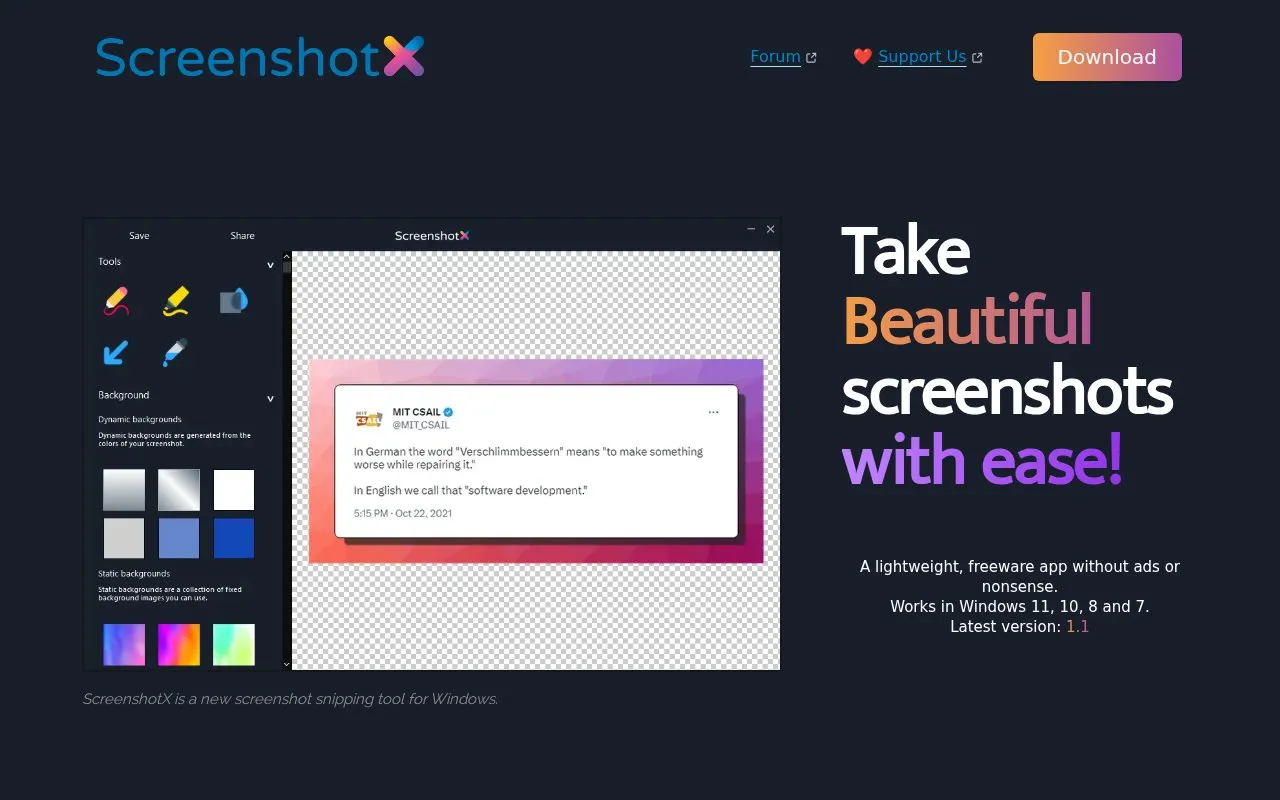
About ScreenshotX
ScreenshotX is a free Windows snipping tool for capturing a selected area or window. Its built-in options include automatic balancing of content on solid color backgrounds, the ability to add a background, a blur tool for redacting sensitive information, and brush and highlight tools. The interface supports dark and light mode, and 21 translations are built in.
Screenshots can be shared from the app with one click and without creating an account. Sharing uploads the image to the cloud and returns a share URL and an administrative URL that can be used to delete it. Shared screenshots are removed automatically after 30 days, or sooner if the user deletes them. Text and annotations are listed as coming soon. The homepage describes the app as working on Windows 11, 10, 8 and 7.
Key features
- Free area and window snip screenshots
- Automatic balancing of content on solid color backgrounds
- Blur tool to redact sensitive information
- Brush and highlight tools for marking up screenshots
- Color picker that also shows complementary colors
- One-click sharing with a share URL and administrative URL
Best for: Windows users who want to capture polished screenshots and share them quickly without creating an account.
Good for
- Free, with no ads or registration, according to the homepage
- Described as a lightweight, native Windows app with no spyware
- Built-in blur tool for hiding sensitive areas before sharing
Watch out for
- Text and annotations are listed as coming soon
- Shared screenshots are uploaded to the cloud, and sharing is a separate step from local capture
- Shared screenshots are removed automatically after 30 days
ScreenshotX at a glance
- Website
- screenshotx.com
- Category
- Online Tools › Image Tools
- Type
- Online tool
- Pricing
- Not confirmed. Check the site
- Platforms
- Web, Windows
- Open source
- Not stated
- Language
- English
- Last checked
- Oct 6, 2026 · Online when checked
- Listed
- Oct 5, 2026
Guides for Image Tools

ScreenshotX alternatives
Tools and sites you could use instead, ranked by how closely they match.

Capture screenshots with Windows Snipping Tool and add basic markup. Current Windows 11 versions also include screen recording and text actions.
Free
5 alternativesUniversal Sig Rotator creates a rotating image URL for forum signatures, using a username and password without account registration.

Capture a screen region, add quick annotations, and save or share the image. Images uploaded through its sharing service are publicly accessible.
Free
7 alternativesPopular in Image Tools
Well-known listings from the same topic.
CamScannerapps.apple.com/us/app/camscanner-pdf-scanner-a…BeeRefbeeref.orgGreenshotgetgreenshot.orgnomacsnomacs.orgConverseenconverseen.fasterland.netStorage Serverpixelunion.eu


ScreenshotX FAQ
Do I need an account to share a screenshot?
No. The homepage states that screenshots can be shared directly from the app without creating an account.
How long do shared screenshots stay online?
Shared screenshots are removed automatically after 30 days. Users can also remove a shared screenshot themselves from the app or by using its administrative URL.
Which versions of Windows does ScreenshotX support?
The homepage lists support for Windows 11, 10, 8 and 7.
Is something wrong or out of date?
Tell us and an editor will check it.
Own this website?
Claim this listing
Claim the listing and suggest updates yourself. An editor checks every claim first.