

Windows Snipping Tool
Capture screenshots with Windows Snipping Tool and add basic markup. Current Windows 11 versions also include screen recording and text actions.
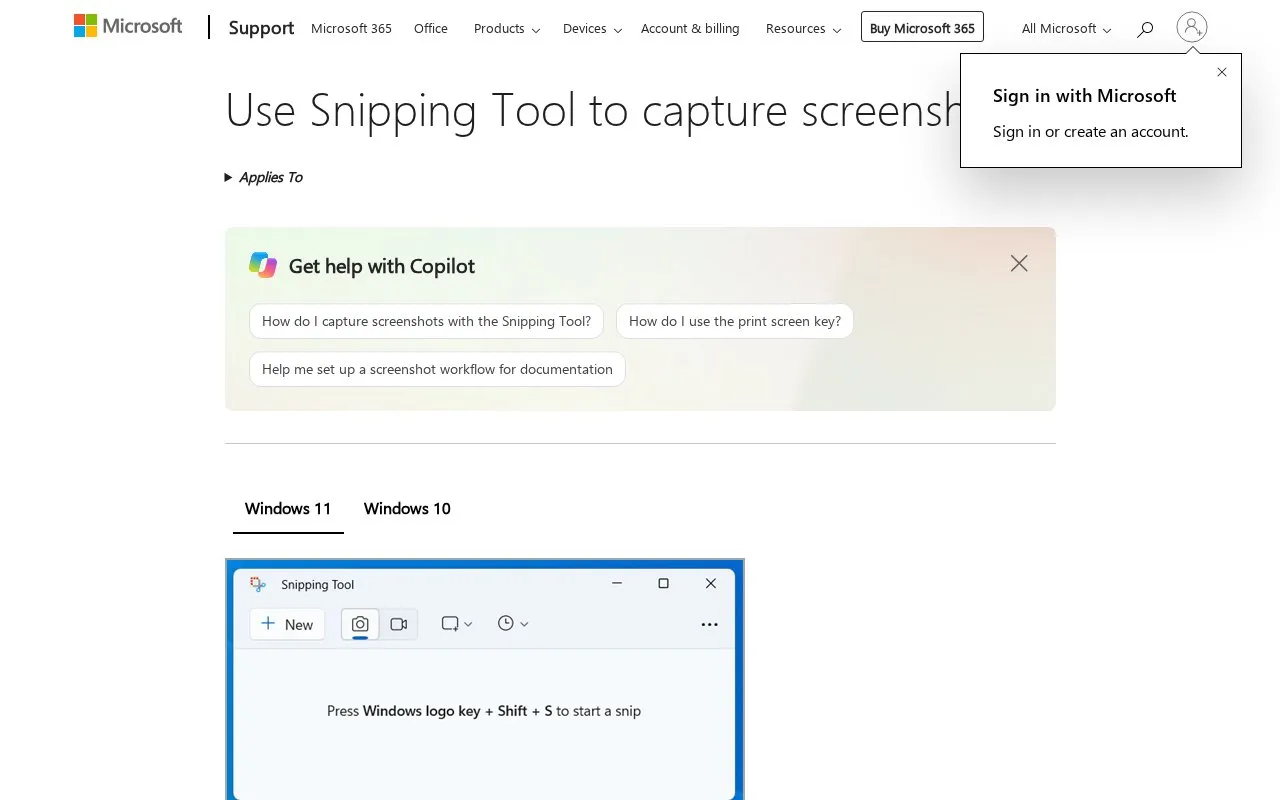
About Windows Snipping Tool
Windows Snipping Tool captures image snapshots from all or part of a PC screen and records video clips of a selected rectangular area. Captured snips open in the Snipping Tool window, where users can annotate, save, and share them, including pen and highlighter markup, shapes, cropping, and text extraction.
It applies to Windows 10 and Windows 11. Perfect screenshot auto-framing and Color picker are only available on a Copilot+ PC, described as Windows 11 AI+ PC, and adding captions or audio to video snips uses Clipchamp.
Key features
- Capture freeform, rectangle, window, and full-screen image snips
- Record video clip of selected rectangular screen area
- Annotate image snips with pen, highlighter, shapes, and eraser
- Crop image snips and undo or redo annotations
- Extract and copy text from image snips with Text actions
- Edit video snips in Clipchamp to add captions or audio
Best for: Windows 10 and Windows 11 users who need basic screenshot capture, markup, and screen recording.
Good for
- Captures freeform, rectangle, window, and full-screen images plus rectangular video clips
- Provides pen, highlighter, shapes, crop, text extraction, and undo/redo for image snips
- Offers keyboard shortcuts for image capture, video capture, and full-screen copy to clipboard
Watch out for
- Perfect screenshot and Color picker require a Copilot+ PC, described as Windows 11 AI+ PC
- Video capture is limited to a rectangular selection of the screen
- Adding captions or audio to a video snip requires editing in Clipchamp
Windows Snipping Tool at a glance
- Category
- Online Tools › Image Tools
- Type
- Online tool
- Pricing
- Free
- Platforms
- Windows
- Open source
- Not stated
- Last checked
- Oct 7, 2026 · Online when checked
- Listed
- Oct 7, 2026
Guides for Image Tools

Windows Snipping Tool alternatives
Tools and sites you could use instead, ranked by how closely they match.

Use ScreenshotX, a Windows snipping tool, to capture screenshots and share them without registration.

Capture and annotate screen images with Greenshot, a free screenshot tool designed for productivity.
Free
5 alternativesFastStone Image Viewer includes image viewing, screen capture, and photo resizing tools.
Freemium
7 alternatives
Capture a screen region, add quick annotations, and save or share the image. Images uploaded through its sharing service are publicly accessible.
Free
7 alternatives
Capture screenshots and record video from a desktop or selected browser tabs with the FuseBase Capture extension.
Featured in
 8 sites


Best of
Best Free Screenshot Tools for Clear Captures and Markup
The best free screenshot tools save more than a picture: they help the recipient see the exact button, error, or…
Popular in Image Tools
Well-known listings from the same topic.
CamScannerapps.apple.com/us/app/camscanner-pdf-scanner-a…BeeRefbeeref.orgnomacsnomacs.orgConverseenconverseen.fasterland.netStorage Serverpixelunion.euSite-Shotsite-shot.com


Windows Snipping Tool FAQ
How do I open Snipping Tool to take a screenshot?
Select Start, enter snipping tool, then select Snipping Tool. Press Windows logo key + Shift + S for an image snapshot, Windows logo key + Shift + R for a video clip, or Print Screen for a full-screen snapshot to the clipboard.
What capture modes are available?
Freeform, rectangle, window, full-screen, and video snip of a rectangular selection of the screen.
How do I add captions or audio to a video snip?
After stopping the recording, select Edit in Clipchamp, then use the Captions tab to transcribe media or the Audio tab to adjust volume and detach audio.
Is something wrong or out of date?
Tell us and an editor will check it.
Own this website?
Claim this listing
Claim the listing and suggest updates yourself. An editor checks every claim first.