

Site-Shot
Site-Shot captures website screenshots online and offers an API for automated full-page capture.
About Site-Shot
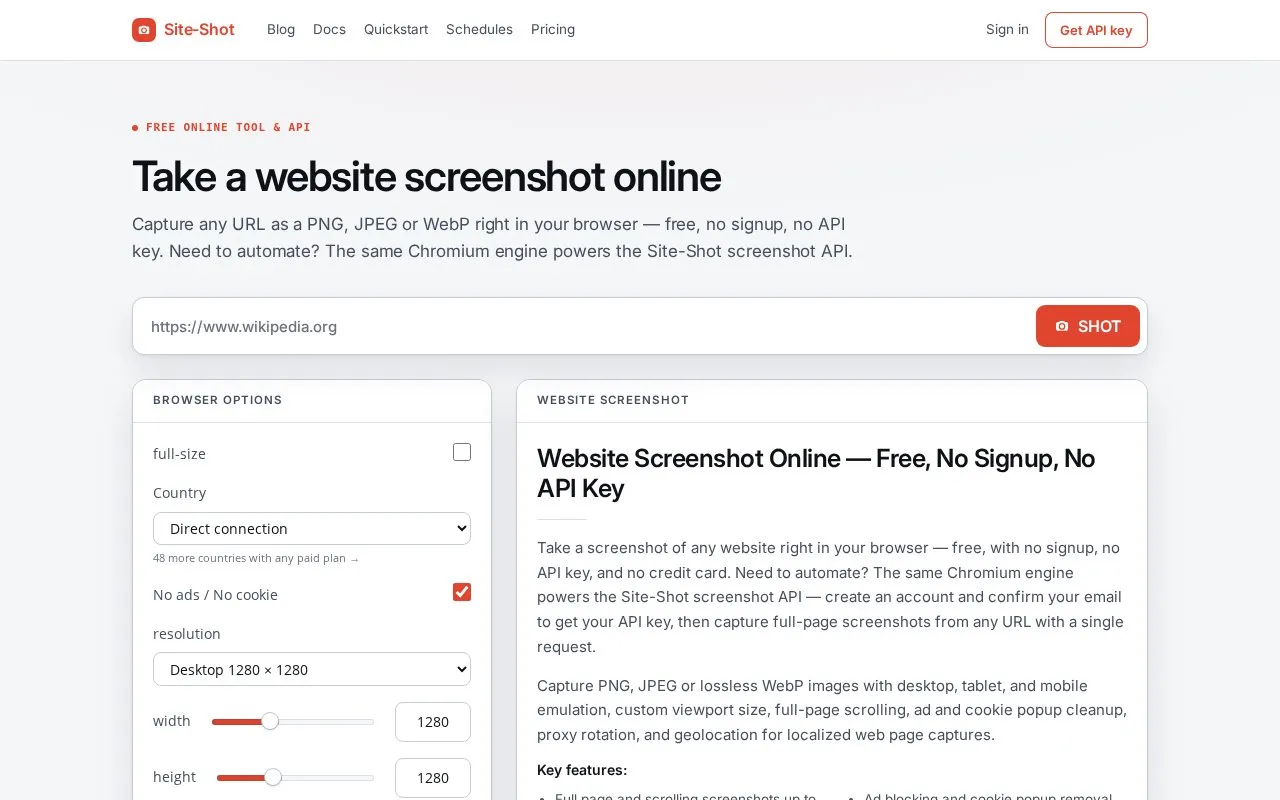
Site-Shot captures website screenshots through a free browser tool and an API that uses the same Chromium engine. The browser tool converts a URL to PNG, JPEG, or WebP without signup or an API key, including full-page capture.
The API supports full-page capture, custom viewport size and zoom, delay and timeout settings, custom user agent, headers and JavaScript, proxy options, and image or JSON responses. WebP output is limited to 16,383 px on a side, size parameters have fixed ranges, API use requires a key obtained after signup, and scheduled captures require a paid plan.
Key features
- Capture URLs as PNG, JPEG, or WebP without signup
- Full-page capture with configurable maximum height
- Adjust viewport width, height, zoom, and scaled width
- Set capture delay, timeout, headers, and custom JavaScript
- Use HTTP proxies or rotating proxies for captures
- Schedule daily, weekday, or weekly captures on paid plans
Best for: People who need one-off website screenshots and developers who need automated URL-to-image capture.
Good for
- Free browser tool works without signup or API key
- Outputs PNG, JPEG, and WebP with full-page option
- API supports custom headers, JavaScript, proxies, and JSON output
Watch out for
- WebP images cannot exceed 16,383 px on a side
- API requires signup for a key
- Scheduled screenshots require a paid plan
Site-Shot at a glance
- Website
- site-shot.com
- Category
- Online Tools › Image Tools
- Type
- Online tool
- Pricing
- Not confirmed. Check the site
- Platforms
- iOS, Web
- Open source
- Not stated
- Language
- English
- Last checked
- Oct 5, 2026 · Online when checked
- Listed
- Oct 5, 2026
Guides for Image Tools

Site-Shot alternatives
Tools and sites you could use instead, ranked by how closely they match.

Pikwy captures full-page website screenshots online through its service or API.

Screenshot Guru captures full-length, high-resolution screenshots of websites and public web pages.

PixPin captures screenshots and recordings on Windows and macOS, with OCR, long-page capture, annotations, and GIF export.
Popular in Image Tools
Well-known listings from the same topic.
CamScannerapps.apple.com/us/app/camscanner-pdf-scanner-a…BeeRefbeeref.orgGreenshotgetgreenshot.orgLightshotapp.prntscr.comnomacsnomacs.orgConverseenconverseen.fasterland.net


Site-Shot FAQ
Do I need an account to take a single screenshot?
No, the online tool captures a URL without signup or an API key.
What image formats can screenshots use?
PNG, JPEG, and WebP. Jpg is accepted as an alias of jpeg, and WebP is limited to 16,383 px on a side.
Does Site-Shot take screenshots automatically over time?
Yes, scheduled captures can run daily, on weekdays, or weekly and keep versions in a dated series on paid plans.
Is something wrong or out of date?
Tell us and an editor will check it.
Own this website?
Claim this listing
Claim the listing and suggest updates yourself. An editor checks every claim first.