
FastStone
FastStone Image Viewer includes image viewing, screen capture, and photo resizing tools.
About FastStone
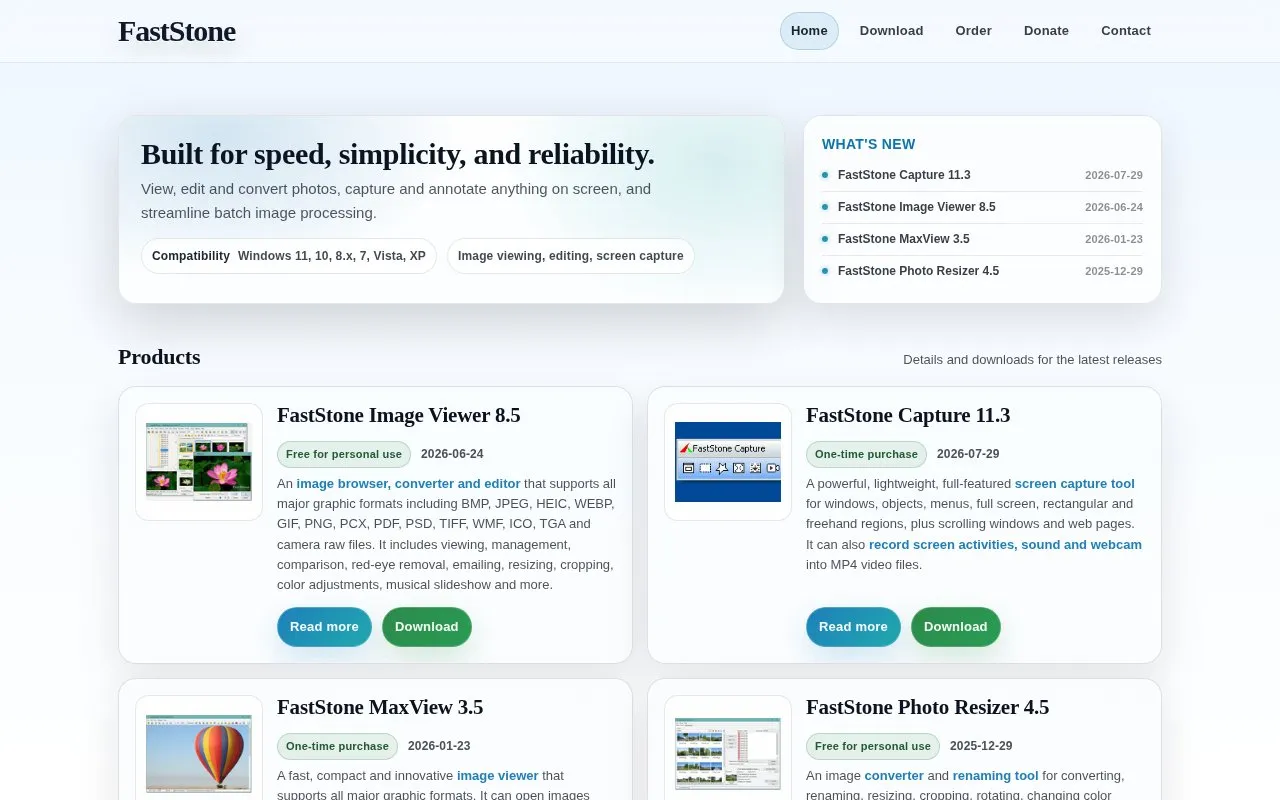
FastStone offers Windows software for image viewing, editing, and screen capture. Its products include FastStone Image Viewer, FastStone Capture, FastStone MaxView, and FastStone Photo Resizer. The software lists compatibility with Windows 11, 10, 8.x, 7, Vista, and XP.
With these tools, you can browse, manage, compare, and convert photos in formats such as BMP, JPEG, HEIC, WEBP, GIF, PNG, PDF, PSD, TIFF, and camera raw files. Tasks include resizing, cropping, rotating, color adjustments, red-eye removal, and musical slideshows. You can also capture windows, menus, full screen, rectangular and freehand regions, and scrolling windows and web pages, record screen activity with sound and webcam to MP4, and batch convert, rename, and watermark images.
It suits Windows users who want desktop programs for everyday photo management, batch processing, and screen capture.
Key features
- Browse, convert and edit images in major formats
- Resize, crop, rotate and adjust color
- Capture full screen, windows, menus and scrolling pages
- Record screen, sound and webcam to MP4
- Batch convert, rename and add watermarks
- Open images inside ZIP, RAR and 7-Zip archives
Best for: Windows users who need image viewing, batch resizing, and screen capture tools.
Good for
- Supports many image formats including raw files
- Includes batch conversion and renaming
- Covers photo editing and screen recording
- Lists compatibility with older Windows versions
Watch out for
- Windows only, no macOS or Linux version listed
- Capture and MaxView require one-time purchase
- Viewer and Resizer free only for personal use
FastStone at a glance
- Website
- faststone.org/index.htm
- Category
- Online Tools › Image Tools
- Type
- Online tool
- Pricing
- Freemium
- Platforms
- Web, Windows
- Open source
- Not stated
- Language
- English
- Last checked
- Oct 5, 2026 · Online when checked
- Listed
- Oct 5, 2026
Guides for Image Tools

FastStone alternatives
Tools and sites you could use instead, ranked by how closely they match.

Capture and annotate screen images with Greenshot, a free screenshot tool designed for productivity.
Free
5 alternatives
Capture a screen region, add quick annotations, and save or share the image. Images uploaded through its sharing service are publicly accessible.
Free
7 alternatives
View graphics with IrfanView, a compact Windows image viewer with multilingual support and 32-bit and 64-bit downloads.

Capture screenshots with Windows Snipping Tool and add basic markup. Current Windows 11 versions also include screen recording and text actions.
Free
5 alternatives
View images with qView, a lightweight viewer for Windows, macOS, and Linux with a minimal interface.
Free

PicView views images on Windows and macOS, with EXIF display, batch resizing, compression, and archive viewing.
Popular in Image Tools
Well-known listings from the same topic.
CamScannerapps.apple.com/us/app/camscanner-pdf-scanner-a…BeeRefbeeref.orgnomacsnomacs.orgConverseenconverseen.fasterland.netStorage Serverpixelunion.euSite-Shotsite-shot.com


FastStone FAQ
What is FastStone Image Viewer?
It is an image browser, converter and editor for Windows that supports formats including BMP, JPEG, HEIC, WEBP, GIF, PNG, PDF, PSD, TIFF and camera raw files.
Is FastStone free?
Image Viewer and Photo Resizer are listed as free for personal use, while Capture and MaxView are listed as one-time purchase.
What can FastStone Capture do?
It captures windows, menus, full screen, rectangular and freehand regions, and scrolling windows and web pages. It can also record screen activity with sound and webcam to MP4 files.
Which Windows versions does FastStone support?
The site lists compatibility with Windows 11, 10, 8.x, 7, Vista and XP.
Is something wrong or out of date?
Tell us and an editor will check it.
Own this website?
Claim this listing
Claim the listing and suggest updates yourself. An editor checks every claim first.