

VideoConverter
Convert video files online to formats including MP4, MOV and AVI with this free browser tool.
About VideoConverter
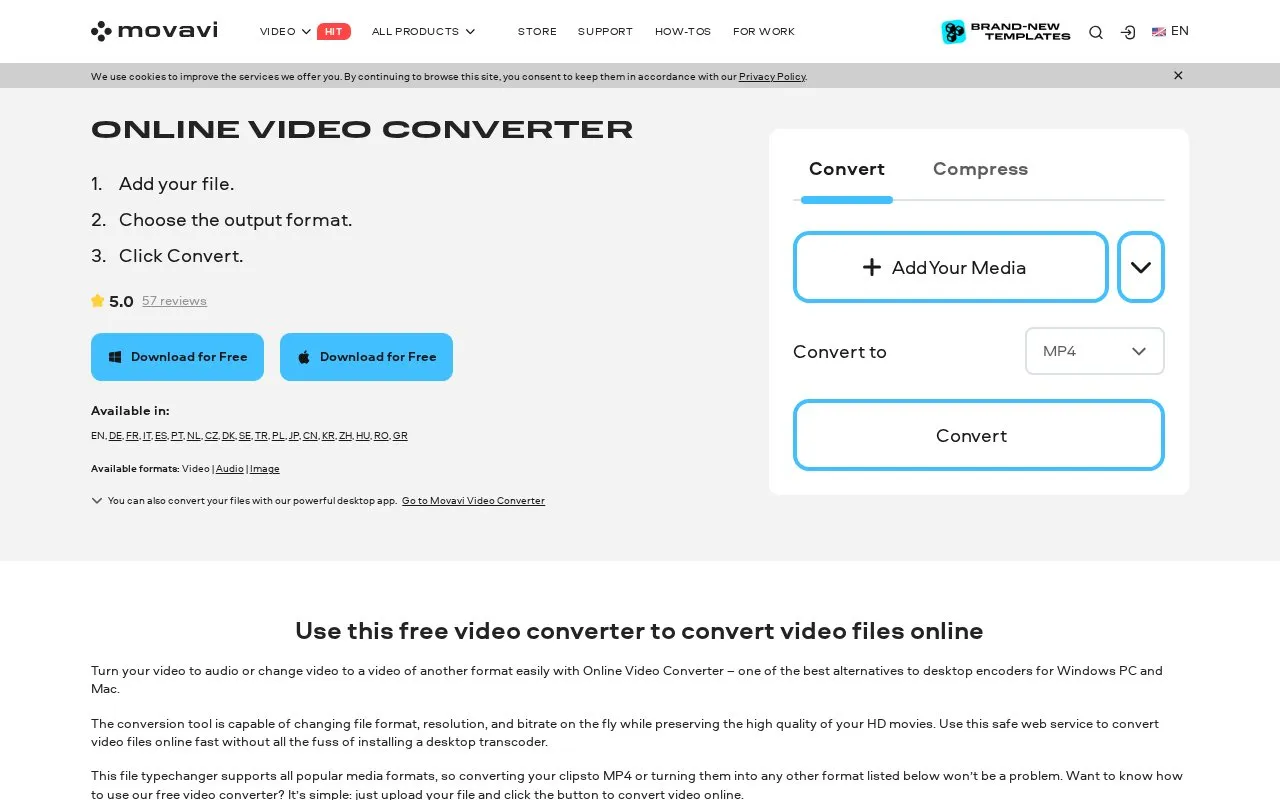
VideoConverter is a free browser-based tool for converting video files to other formats, such as MP4, MOV and AVI. The homepage describes a three-step process: add a file, choose the output format, and click Convert. It also lists Compress as a related option, and it can convert video to audio.
The homepage says the tool can change file format, resolution and bitrate, and it lists support for video, audio and image formats. Files are uploaded to the web service, and the homepage also offers an option to add files from Dropbox. The homepage does not state file size limits, usage limits or plan details, and it points to a separate desktop app for Windows and Mac.
Key features
- Converts video files to formats including MP4, MOV, AVI, MKV and WebM
- Converts video files to audio
- Changes file format, resolution and bitrate during conversion
- Offers a Compress option alongside conversion
- Imports source files from Dropbox
- Supports video, audio and image file types
Best for: People who need to change a video's format quickly without installing desktop software.
Good for
- No desktop installation is needed, according to the homepage
- Supports a long list of popular video formats
- Accepts files from Dropbox as well as direct uploads
Watch out for
- Files must be uploaded to the web service before conversion
- The homepage does not state file size or usage limits
- The homepage does not give pricing or plan details
VideoConverter at a glance
- Website
- movavi.com/video-converter
- Category
- Design & Creative › Video Editing & Animation
- Type
- Online tool
- Pricing
- Not confirmed. Check the site
- Platforms
- Web, Windows
- Open source
- Not stated
- Language
- English
- Last checked
- Oct 6, 2026 · Online when checked
- Listed
- Oct 5, 2026
Guides for Video Editing & Animation

VideoConverter alternatives
Tools and sites you could use instead, ranked by how closely they match.

HandBrake is a free, open-source video converter for Windows, macOS and Linux. It converts video files into commonly supported formats and codecs.
FreeOpen source
8 alternatives
Convert videos with XviD4PSP, a program for video processing and format conversion.

sickbeard_mp4_automator converts video files to a standard format and adds metadata tags for a consistent media library.
Open source
24 alternativesPopular in Video Editing & Animation
Well-known listings from the same topic.
Animakeranimaker.com8mb.video8mb.videoASM Lessonsgithub.com/FFmpeg/asm-lessonsCuttrcuttr.inVideo Cuttervideo-cutter-js.comMotionPlacesmotionplaces.com


VideoConverter FAQ
How do I convert a video with this tool?
The homepage says to add your file, choose the output format, and click Convert.
Can I import files from Dropbox?
Yes. The homepage lists Dropbox as an option for adding media.
Can it convert video to audio?
Yes. The homepage says you can turn a video into audio.
Is something wrong or out of date?
Tell us and an editor will check it.
Own this website?
Claim this listing
Claim the listing and suggest updates yourself. An editor checks every claim first.