
BusyBox for Windows is a native Win32 port of BusyBox, which bundles common Unix tools into a single binary.
BusyBox
BusyBox for Windows provides many common Unix tools in a single binary, according to the supplied project page.
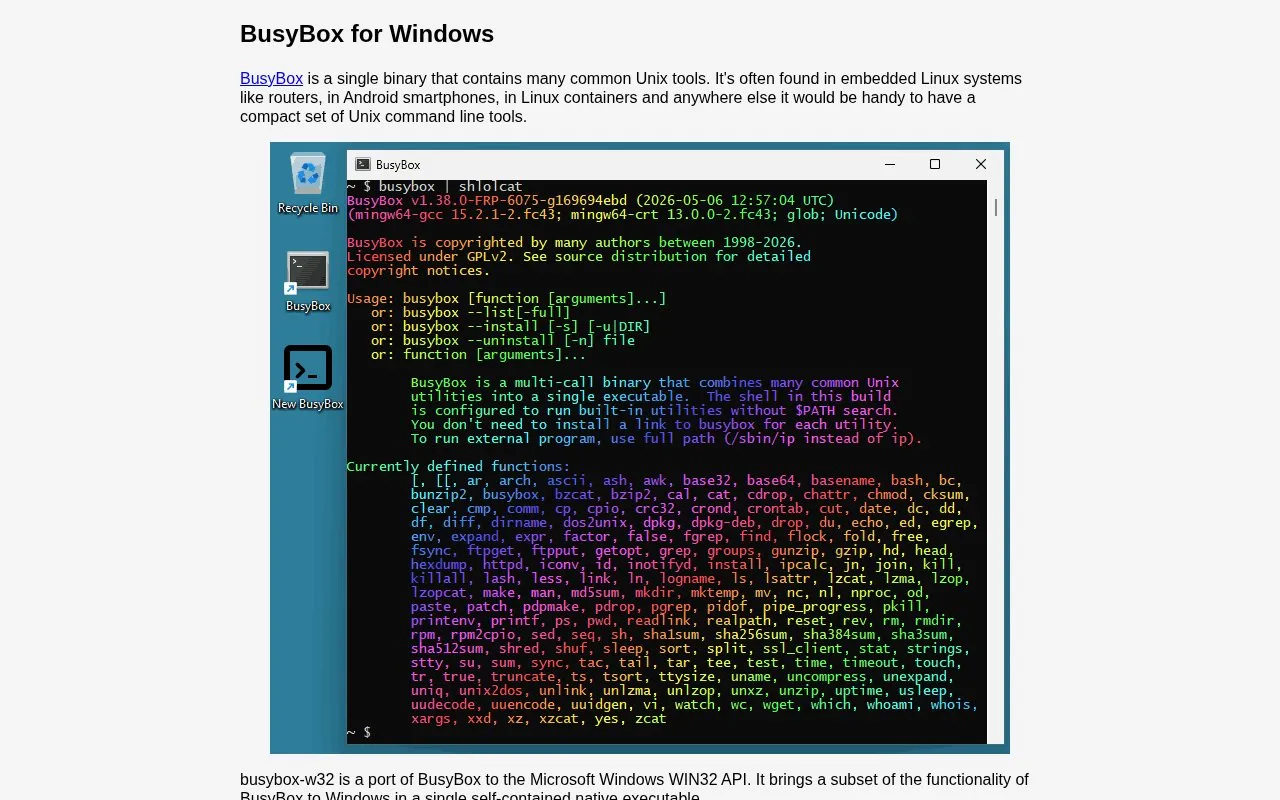
About BusyBox
BusyBox for Windows (busybox-w32) is a port of BusyBox to the Windows WIN32 API. It provides many common Unix tools in a single self-contained native executable, implementing well over a hundred Unix-style commands including an ash-based shell, awk, sed, vi, find and grep.
Commands can be run individually from a Command Prompt window or through the BusyBox shell, with --install and --uninstall options to manage links to applets. It brings only a subset of BusyBox functionality to Windows and the page notes it may not suit users who need the full power of bash or other GNU utilities.
Key features
- Single self-contained native executable ported to Windows WIN32 API
- Implements well over a hundred Unix-style commands
- Provides ash-based shell for interactive use and shell scripts
- Includes awk, sed, vi, find and grep utilities
- Runs individual tools from Windows Command Prompt
- Creates hard or symbolic links with --install option
Best for: People who need to ship shell scripts with software or run Unix utilities on Windows in a single executable.
Good for
- Single executable is less than half the size of the Cygwin setup program
- Bundles well over a hundred Unix-style commands in one file
- Provides SHA256 checksums and GPG signatures for download verification
Watch out for
- Brings only a subset of BusyBox functionality to Windows
- May not suit users needing the full power of bash or GNU utilities
- --install hard links require NTFS and do not work on FAT
BusyBox at a glance
- Website
- frippery.org/busybox
- Category
- Software & Utilities › System Utilities
- Type
- Website
- Pricing
- Not confirmed. Check the site
- Platforms
- Android, Linux, Web, Windows
- Open source
- Not stated
- Last checked
- Oct 5, 2026 · Online when checked
- Listed
- Oct 5, 2026
BusyBox alternatives
Tools and sites you could use instead, ranked by how closely they match.
Popular in System Utilities
Well-known listings from the same topic.
Phone Linkmicrosoft.com/windows/sync-across-your-devicesMicrosoft SDmicrosoft.com/en-us/software-downloadPowerToyslearn.microsoft.com/en-us/windows/powertoysWinWorldPCwinworldpc.comGeekUninstallergeekuninstaller.com0Install0install.net


BusyBox FAQ
How do I start the BusyBox shell on Windows?
Create a shortcut that runs busybox.exe sh -l, where the last character is a lowercase L for login.
How do I run an individual Unix command?
Run it from a Command Prompt window as busybox followed by the command, for example busybox uname -a.
Where should a 32-bit build go on 64-bit Windows?
Put it in C:\Windows\SysWOW64; putting it in C:\Windows\System32 causes failures.
Is something wrong or out of date?
Tell us and an editor will check it.
Own this website?
Claim this listing
Claim the listing and suggest updates yourself. An editor checks every claim first.