

VIA configures compatible mechanical keyboards, with tools to test and design keyboard layouts.
Cosmos
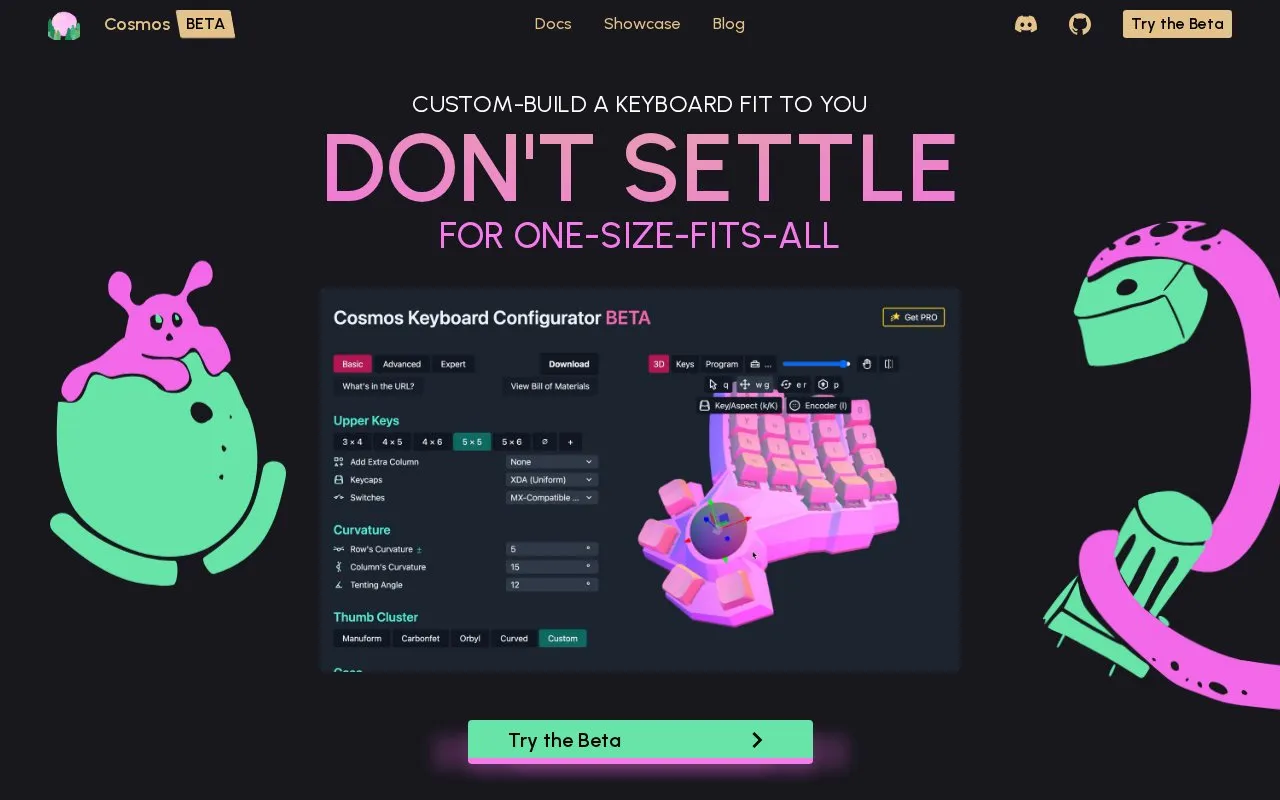
Cosmos designs custom keyboard layouts from a hand scan captured with a phone camera.
About Cosmos
Cosmos is a web-based tool for designing custom ergonomic keyboards tailored to individual hand measurements. Users capture a hand scan with their phone camera, and the tool aligns key positions to their unique finger lengths and movement patterns. It supports adding components including trackballs, trackpads, encoders, and OLED displays, and works with MX, Choc, NIZ, and Alps switches alongside most keycap types. The platform offers options to order a finished custom keyboard through partnered builders or build it yourself using 3D printing and soldering, with specialized PCBs available for purchase. It automatically catches and fixes common 3D model errors before printing, supports exporting designs to STL and STEP files for modification or printing, and 95% of its code is open source, with the remaining 5% reserved for paid Pro cosmetic features.
Key features
- Generates custom keyboard layouts from phone-captured hand scans
- Supports adding trackballs, trackpads, encoders, and OLED displays
- Compatible with MX, Choc, NIZ, Alps switches and most keycaps
- Catches and fixes common 3D model errors before printing
- Exports designs to STL and STEP files for printing or CAD editing
- Offers DIY build options and partnered pre-built keyboard ordering
Best for: It benefits people seeking ergonomic custom keyboards tailored to their hand size, including both DIY builders and users who order pre-built units.
Good for
- Tailors keyboard layout to individual hand measurements for ergonomic fit
- Offers both DIY build and partnered pre-built keyboard ordering options
- 95% of code is open source with free access to core functionality
Watch out for
- The tool is in beta, so features may change frequently
- Extra cosmetic customization requires paid Pro features
Cosmos at a glance
- Website
- ryanis.cool/cosmos
- Category
- Software & Utilities › Hardware & Diagnostics
- Type
- Website
- Pricing
- Not confirmed. Check the site
- Platforms
- Web
- Open source
- Not stated
- Language
- English
- Last checked
- Oct 6, 2026 · Online when checked
- Listed
- Oct 5, 2026
Cosmos alternatives
Tools and sites you could use instead, ranked by how closely they match.

Keyboard Simulator provides virtual keyboards for designing layouts and testing keys.

Ergogen designs ergonomic keyboard layouts and can generate PCB, DXF, and 3D model files in an offline web interface.

KeyCombiner helps users organize, learn, and practice keyboard shortcuts through custom collections and interactive sessions.

Xah Keyboard Guide covers keyboard layouts, shortcuts, input methods, ergonomics, and typing.

Mahou switches keyboard layouts through a utility described as a magic layout switcher.
Popular in Hardware & Diagnostics
Well-known listings from the same topic.
PC Managerpcmanager.microsoft.comDolby Accessapps.microsoft.com/detail/9n0866fs04w8RAMMaplearn.microsoft.com/en-us/sysinternals/downloa…AppControlappcontrol.comUNIGINE Benchmarksbenchmark.unigine.comMemTestmemtest.org


Cosmos FAQ
How does Cosmos create a custom keyboard layout?
It uses a hand scan taken with a phone camera to align key positions to your finger lengths and movement.
Can I build my customized Cosmos keyboard myself?
Yes, if you have 3D printing and soldering experience, you can build it yourself using the provided designs and specialized PCBs.
Can Cosmos keyboard designs be edited in CAD software?
Yes, designs can be exported to STEP files compatible with CAD programs, in addition to STL files for 3D printing.
Is something wrong or out of date?
Tell us and an editor will check it.
Own this website?
Claim this listing
Claim the listing and suggest updates yourself. An editor checks every claim first.