

Diffractor
Diffractor organizes photos and videos stored on Windows PCs and connected drives, with local search and duplicate-copy checks.
About Diffractor
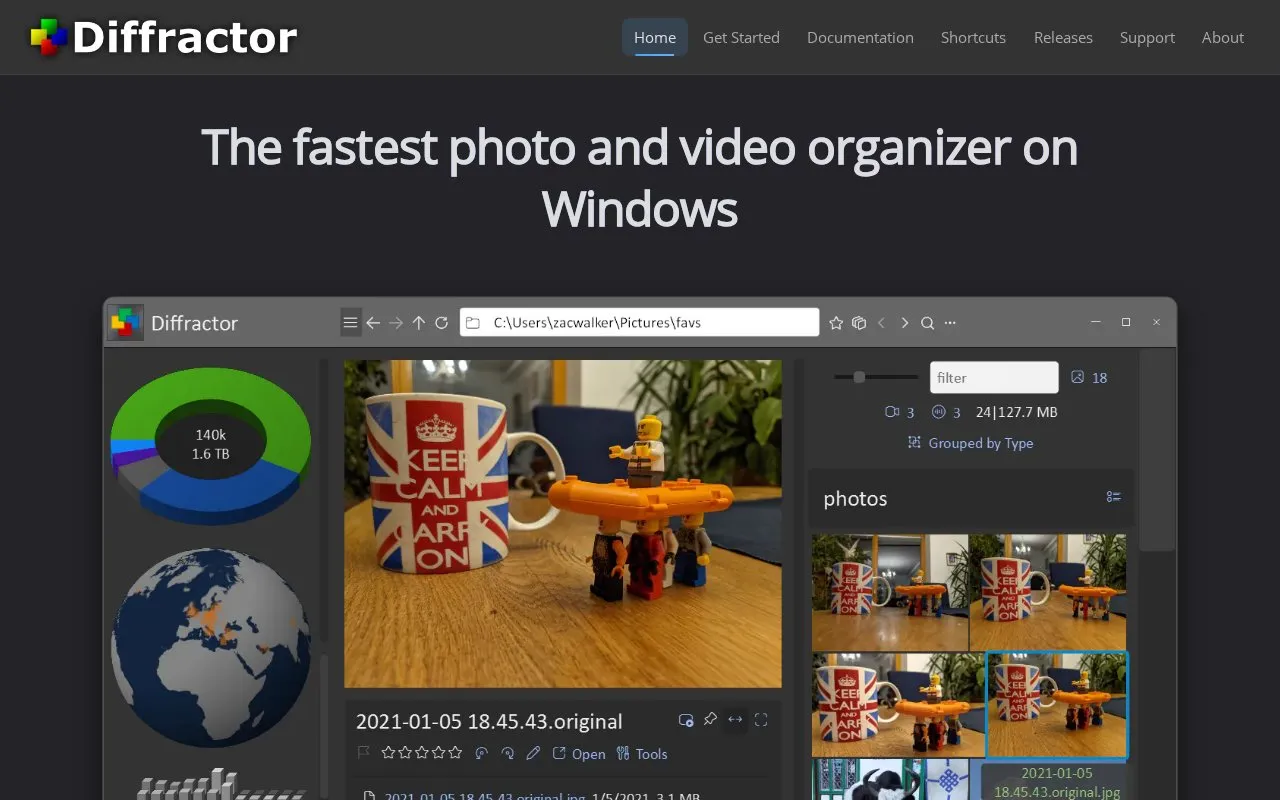
Diffractor organizes photos and videos stored on Windows PCs and connected drives. Users choose folders for it to index, then browse, search, compare and add metadata while files stay in ordinary Windows folders and are not uploaded. It views photos including RAW, panoramas and 360° photos, plays videos and audio, searches by metadata and date taken, compares items side-by-side, and shows whether items on a camera card or external drive already have a copy in the collection before importing. It can copy changes between the collection and a NAS or network drive in either direction, but synchronization can delete files and is not a backup. The Microsoft Store edition needs Windows 11 or 64-bit Windows 10 version 2004 or later, while a separate installer edition supports Windows 7 or later including 32-bit.
Key features
- View photos and play videos or audio without switching apps
- Supports most formats including RAW photos without extra codecs
- Search by metadata properties and date photo was taken
- Compare photos and videos side-by-side with ratings, tags, and flags
- Add or fix metadata and apply crop, straighten, and color corrections
- Check camera cards for existing copies before copying or moving files
Best for: People with photo and video folders on a Windows PC and connected drives who want local browsing, search and duplicate-copy checks.
Good for
- Files stay in ordinary Windows folders and are not uploaded
- Browses camera cards and external drives without moving files first
- Supports XMP, IPTC, EXIF, ID3 and other common metadata standards
Watch out for
- Microsoft Store edition needs Windows 11 or 64-bit Windows 10 version 2004 or later
- Two editions install separately, each with its own settings and index
- Synchronization can delete files and is not a backup
Diffractor at a glance
- Website
- diffractor.com
- Category
- Online Tools › Image Tools
- Type
- Online tool
- Pricing
- Not confirmed. Check the site
- Platforms
- Web, Windows
- Open source
- Not stated
- Language
- English
- Last checked
- Oct 5, 2026 · Online when checked
- Listed
- Oct 5, 2026
Guides for Image Tools

Diffractor alternatives
Tools and sites you could use instead, ranked by how closely they match.

Diffractor organizes photos and videos on Windows, with local file control and playback support for photo, video, and audio formats.

Photonix organizes photo collections into an image database with search and filtering across devices connected to the same service.

Picturama organizes local image files without uploading them and supports multiple photo formats.
Popular in Image Tools
Well-known listings from the same topic.
CamScannerapps.apple.com/us/app/camscanner-pdf-scanner-a…BeeRefbeeref.orgGreenshotgetgreenshot.orgLightshotapp.prntscr.comnomacsnomacs.orgConverseenconverseen.fasterland.net


Diffractor FAQ
Does Diffractor upload my photos and videos?
No. The collection is the folders you choose to index, and files stay in ordinary Windows folders and are not uploaded.
Can I look at a camera card without importing it first?
Yes. You can browse a camera card, external drive or folder without moving files, see which items are already in the collection or may have a matching copy, and use Import only to copy or move files.
Can I use synchronization as a backup?
No. Synchronization can delete files and is not a backup, so review the differences and options before applying them.
Is something wrong or out of date?
Tell us and an editor will check it.
Own this website?
Claim this listing
Claim the listing and suggest updates yourself. An editor checks every claim first.