
DigiParser
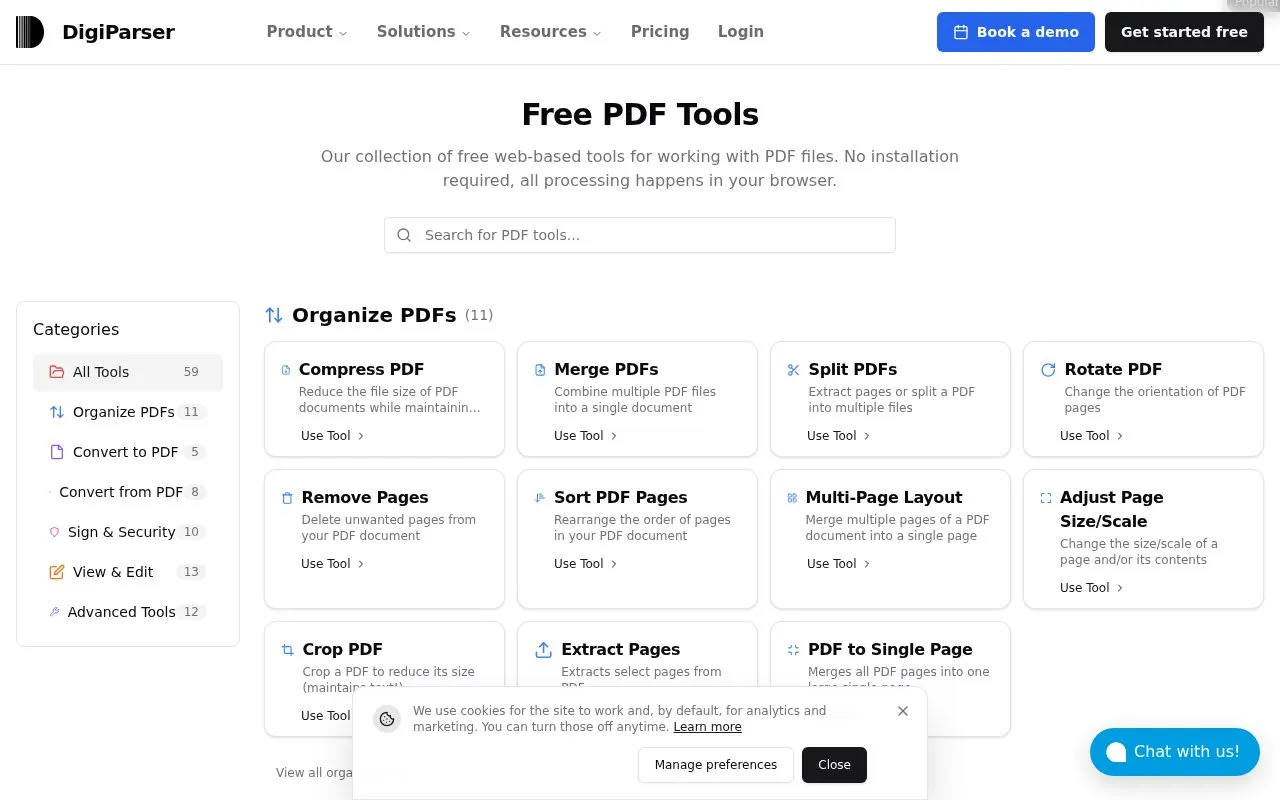
DigiParser groups browser-based functions for organizing, converting, signing, securing, viewing, and editing PDF documents.
About DigiParser
DigiParser provides browser-based tools for working with PDF files. Functions include organizing pages, converting files to and from PDF, signing and securing documents, viewing and editing content, and advanced operations such as pipelines and repair.
The site states that processing happens in the browser and no installation is required.
Key features
- Merge, split, rotate, sort, and remove pages in PDFs
- Convert images, Office files, HTML, Markdown, URLs to PDF
- Convert PDFs to Word, images, text, HTML, CSV, and PDF/A
- Add signatures by drawing, text, image, or certificate files
- Add passwords, change permissions, redact text, and sanitize scripts
- Detect text in scans with OCR and clean up scanned pages
Best for: People who need to organize, convert, sign, or edit PDF documents using web-based tools.
Good for
- No installation required
- Processing happens in the browser
- Includes tools for organizing, converting, signing, viewing, editing, and advanced operations
DigiParser at a glance
- Category
- Online Tools › PDF & Document Tools
- Type
- Online tool
- Pricing
- Not confirmed. Check the site
- Platforms
- Web
- Open source
- Not stated
- Language
- English
- Last checked
- Oct 5, 2026 · Online when checked
- Listed
- Oct 5, 2026
Guides for PDF & Document Tools
DigiParser alternatives
Tools and sites you could use instead, ranked by how closely they match.

Foxit PDF Reader supports viewing, annotating, filling forms, and signing PDFs across desktop, mobile, and web; Foxit also offers a PDF editor trial.
Free trial

Signature PDF is open-source software for signing and organizing PDF files, including shared signing, page reordering, merging, and compression.

itinypdf offers browser-based tools to merge, compress, split, convert, sign, and edit PDF files without requiring an account.
Free
10 alternatives
ihatepdf.cv provides browser-based tools to edit, merge, split, compress, convert, OCR, and encrypt PDF files, with no sign-up required.
Freemium
15 alternatives
Signaturepdf is open-source web software for signing PDFs, organizing pages, editing metadata, and compressing files.
Open source
14 alternatives
File PDF provides tools to convert, merge, compress, split, edit, sign, and protect PDF files, with client-side processing described on the page.
Popular in PDF & Document Tools
Well-known listings from the same topic.
2OCR2ocr.com2PDFConverter2pdfconverter.comAlt Enginesgithub.com/hiroi-sora/Umi-OCR_pluginsBentopdfgithub.com/alam00000/bentopdfOCRToolocrtool.netPDFCoffeepdfcoffee.com


DigiParser FAQ
What file types can be converted to PDF?
Images such as PNG, JPEG and GIF, files such as DOCX, XLS, PPT and TXT, plus URLs, HTML files, and Markdown files.
What formats can PDFs be converted to?
JPG, PNG and other image formats, DOC, DOCX, ODT, PPT, PPTX, ODP, Text, RTF, HTML, XML, PDF/A, and CSV.
How can a signature be added to a PDF?
By drawing, text or image, and with a certificate or key in PEM or P12 format.
Is something wrong or out of date?
Tell us and an editor will check it.
Own this website?
Claim this listing
Claim the listing and suggest updates yourself. An editor checks every claim first.