

Goblin.tools
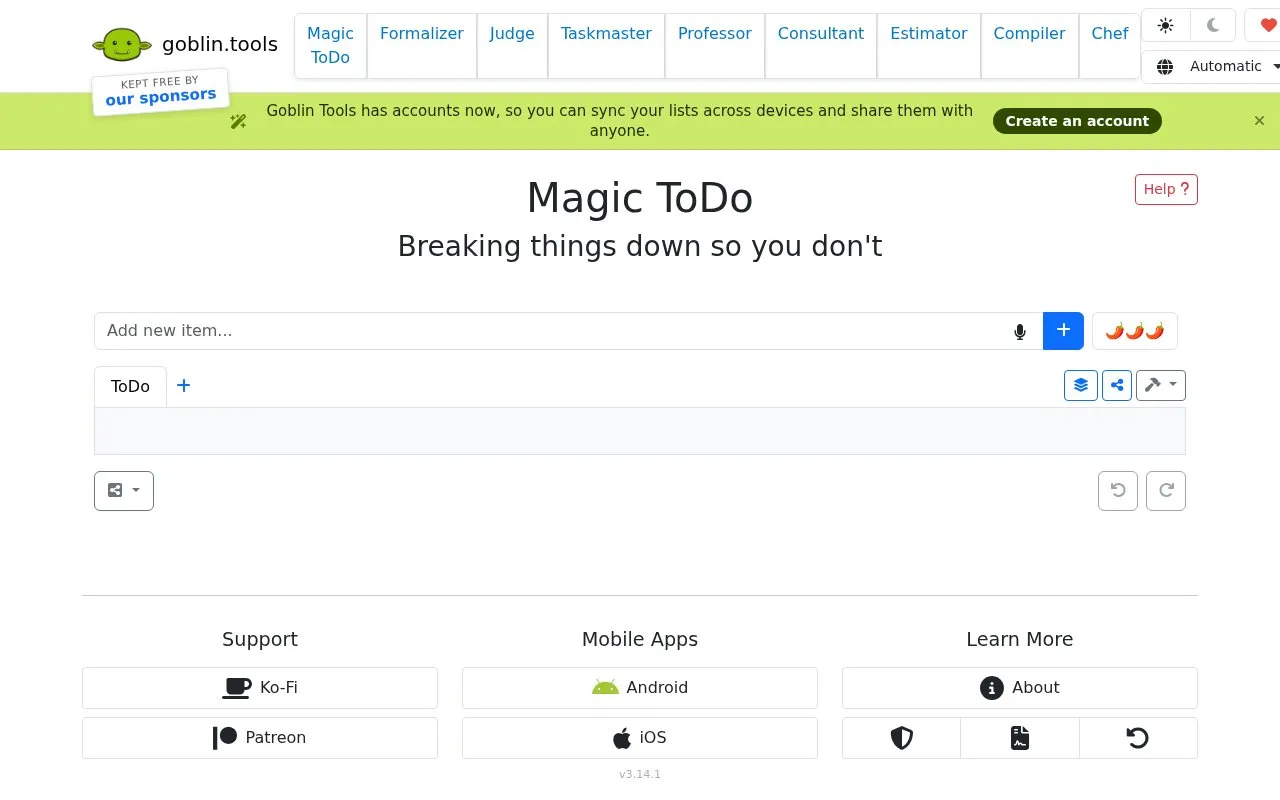
Magic ToDo turns a task into suggested steps and includes a setting for indicating how difficult or stressful it feels.
About Goblin.tools
Magic ToDo is a to-do list that can automatically suggest steps for a task. A spiciness setting indicates how hard or stressful a task feels, with higher settings producing more detailed breakdowns.
It includes automatic categories for top-level tasks, filtering, time estimates, prioritizing, drag-to-reorder, undo and redo, and account-based sync and sharing. Lists can be saved to file or exported to Markdown, iCal, Todoist, Asana, Notion, Amazing Marvin and TickTick, with some imports losing completion state, due dates or subtask hierarchy.
Key features
- Automatically breaks tasks into suggested subtask steps
- Adjustable spiciness level controls amount of breakdown
- Automatic emoji category with filter for top-level tasks
- Time estimator and prioritize function for list items
- Account sync and sharing lists across devices
- Export to Todoist, Asana, Notion, TickTick, Markdown, iCal
Best for: People who want large or stressful tasks broken into smaller steps.
Good for
- Automatically suggests subtask steps with adjustable breakdown level
- Syncs lists across devices and allows sharing with others
- Exports to multiple task, calendar and text formats
Watch out for
- Todoist imports show all tasks as incomplete
- Items have no due dates and import as undated to-dos
- Notion import does not preserve real subtask hierarchy
Goblin.tools at a glance
- Website
- goblin.tools/ToDo
- Category
- Software & Utilities › Text Editors
- Type
- Website
- Pricing
- Not confirmed. Check the site
- Platforms
- Android, iOS, Web
- Open source
- Not stated
- Language
- English
- Last checked
- Oct 5, 2026 · Online when checked
- Listed
- Oct 5, 2026
Guides for Text Editors

Popular in Text Editors
Well-known listings from the same topic.
Google Docsgoogle.com/docs/aboutProton Docsproton.me/drive/docsVertex42vertex42.comdDocsdocs.fileverse.ioNotepad++notepad-plus-plus.orgLibreOfficelibreoffice.org


Goblin.tools FAQ
What does the spiciness level do?
It gives the tool a hint about how hard or stressful a task feels. Higher levels attempt to break the task into more steps. It is not an exact measure.
How do I import a Magic ToDo list into Todoist?
Download the Todoist-compatible CSV, then in Todoist create or select a project, open the menu next to its name, choose Import from CSV and select the file.
Do Magic ToDo items have due dates?
No. Items import into task apps as undated to-dos. The iCal events export places top-level tasks as a suggested schedule tomorrow starting at 9 AM.
Is something wrong or out of date?
Tell us and an editor will check it.
Own this website?
Claim this listing
Claim the listing and suggest updates yourself. An editor checks every claim first.