

MindForger
MindForger offers a thinking notebook for organizing information and keeping private notes.
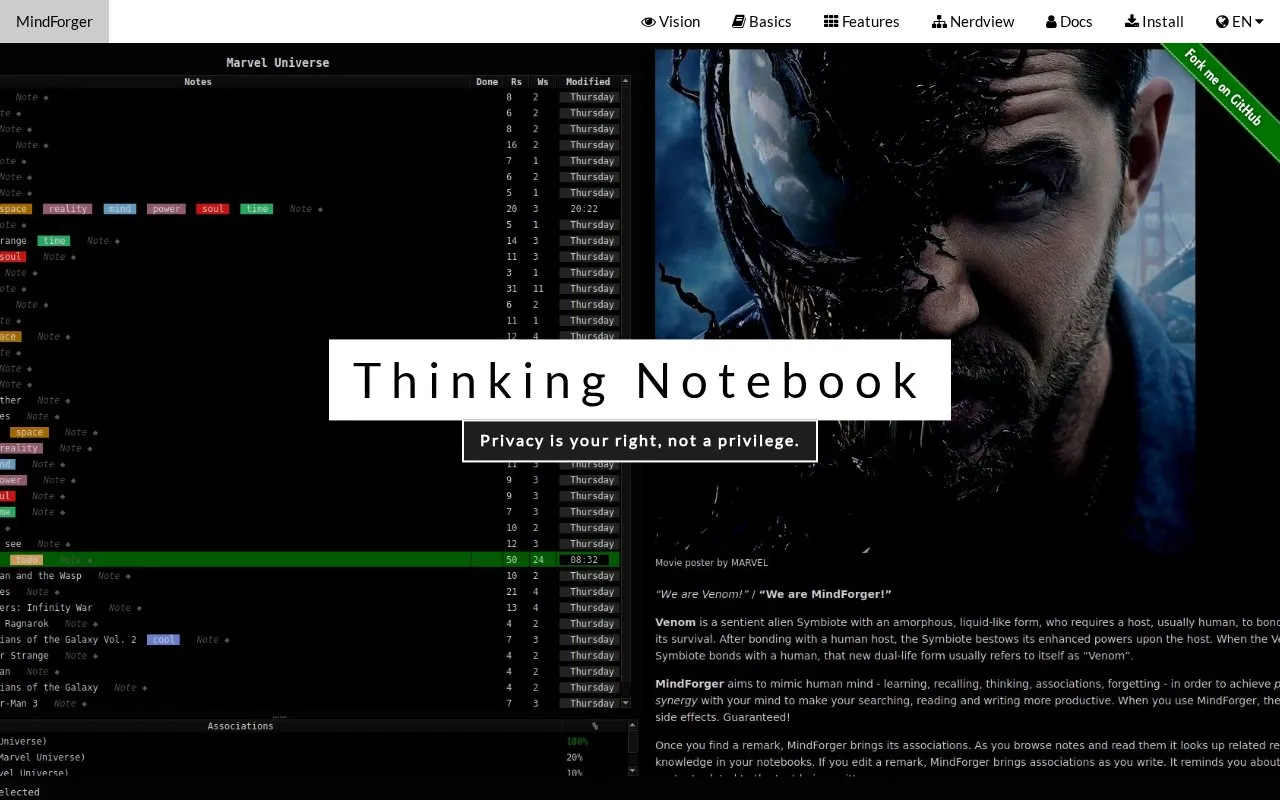
About MindForger
MindForger is a personal knowledge management tool built around a Markdown-based thinking notebook. It stores notes as plain Markdown files and organizes them into notebooks. Its main feature is association: while a user reads or writes a note, the software suggests related notes from the whole workspace, including notes the user may have forgotten. Associations are computed locally and do not require a cloud service or a large language model.
Other capabilities include a knowledge graph navigator, note templates called stencils, Kanban and Eisenhower matrix organizers based on tags, and an optional local AI assistant named Wingman. Wingman runs open-weight language models on the user's machine through ollama. The homepage describes MindForger as a desktop application for Linux, while the directory lists the platform as web. The homepage text is cut off in places, so details about syncing and backup are not fully described.
Key features
- Computes note associations locally, with no cloud or LLM required
- Autolinks notebook and note names in preview, distinguishing hand-written and generated links
- Wingman assistant runs open-weight language models locally via ollama
- Knowledge graph navigator shows notebooks, notes and tags as an interactive graph
- Stencils for notebooks and 16 typed note types, including custom ones
- Kanban boards and Eisenhower matrix organizers sort notes by tags
Best for: People who keep many private Markdown notes on Linux and want to find, link and organize them mainly with the keyboard.
Good for
- Associations are computed locally, without a cloud service or LLM
- Notes are plain Markdown files on the user's disk, so they are not locked into the app
- Designed to be used without a mouse, with keyboard shortcuts for most actions
Watch out for
- The homepage describes it as a desktop application for Linux
- The Wingman assistant depends on ollama and open-weight models installed on the user's machine
MindForger at a glance
- Website
- mindforger.com
- Category
- Software & Utilities › Text Editors
- Type
- Website
- Pricing
- Not confirmed. Check the site
- Platforms
- Web
- Open source
- Not stated
- Language
- English
- Last checked
- Oct 6, 2026 · Online when checked
- Listed
- Oct 5, 2026
Guides for Text Editors

MindForger alternatives
Tools and sites you could use instead, ranked by how closely they match.

Superlist organizes work and personal tasks with to-do lists, notes, and projects across Mac, web, iOS, and Android.
Popular in Text Editors
Well-known listings from the same topic.
Google Docsgoogle.com/docs/aboutProton Docsproton.me/drive/docsVertex42vertex42.comdDocsdocs.fileverse.ioNotepad++notepad-plus-plus.orgLibreOfficelibreoffice.org


MindForger FAQ
Does MindForger need an internet connection or a cloud service to find related notes?
No. The homepage states that associations are computed locally, with no cloud and no LLM required.
Which platform is MindForger for?
The homepage describes MindForger as a desktop application for Linux.
Do notes stay on my machine when I use the Wingman assistant?
The homepage says Wingman runs open-weight language models privately on your machine via ollama. Its claim that it does not send notes anywhere is the developer's statement and is not independently verified here.
Is something wrong or out of date?
Tell us and an editor will check it.
Own this website?
Claim this listing
Claim the listing and suggest updates yourself. An editor checks every claim first.