

Multi Commander
File management features are available in Multi Commander, whose homepage lists its current version and releases.
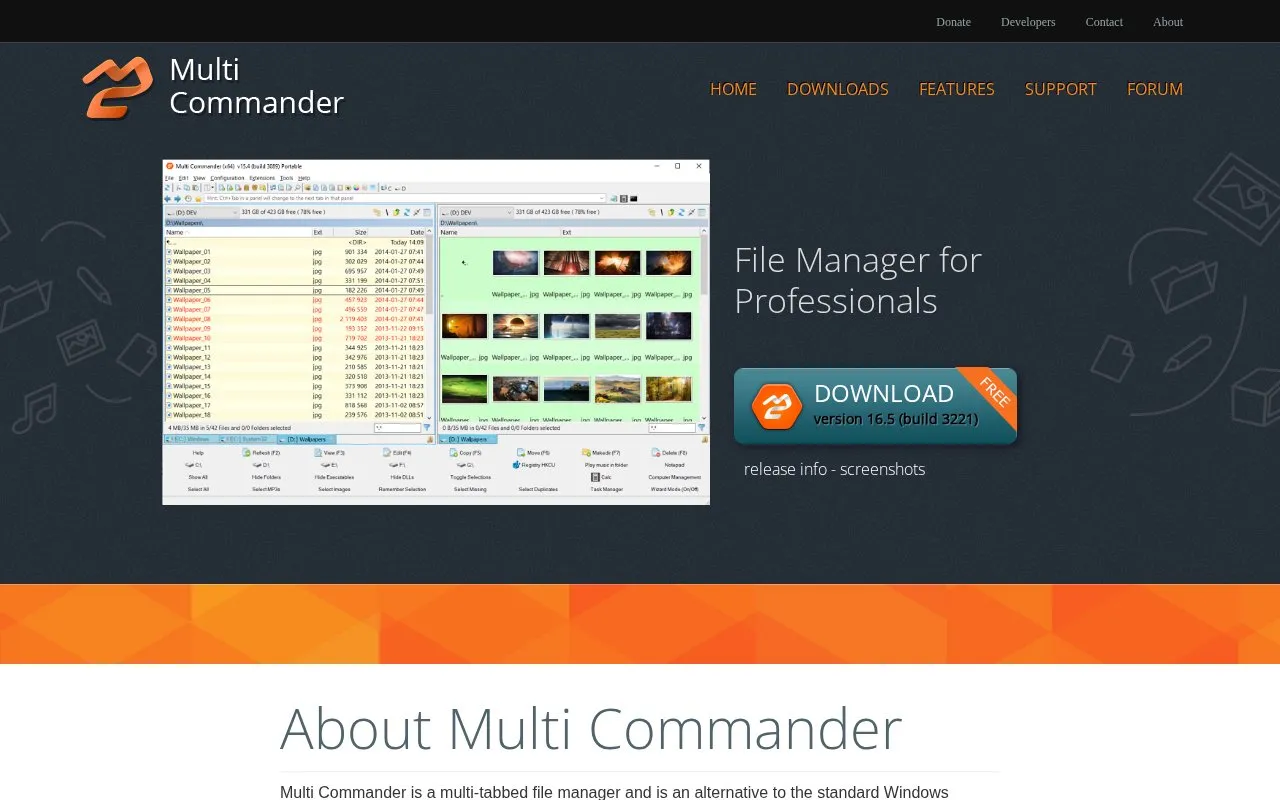
About Multi Commander
Multi Commander is a Windows-focused multi-tabbed dual-panel file manager designed as an alternative to the standard Windows Explorer for professional users. It provides standard file operations (copy, move, rename, view) alongside advanced features including archive browsing, file permission management, FTP access, built-in scripting for automation, and multimedia file tools. The tool is limited to Windows operating systems, with no cross-platform support noted in its homepage materials, and its pricing is not publicly listed.
Key features
- Dual-pane tabbed interface for simultaneous multi-folder access
- Browse and extract common archive formats (Zip, 7-Zip, Rar, etc.)
- Rule-based multi-file/folder renaming with undo support
- Built-in scripting engine for file management task automation
- FTP virtual filesystem access with SSL/TLS encryption support
- Multimedia tools for image, audio, and video file management
Best for: Windows professionals and power users who require efficient, customizable file management and automation for advanced file workflows.
Good for
- Dual-pane tabbed layout improves efficiency for multi-folder file workflows
- Includes built-in scripting and plug-in support for task automation
- Offers specialized built-in tools for archives, multimedia, and file permissions
Watch out for
- Only compatible with Windows operating systems, with no cross-platform support noted
- Not open source, so core functionality cannot be modified by end users
- No public pricing information is listed on the official homepage
Multi Commander at a glance
- Website
- multicommander.com
- Category
- Software & Utilities › File Utilities
- Type
- Website
- Pricing
- Not confirmed. Check the site
- Platforms
- Web, Windows
- Open source
- Not stated
- Language
- English
- Last checked
- Oct 6, 2026 · Online when checked
- Listed
- Oct 5, 2026
Guides for File Utilities
Multi Commander alternatives
Tools and sites you could use instead, ranked by how closely they match.

Q-Dir provides four-pane file management on Windows as an installed or portable program.

Sigma File Manager is an open-source file manager for Windows and Linux, according to its project page.

ezyZip provides browser-based tools for creating, compressing, and extracting archive files, along with file conversion.
Popular in File Utilities
Well-known listings from the same topic.
SDeletelearn.microsoft.com/en-us/sysinternals/downloa…PowerRenamelearn.microsoft.com/en-us/windows/powertoys/po…robocopylearn.microsoft.com/windows-server/administrat…VERTvert.shNanaZipnanazip.orgPhotonphotondev.netlify.app


Multi Commander FAQ
What Windows versions is Multi Commander compatible with?
It supports Windows XP, 2003, Vista, Server 2008 (R2), 7, 8.x, 10, 11, and Server 2012 (R2).
Can Multi Commander work with compressed archive files?
Yes, it supports browsing and extracting Zip, 7-Zip, Rar, Tar, gz, and bz2 archives.
Does Multi Commander support automating file management tasks?
Yes, it includes a built-in script engine for task automation.
Is something wrong or out of date?
Tell us and an editor will check it.
Own this website?
Claim this listing
Claim the listing and suggest updates yourself. An editor checks every claim first.