

VERT
VERT converts image, video, audio, and document files, with processing described as local to the user's device.
About VERT
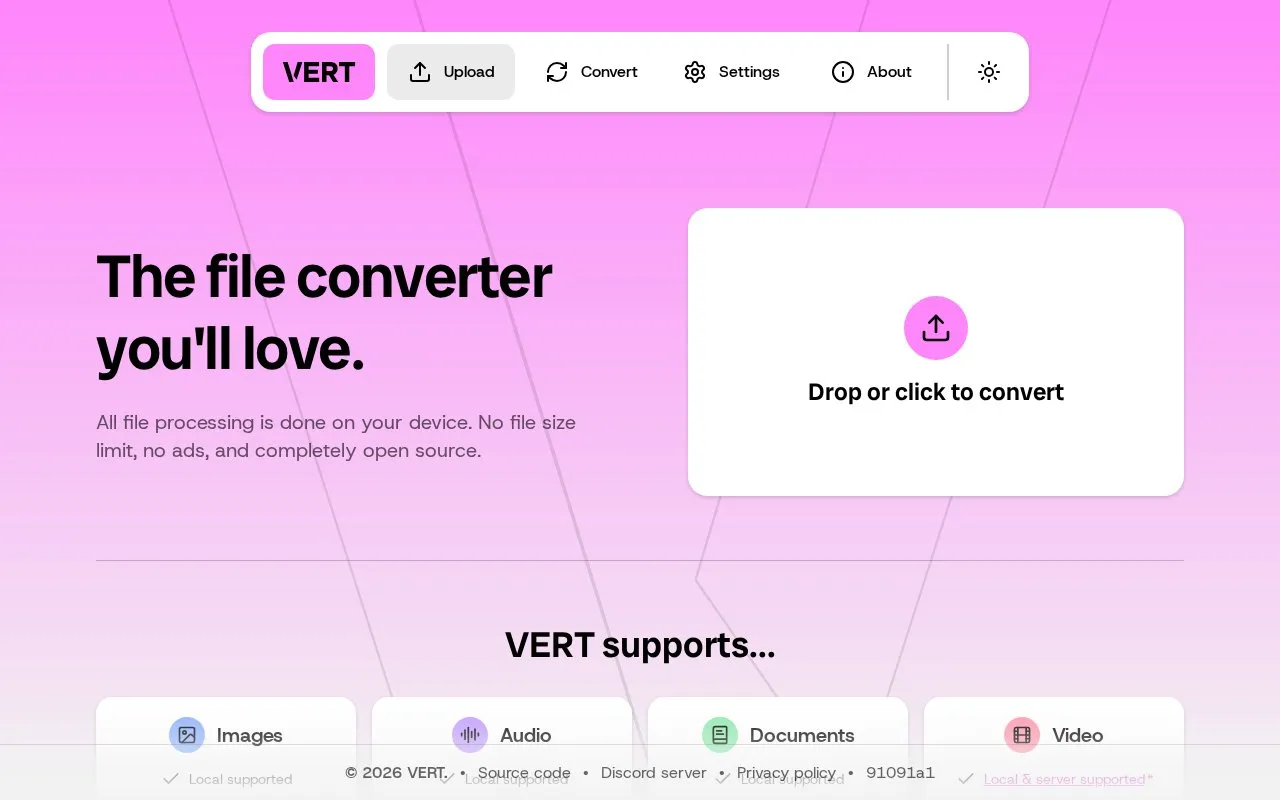
VERT is a browser-based file converter for image, video, audio, and document files. The site states that all file processing is done on the user's own device, so files are not uploaded for conversion, and it also states there is no file size limit, no ads, and no tracking. The interface offers a drop-or-click area, with Convert, Settings, and About sections.
Key features
- Converts image, video, audio, and document files
- Processing described as performed on the user's own device
- Drag-and-drop or click to add files
- Site states no file size limit
- Site states no ads and no tracking
- Settings and About sections in the interface
Best for: People who need to convert image, video, audio, or document files and prefer processing that is described as staying on their own device.
Good for
- The homepage states that file processing happens on the user's device rather than through uploads
- Covers four broad file categories in one browser tool
- The site states there are no ads and no tracking
Watch out for
- Pricing is not stated in the available source
- Only the web platform is listed; no desktop or mobile app is mentioned
- The source does not detail which specific file formats are supported
VERT at a glance
- Website
- vert.sh
- Category
- Software & Utilities › File Utilities
- Type
- Website
- Pricing
- Not confirmed. Check the site
- Platforms
- Web
- Open source
- Not stated
- Language
- English
- Last checked
- Oct 6, 2026 · Online when checked
- Listed
- Oct 5, 2026
Guides for File Utilities
VERT alternatives
Tools and sites you could use instead, ranked by how closely they match.

VERT is a file conversion utility that uses WebAssembly to convert files on your device instead of a cloud.
FreeOpen source
24 alternatives
GeekLink OCR extracts burned-in video subtitles into time-synced SRT files, with local processing for Mac and Windows.
Free trial
7 alternatives
Encoding Converter processes one or more files online and converts them between character encodings, with ZIP uploads supported.
Popular in File Utilities
Well-known listings from the same topic.
SDeletelearn.microsoft.com/en-us/sysinternals/downloa…PowerRenamelearn.microsoft.com/en-us/windows/powertoys/po…robocopylearn.microsoft.com/windows-server/administrat…NanaZipnanazip.orgPhotonphotondev.netlify.appFree Commanderfreecommander.com


VERT FAQ
Are my files uploaded to a server for conversion?
The site says all file processing is done on your device, rather than describing an upload-based conversion service.
Is there a file size limit?
The homepage states there is no file size limit.
How do I add files for conversion?
The interface provides a drop-or-click area for adding files, followed by Convert, Settings, and About sections.
Is something wrong or out of date?
Tell us and an editor will check it.
Own this website?
Claim this listing
Claim the listing and suggest updates yourself. An editor checks every claim first.