

GeekLink OCR
GeekLink OCR extracts burned-in video subtitles into time-synced SRT files, with local processing for Mac and Windows.
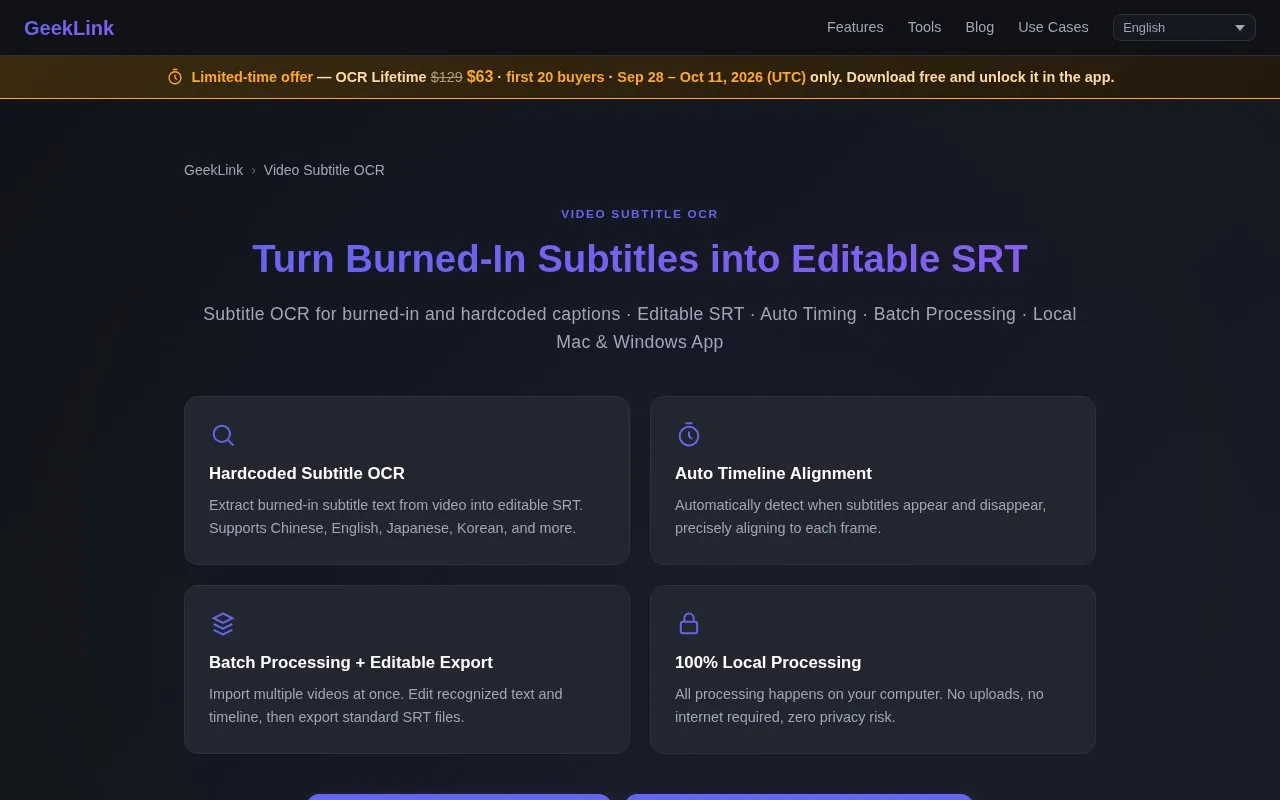
About GeekLink OCR
GeekLink OCR is a desktop application for Mac and Windows that extracts burned-in (hardcoded) subtitles from video files into editable, time-synced SRT files. All processing runs locally on the user's device with no file uploads, and it supports batch processing of multiple videos or entire folders. The tool also converts Blu-ray .sup/PGS image subtitles to SRT for free, and supports multiple languages including Chinese, English, Japanese, and Korean. A free tier provides 60 minutes of OCR export per month, with paid plans available for unlimited use.
Key features
- Extracts burned-in video subtitles to editable SRT
- Auto-aligns subtitle timing to video frames
- Batch processes multiple videos or full folders
- Supports CJK, Latin and other subtitle languages
- Converts Blu-ray .sup/PGS subtitles to SRT free
- Runs 100% locally with no uploads required
Best for: Users who need to extract hardcoded video subtitles or convert Blu-ray .sup subtitles to editable SRT, and prefer local processing with no file uploads.
Good for
- All processing runs locally with no file uploads, so no user data is transferred to external servers.
- Batch processing supports importing entire folders of videos for bulk subtitle extraction.
- Includes free, unlimited conversion of Blu-ray .sup/PGS subtitles to SRT that does not consume monthly OCR limits.
Watch out for
- Free tier usage is capped at 60 minutes of OCR export per month.
- Unlimited hardcoded subtitle OCR requires a paid plan.
- No built-in cloud AI features are included.
GeekLink OCR at a glance
- Website
- geeklink.dev/video-ocr
- Category
- Software & Utilities › File Utilities
- Type
- Website
- Pricing
- Free trial
- Platforms
- macOS, Web, Windows
- Open source
- Not stated
- Language
- English
- Last checked
- Oct 6, 2026 · Online when checked
- Listed
- Oct 5, 2026
Guides for File Utilities
GeekLink OCR alternatives
Tools and sites you could use instead, ranked by how closely they match.

Text Grab extracts text with OCR on Windows, with an optional background process and notifications.
Open source
24 alternatives
Anytxt Searcher searches file contents on desktop systems, including text, PDF, Office, code, ebook, and image files.

Umi-OCR processes screenshots, image batches, and PDF documents offline, with OCR support for multiple languages.
Open source
24 alternatives
NormCap captures text from the screen using OCR, with downloads for Linux, macOS, and Windows.

TextShot takes a screenshot and copies its text to the clipboard using Python, on Windows, macOS, and Linux.
Open source
24 alternatives
Orange searches local files from a cross-platform desktop app, with autocomplete and real-time file-system monitoring.
Popular in File Utilities
Well-known listings from the same topic.
SDeletelearn.microsoft.com/en-us/sysinternals/downloa…PowerRenamelearn.microsoft.com/en-us/windows/powertoys/po…robocopylearn.microsoft.com/windows-server/administrat…VERTvert.shNanaZipnanazip.orgPhotonphotondev.netlify.app


GeekLink OCR FAQ
What are hardcoded (burned-in) subtitles?
Text rendered permanently into the video image that cannot be turned off, selected, or copied; GeekLink OCR extracts this text into editable subtitle files.
Can GeekLink process an entire folder of videos at once?
Yes, users can import a full folder of videos, and the tool queues and processes every file before batch-exporting a subtitle file for each.
Is Blu-ray .sup subtitle conversion free?
Yes, converting image-based .sup (PGS) Blu-ray subtitles to SRT is free forever and does not use monthly OCR minutes.
Is something wrong or out of date?
Tell us and an editor will check it.
Own this website?
Claim this listing
Claim the listing and suggest updates yourself. An editor checks every claim first.