

Text Grab
Text Grab extracts text with OCR on Windows, with an optional background process and notifications.
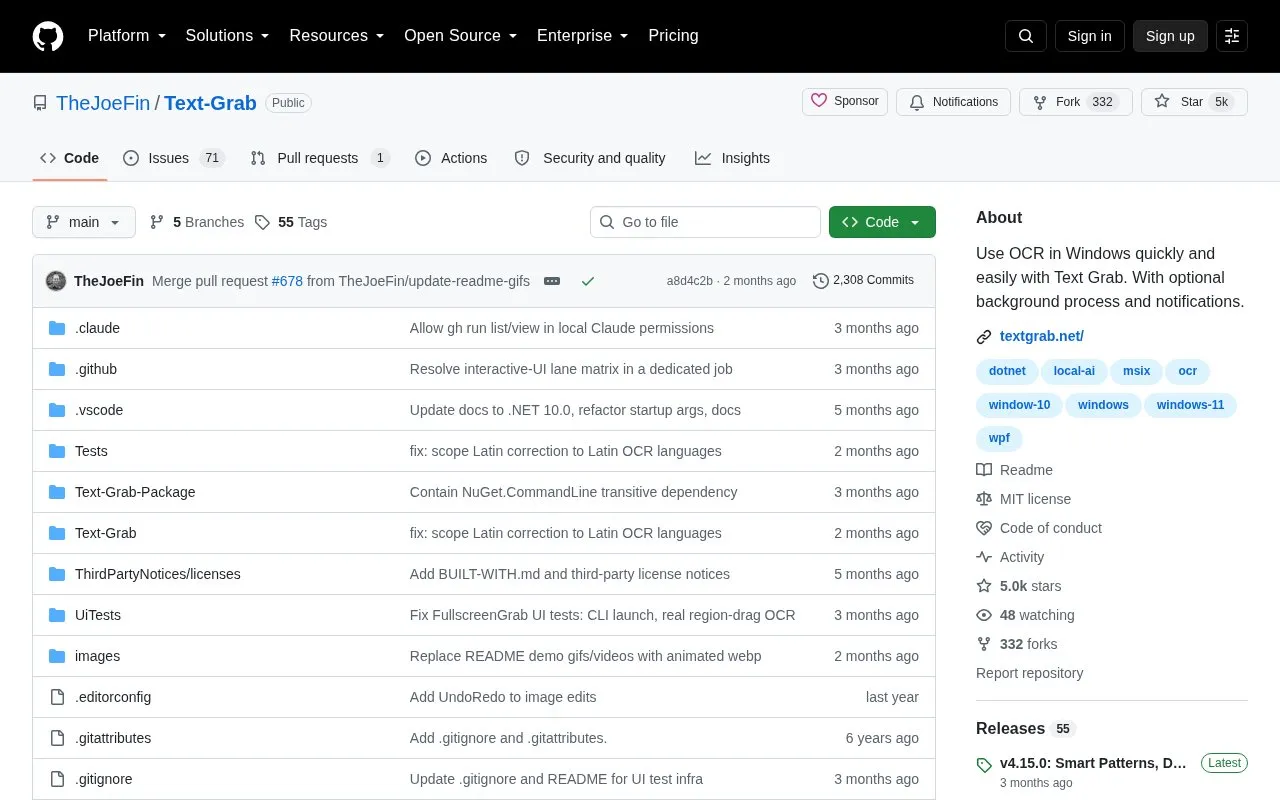
About Text Grab
Text Grab is an open-source Windows utility for capturing text with OCR and moving it to the clipboard or an editor. It is designed for text trapped in images, videos, PDFs, and parts of apps where users cannot select it. The repository states OCR runs entirely on the device, without an internet connection or cloud service, and no per-use cost is mentioned.
It offers multiple capture modes, including Full-Screen Mode for selecting a screen region and Grab Frame Mode for a movable OCR window. Other described capabilities include post-grab cleanup, spreadsheet-style editing, fast text reuse, and a background process for global hotkeys. Windows 10 or later is required for Windows OCR API features; Windows AI features require Windows 11 on a Copilot+ PC and a Microsoft Store installation. OCR accuracy is not perfect and can sometimes be improved by adjusting the frame size and position.
Key features
- Full-Screen Mode copies selected OCR text; single click tries one word.
- Grab Frame Mode uses a movable OCR window over part of the screen.
- Grab Frame text by searching, clicking a word border, or clicking Grab.
- On-device OCR with no internet connection or cloud service stated.
- Background process enables global hotkeys anywhere in Windows.
- Post-grab cleanup, spreadsheet-style editing, and fast text reuse.
Best for: Windows users who need to extract text from images, videos, PDFs, or app interfaces where it cannot be selected.
Good for
- Open source and installable via Microsoft Store, GitHub Releases, scoop, or choco.
- OCR runs entirely on-device, with no internet connection or cloud service stated.
- Offers multiple capture modes plus cleanup and editing tools.
Watch out for
- Requires Windows 10 or later for features using the Windows OCR API.
- Windows AI features require Windows 11 on a Copilot+ PC and a Microsoft Store installation.
- OCR is not perfect; accuracy may improve by adjusting frame size and position.
Text Grab at a glance
- Category
- Software & Utilities › File Utilities
- Type
- Open-source project
- Pricing
- Not confirmed. Check the site
- Platforms
- Windows
- Open source
- Yes · Source code
- Language
- English
- Last checked
- Oct 6, 2026 · Online when checked
- Listed
- Oct 5, 2026
Guides for File Utilities
Text Grab alternatives
Tools and sites you could use instead, ranked by how closely they match.

TextShot takes a screenshot and copies its text to the clipboard using Python, on Windows, macOS, and Linux.
Open source
24 alternatives
Umi-OCR processes screenshots, image batches, and PDF documents offline, with OCR support for multiple languages.
Open source
24 alternatives
GeekLink OCR extracts burned-in video subtitles into time-synced SRT files, with local processing for Mac and Windows.
Free trial
7 alternatives
NormCap captures text from the screen using OCR, with downloads for Linux, macOS, and Windows.

Anytxt Searcher searches file contents on desktop systems, including text, PDF, Office, code, ebook, and image files.

PeaZip is a cross-platform archive manager for opening and extracting ZIP and RAR files, with additional archive features.
Open source
24 alternativesPopular in File Utilities
Well-known listings from the same topic.
SDeletelearn.microsoft.com/en-us/sysinternals/downloa…PowerRenamelearn.microsoft.com/en-us/windows/powertoys/po…robocopylearn.microsoft.com/windows-server/administrat…VERTvert.shNanaZipnanazip.orgPhotonphotondev.netlify.app


Text Grab FAQ
What Windows versions does Text Grab support?
Windows 10 or later is required for all features using the Windows OCR API. Windows AI features require Windows 11 on a Copilot+ PC and a Microsoft Store installation.
Does Text Grab need an internet connection or cloud service?
The repository states all OCR runs entirely on the device, with no internet connection, no cloud service, and no per-use cost.
Can OCR accuracy be improved?
OCR is not perfect, but accuracy can often be improved by adjusting the size and position of the Grab Frame.
Is something wrong or out of date?
Tell us and an editor will check it.
Own this website?
Claim this listing
Claim the listing and suggest updates yourself. An editor checks every claim first.