

onlinenotepad
Write plain-text notes in onlinenotepad, a browser editor with autosave functionality.
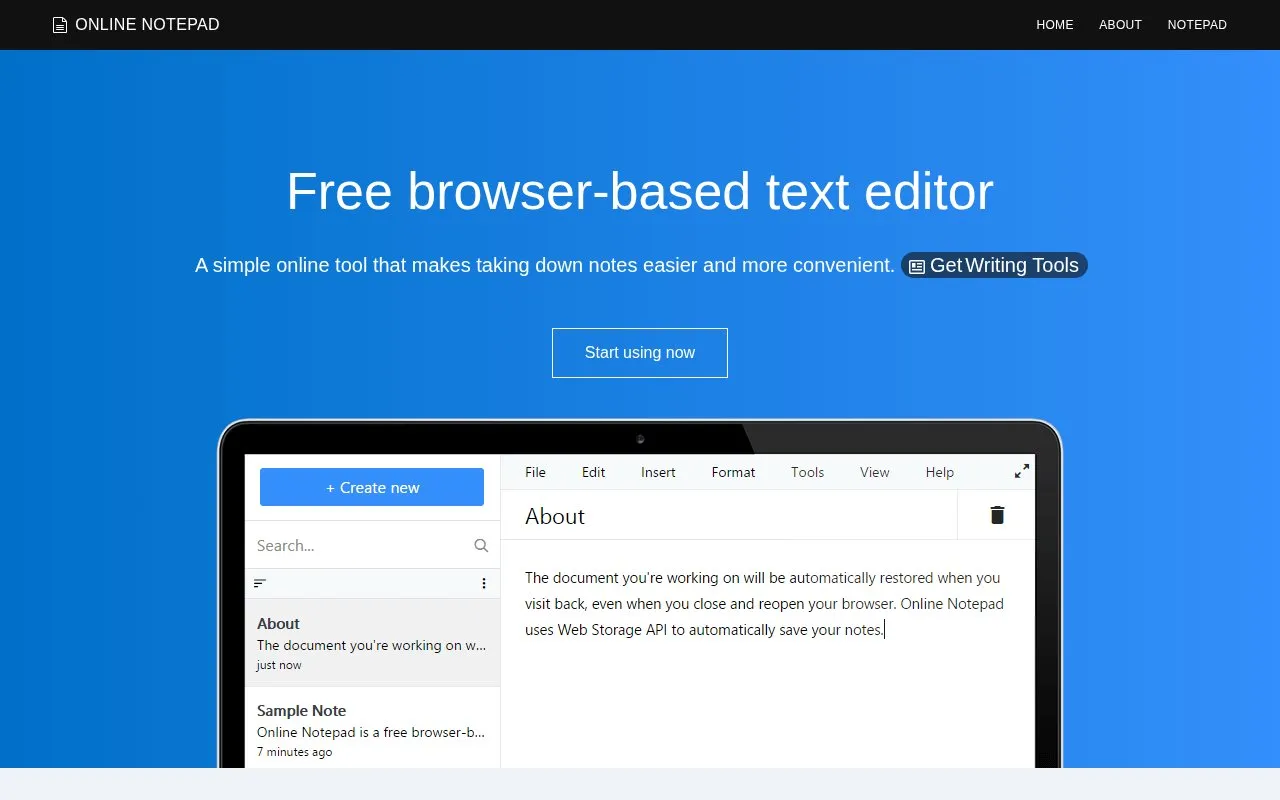
About onlinenotepad
onlinenotepad is a browser-based plain-text editor for creating and editing notes without registration. It includes a real-time word counter, find and replace, spellchecking through the browser, opening and saving files, and printing or saving as a PDF.
Drafts are saved automatically about every second to the browser's local storage and are restored on return, even after the tab is closed or the browser crashes. Notes remain only until cookies and other site data are cleared, and JavaScript must be enabled to use it.
Key features
- Autosaves draft every second to browser local storage
- Opens files from and saves files to computer
- Real-time word counter updates as you type
- Find and replace words or phrases in document
- Uses browser native spellchecker for spelling mistakes
- Prints page or saves notes as PDF file
Best for: People who need to write quick plain-text notes in a browser without registering for an account.
Good for
- No registration or login required
- Drafts save automatically every second and restore after revisit
- Draft content is stored locally in the browser on the device
Watch out for
- Notes are removed if cookies and other site data are cleared
- JavaScript must be enabled to use the app
onlinenotepad at a glance
- Website
- onlinenotepad.org
- Category
- Software & Utilities › Text Editors
- Type
- Website
- Pricing
- Not confirmed. Check the site
- Platforms
- Web
- Open source
- Not stated
- Last checked
- Oct 5, 2026 · Online when checked
- Listed
- Oct 5, 2026
Guides for Text Editors

onlinenotepad alternatives
Tools and sites you could use instead, ranked by how closely they match.

Write and save plain-text notes in this browser-based online notepad without an account.
Free
5 alternatives
JustNotepad provides browser-based notes with autosave, multiple pages, and a word and character counter.

Create and organize notes with ZippyJot, an online notepad with autosave and no account required to start.
Popular in Text Editors
Well-known listings from the same topic.
Google Docsgoogle.com/docs/aboutProton Docsproton.me/drive/docsVertex42vertex42.comNotepad++notepad-plus-plus.orgLibreOfficelibreoffice.orgSublime Textsublimetext.com


onlinenotepad FAQ
How are notes saved?
Changes are saved automatically using the HTML5 localStorage API, with a default interval of 1000ms or 1 second, to the computer. Notes stay in the browser until cookies and other site data are cleared.
Will my note reappear if I close the tab or browser?
Yes. The document is automatically restored when you visit back, even after closing and reopening the browser.
Do I need an account to use it?
No. No registration and login are required to create and edit plain-text files.
Is something wrong or out of date?
Tell us and an editor will check it.
Own this website?
Claim this listing
Claim the listing and suggest updates yourself. An editor checks every claim first.